
How to Spot a Fake Laptop Charger Before It Damages Your Device. Leave a comment
Your laptop charger may look like a simple accessory, but it plays a critical role in protecting your device’s performance, battery health, and safety. Unfortunately, counterfeit and low-quality laptop chargers are common in the market and can cause serious problems, from slow charging and battery damage to overheating and permanent hardware failure.
A charger that looks like a bargain today could cost you much more in repairs tomorrow.
So, how can you tell if a laptop charger is genuine or fake?
This guide will help you identify the warning signs of a counterfeit charger and make safer purchasing decisions.
Why Using a Fake Laptop Charger Is Dangerous.
A genuine laptop charger is designed to deliver the correct voltage, current, and power output required by your device. Fake chargers often use poor-quality components and may not meet safety standards.
Using a counterfeit charger can lead to:
- Overheating during charging
- Reduced battery lifespan
- Slow or inconsistent charging
- Laptop performance issues
- Electrical damage to internal components
- Risk of short circuits or fire hazards
Protecting your laptop starts with choosing the right charger.
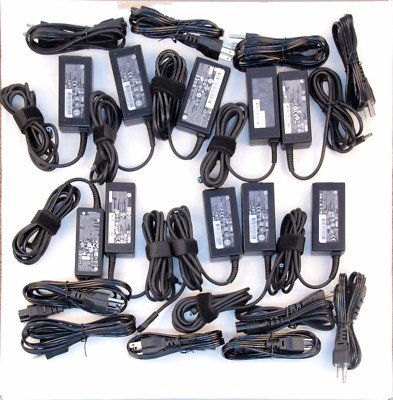
1. Check the Charger Price: Is It Too Good to Be True?
One of the biggest warning signs of a fake laptop charger is an unusually low price.
If a charger is being sold at a fraction of the normal market price, it may be:
- A counterfeit product
- A refurbished charger sold as new
- A low-quality replacement
Genuine chargers use high-quality components, safety testing, and proper manufacturing processes, which are reflected in their price.
A cheap charger may save money upfront but can put your expensive laptop at risk.
2. Inspect the Build Quality.
A genuine laptop charger usually feels solid, well-designed, and professionally manufactured.
Look out for:
Signs of a fake charger:
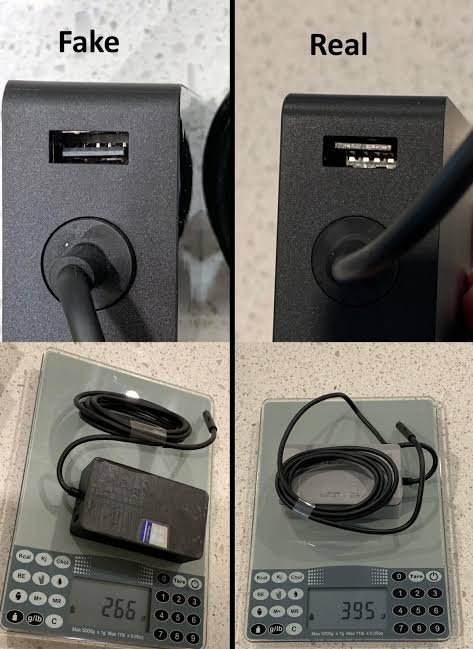
- Lightweight plastic casing
- Loose or uneven seams
- Poor finishing
- Weak cables
- Misspelled labels or brand names
- Cheap-looking connectors
Original chargers typically have strong insulation, clean printing, and a durable build.
3. Examine the Labels and Specifications.
Every genuine laptop charger has important information printed on its label.
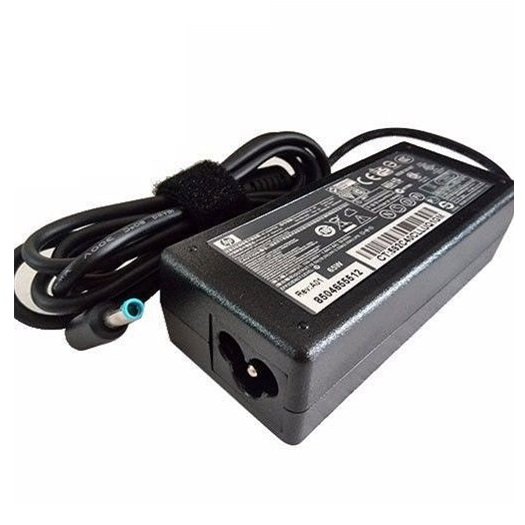
Check:
- Brand name
- Model number
- Input voltage
- Output voltage
- Output current
- Wattage rating
- Certification marks
Compare these details with your original charger or your laptop manufacturer’s specifications.
A fake charger may have:
- Incorrect specifications
- Missing information
- Blurry printing
- Fake certification logos
4. Match the Voltage and Wattage.
One of the most important checks is ensuring the charger matches your laptop’s requirements.
A charger with incorrect power output can cause:
- Battery charging problems
- Reduced performance
- Overheating
- Damage to internal components
For example, a laptop designed for a 65W charger may not work properly with a lower-quality charger that cannot provide stable power.
Always check your laptop manual or manufacturer specifications before buying a replacement.
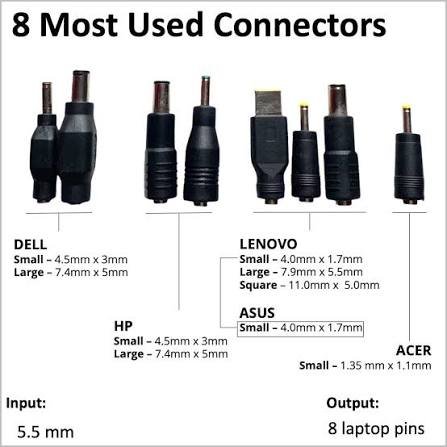
5. Look at the Charger Connector.
The connector tip is another place where counterfeit chargers often reveal themselves.
A genuine charger connector should:
- Fit securely into your laptop
- Have a clean finish
- Deliver consistent power
- Match the original size and design
Warning signs include:
- Loose connections
- Excessive heat around the charging port
- Sparks or unusual sounds
- Charging that stops and starts
These issues may indicate a poor-quality charger.
6. Pay Attention to Charging Performance.
Your laptop can often tell you when something is wrong.
A fake charger may cause:
- Very slow charging
- Battery percentage dropping while plugged in
- Charger disconnecting randomly
- Laptop overheating
- Touchpad or keyboard behaving unusually
If your laptop suddenly behaves differently after using a new charger, stop using it and check the charger’s authenticity.
7. Buy From Trusted Sellers.
Where you buy your charger matters.
Avoid purchasing chargers from:
- Unknown online sellers
- Unverified marketplaces
- Street vendors offering extremely cheap deals
Choose trusted technology retailers that provide:
- Genuine products
- Warranty support
- Proper receipts
- Manufacturer-approved accessories
At Compvate, customers can find reliable laptop solutions and accessories from trusted sources.
8. Check for Safety Certifications.
Authentic chargers usually include safety certifications depending on the region where they are sold.
Look for:
- Proper certification markings
- Manufacturer information
- Safety compliance labels
Be cautious if:
- Certification logos appear incorrect
- Labels are missing
- Printing looks altered
9. Be Careful With Universal Chargers.
Universal laptop chargers can be useful, but they require extra attention.
Before using one, confirm:
- Correct voltage
- Correct wattage
- Compatible connector
- Proper safety features
A universal charger that does not match your laptop specifications can cause performance issues or damage.
10. Check the Cable Quality
The cable is just as important as the power adapter.
A genuine charging cable should feel:
- Strong and flexible
- Properly insulated
- Secure at connection points
Avoid chargers with:
- Thin cables
- Cracked insulation
- Loose connectors
- Excessive bending near the ends
Poor cables can increase the risk of overheating and electrical faults.
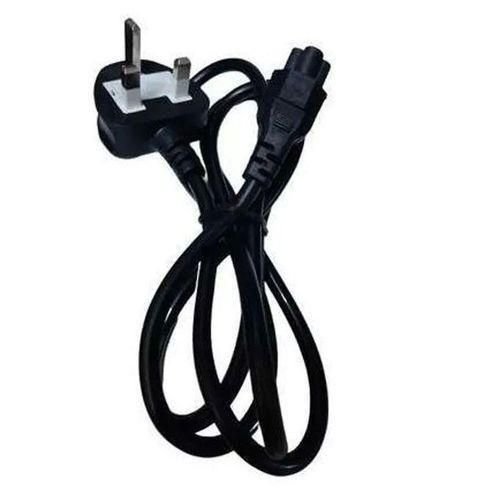
Genuine vs Fake Laptop Charger: Quick Comparison
| Genuine Charger | Fake Charger |
|---|---|
| Correct specifications | Incorrect or unclear specifications |
| High-quality materials | Cheap plastic and weak cables |
| Stable charging | Random charging interruptions |
| Safety tested | Unknown safety standards |
| Warranty support | Usually no reliable support |
What Should You Do If You Suspect a Fake Charger?
If you believe your charger is counterfeit:
- Stop using it immediately.
- Disconnect it from your laptop and power outlet.
- Check the specifications against your laptop requirements.
- Purchase a replacement from a trusted supplier.
- Avoid continuing to use a charger that overheats or behaves unusually.
Your charger is a small investment compared to the cost of replacing a damaged laptop.
Final Thoughts
A laptop charger is not just a power accessory — it is an essential part of your device’s safety and performance system. Learning how to spot a fake laptop charger can help you avoid battery problems, hardware damage, and unnecessary repair costs.
Always check the build quality, specifications, seller reputation, and safety features before purchasing a replacement charger.
When it comes to protecting your laptop, choosing a genuine charger is always the smarter choice.
Frequently Asked Questions (FAQs)
Check the brand markings, model number, power specifications, build quality, and purchase source. Genuine chargers usually have clear labels and reliable manufacturing quality.
Yes. Fake chargers may deliver unstable power, causing overheating, reduced battery life, or damage to internal components.
Only if it comes from a trusted manufacturer or seller and matches your laptop’s required voltage and wattage.
Some warmth is normal, but excessive heat may indicate a faulty charger, poor ventilation, or an unsafe counterfeit product.
Yes. An incorrect charger may cause your laptop to limit performance, charge slowly, or fail to maintain battery power during use.











