
The Ultimate Guide to Selecting the Perfect Gaming Monitor for Esports Leave a comment
In the high-stakes arenas of Counter-Strike, Valorant, and Apex Legends, victory and defeat are decided in milliseconds. It might not just be your reaction time holding you back—it could be your monitor. Choosing the right display for competitive gaming isn’t about pretty colours; it’s about gaining a tangible competitive advantage. This guide breaks down everything you need to know to select the perfect weapon for your esports career in Kenya.
Why Your Monitor is Your Most Important Esports Weapon
Forget the fancy RGB keyboard for a moment. In competitive gaming, your monitor is arguably the single most critical piece of hardware influencing your performance. Two specifications rule them all: Refresh Rate and Response Time.
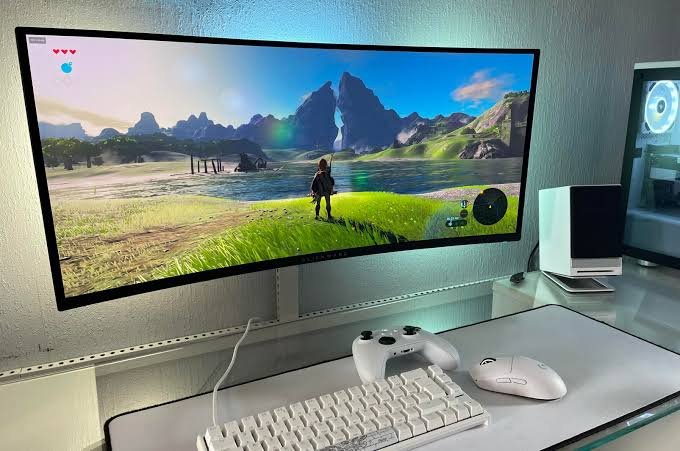
- Refresh Rate (Hz): This is how many times your screen updates with a new image every second. A standard 60Hz screen shows 60 frames per second. An esports-grade 240Hz monitor shows 240. This massive increase results in buttery-smooth motion, making it far easier to track fast-moving targets. You literally see information sooner than an opponent on a slower screen.
- Response Time (ms): This measures how quickly a pixel can change colour. A low response time, like 1ms, eliminates motion blur or “ghosting,” ensuring your view remains crisp and clear during rapid mouse movements.
Upgrading your display is one of the most immediate and impactful ways to level up your gameplay.
Refresh Rate Beats Resolution For Ranked Play
Competitive shooters reward low latency more than extra pixels. A 24-inch 1080p 144Hz monitor is still a strong baseline, with many professional players preferring 24-inch screens for faster scanning. 27-inch 1440p works well if your GPU can keep frame rates high, but the esports sweet spot often leans towards smaller screens where every enemy, icon, and cue remains within easy reach without shifting your gaze.
Here’s a breakdown of the key specifications based on your competitive level:
Entry-Level Competitive (144Hz – 165Hz)
The strong baseline for esports. If you’re moving from a standard 60Hz monitor, the difference will be night and day. Budget-friendly models often start around this range, making it the perfect entry point for students and casual competitors.
Recommended Specs: 24-inch, 1080p, 144Hz – 165Hz.
Serious Competitor (240Hz – 360Hz)
The gold standard for players climbing the ranks in CS2 and Valorant. Pushing 300+ FPS is essential to feed these panels, so ensure your PC can handle it. Models with Fast IPS technology are top-tier weapons for speed and clarity.
Recommended Specs: 24-27 inch, 1080p/1440p, 240Hz – 360Hz.
Professional / Elite (500Hz+)
For those chasing every fraction of a frame. These are specialist tools designed for pure performance. With 0.03ms response times found in OLED panels, you get the lowest input latency possible.
Recommended Specs: 24.5-inch, 1080p, 500Hz+.
Panel Technology: IPS vs. TN vs. OLED
The type of panel determines the visual quality and performance of your monitor.
IPS (In-Plane Switching):
Offers a great balance of performance and visual quality.
Fast IPS panels now achieve 1ms response times and 360Hz+ refresh rates, making them a top choice for gamers who also want vibrant colours and wide viewing angles.
TN (Twisted Nematic):
The traditional choice for esports. Offers the fastest response times and highest refresh rates but sacrifices colour accuracy and viewing angles.
OLED:
Offers the fastest response times (0.03ms) and perfect blacks, but can be expensive and less bright in well-lit rooms. High-end models provide 480Hz refresh rates for exceptionally smooth motion.
Key Features to Look For
Adaptive Sync (G-Sync / FreeSync): Syncs your monitor’s refresh rate with your GPU’s frame output to prevent screen tearing. This helps smooth out gameplay when performance fluctuates.
Connectivity: Use a DisplayPort cable for high refresh rates. DisplayPort 2.1 supports significantly higher bandwidth than HDMI, which is ideal for high refresh rates at higher resolutions.
Ergonomics: Ensure the stand offers height, swivel, and tilt adjustments for comfortable viewing during long sessions. Some models even feature calibration indicators on the stand to replicate your perfect setup for tournaments.
Ready to Dominate the Competition?
Your monitor is the window to your game. Choosing the right one is an investment in your performance. By focusing on refresh rate, response time, panel technology, and ensuring your PC can handle the load, you’re setting yourself up for success.
At Compvate, we understand the needs of competitive gamers. We’re committed to providing quality tech solutions tailored to the Kenyan market, whether you need advice or are ready to upgrade your setup.
Frequently Asked Questions
Yes, 144Hz is a strong competitive baseline. Move to 240Hz or higher only if your PC and game settings can consistently stay close to that frame rate.
Choose 1080p for maximum fps on a tighter budget. Choose 1440p if your GPU is strong enough and you want sharper visuals for desktop use.
For fast shooters, some players prefer locking their frame rate to a multiple of the refresh rate for lower latency. Experiment with adaptive sync on and off to see which feels better for you. In general, it helps smooth out gameplay when performance fluctuates.
Most professional esports players use 24 to 25-inch monitors. This size allows you to see the entire screen without moving your head, keeping all critical information within your peripheral vision.











