
Why Are Monitors More Expensive Than TVs in Kenya? Leave a comment
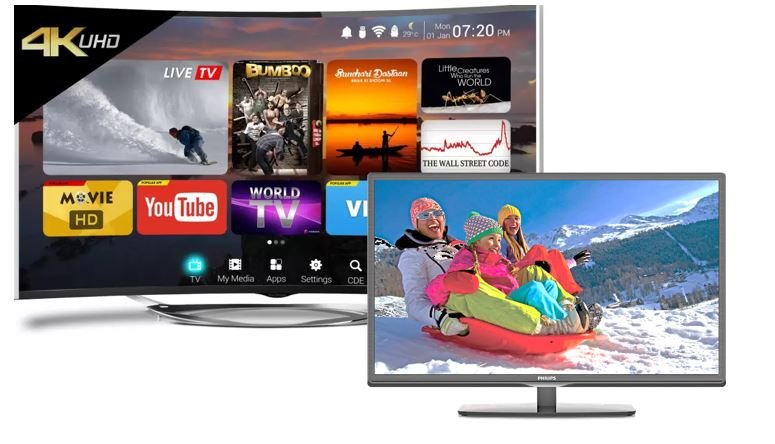
You’re walking through a Nairobi electronics shop, and you stop dead in your tracks. There’s a massive 55-inch 4K smart TV glowing beautifully on one shelf, priced at around KSh 95,000. Right next to it, a 27-inch computer monitor that looks almost identical is being sold for nearly the same amount. Your brain does a double-take. How on earth does that make sense?
It’s one of the most common questions I hear from people, and honestly, it’s a fair one. The TV is bigger, flashier, and packed with smart features. The monitor is smaller, simpler, and somehow costs more.
Here’s the truth: size isn’t everything. What you’re really paying for is precision, performance, and engineering that most people never even think about.
The Real Difference: It’s All About How You Use It.
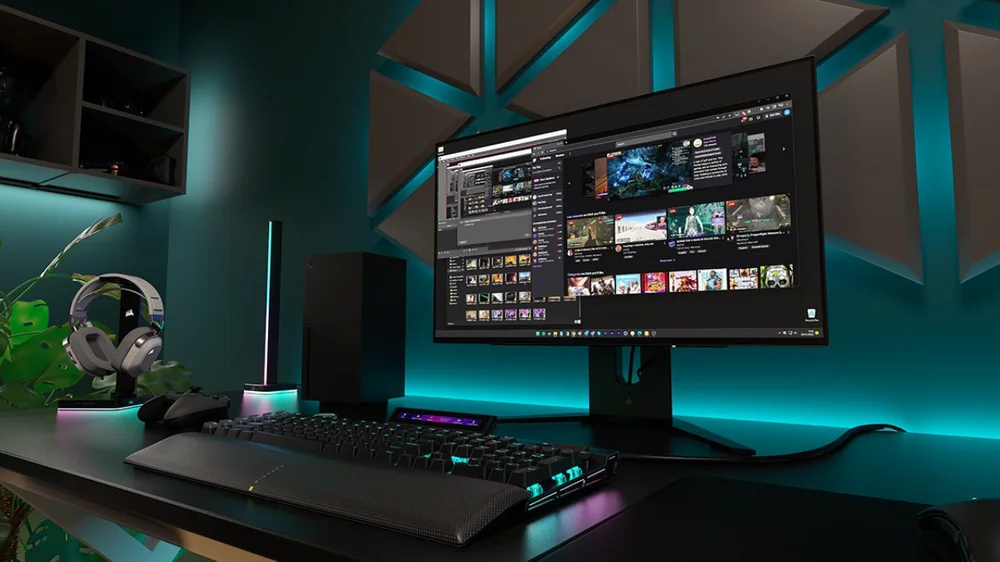
Think about how you watch a TV versus how you use a monitor. You lounge on your sofa, three metres away from the TV, watching a movie. The image looks great from that distance because your eyes blur the tiny imperfections. But when you sit at a desk, just half a metre from a monitor, every single flaw becomes glaringly obvious. A monitor needs to be flawless up close. A TV just needs to look good from across the room. That’s where the price difference starts.
Pixel Density: Packing More Detail Into Less Space.
Here’s something that might surprise you. A 55-inch 4K TV has a pixel density of about 80 pixels per inch. A 27-inch 4K monitor, on the other hand, packs roughly 163 pixels per inch. That’s more than double the detail in a much smaller space.
When you’re sitting close to a screen, your eyes are incredibly sharp. You’ll notice every pixel, every jagged edge on text, and every slight imperfection in the image. To prevent that, monitors need much denser panels—and denser panels are significantly more expensive to manufacture. You’re paying for precision engineering that the TV simply doesn’t need.
Color Accuracy vs. Visual Punch.
If you’ve ever wondered why your photos look different on your laptop than on your TV, this is why. Monitors are built for truth. They’re calibrated to show colours exactly as they are—red is red, blue is blue, and skin tones look natural. If you’re editing photos, designing graphics, or doing any kind of creative work, you need to see exactly what your image looks like.
TVs, on the other hand, are built for drama. They crank up saturation, boost contrast, and add artificial sharpness to make movies pop. That cool blue tint on a TV isn’t a bug—it’s a feature designed to make sci-fi films look more cinematic. But for professional work, that exaggerated colour is a nightmare. You can’t accurately edit a photo when your screen is lying to you.
The Text Clarity Problem Nobody Talks About.
Here’s something you only notice when you actually try using a TV as a monitor. Text looks fuzzy. It’s subtle at first, but once you see it, you can’t unsee it. Your eyes strain, your head starts to ache, and you wonder what’s wrong.
The culprit is chroma subsampling—a clever compression trick that TVs use to save bandwidth. They store colour data at a lower resolution than brightness data, which is fine for video but terrible for text. Monitors don’t do this. They display text with sharp, clear edges because they treat every pixel equally. That attention to detail costs money, and it’s why reading text on a monitor is comfortable while reading it on a TV is a constant struggle.
Refresh Rates and Response Times.
If you’re into gaming, you already know this. High-end monitors can refresh up to 240 times per second, making motion feel incredibly fluid and responsive. Most TVs are still stuck at 60Hz or 120Hz—fine for movies, but sluggish for fast-paced gaming.
Response time—how quickly a pixel changes colour—is also critical. TVs have slower response times, which causes smearing and ghosting during fast motion. Monitors are engineered to be lightning-fast because every millisecond counts when you’re gaming or working with demanding software.
Input lag is another factor. Monitors have minimal input lag, meaning when you move your mouse, the cursor responds instantly. TVs often have noticeable input lag, which makes everything feel slightly delayed. That delay ruins the experience of using a computer.
Supply and Demand: The Economics of Screens
There’s also a simple economic reality. The global TV market is massive—two to four times larger than the monitor market. Manufacturers produce millions of TVs every year, spreading development and manufacturing costs across a huge number of units. That drives prices down. The monitor market is smaller and more specialized, so each unit carries a higher share of those costs.
Can You Just Use a TV as a Monitor?
Technically yes. Practically, it’s a terrible idea.
I’ve seen countless people try to save money by hooking up a TV to their computer, and almost all of them regret it. The colours are wrong, the text is blurry, the input lag is frustrating, and the eye strain is relentless. TVs also lack DisplayPort and USB-C ports—connections that are essential for modern computers. They’re designed for remotes, not keyboards and mice.
The only TVs that work well as monitors are high-end models with proper chroma subsampling and low input lag. But those are often premium-priced, so the savings vanish anyway.
Quick Comparison: Monitor vs. TV
| Feature | Monitor | TV |
|---|---|---|
| Pixel Density | High—over 160 PPI for 4K | Low—under 100 PPI for 4K |
| Color Accuracy | True-to-life, calibrated | Saturated, exaggerated |
| Text Clarity | Sharp and clear | Often blurry and strained |
| Refresh Rate | Often 144Hz to 240Hz | Usually 60Hz to 120Hz |
| Input Lag | Minimal—instant response | Higher—noticeable delay |
| Market Volume | Smaller, more expensive | Larger, more affordable |
Final Thoughts.
A monitor costs more than a TV because you’re paying for precision, speed, and clarity—features that matter when you’re sitting close and using your screen for work or gaming. A TV is brilliant for movies and casual viewing from across the room. Choose the right tool for the job, even if it costs a little more.
The next time you see a TV and a monitor sitting side by side in a Nairobi shop, you’ll know exactly why the smaller screen commands the bigger price tag.
Have you ever tried using a TV as a monitor? What was your experience? Drop a comment below—your story might save someone else from making the same mistake.











