
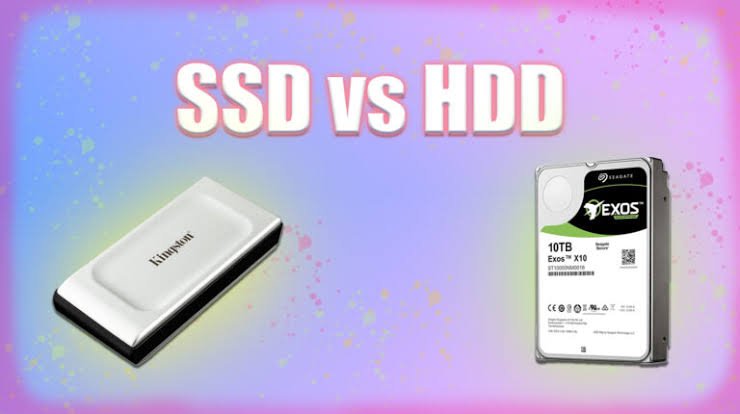
SSD vs HDD: Which Storage Option Is Best for Speed, Gaming, and Business? Leave a comment
Let’s settle this debate once and for all. If you’ve ever found yourself staring at laptop specs, wondering whether to pay extra for that “Solid State Drive” or save money with a larger “Hard Disk Drive,” you’re not alone.
This is one of the most common dilemmas for anyone buying a computer in Kenya—whether you’re a gamer, a business owner, or just someone who wants their machine to stop taking forever to boot up.
Having managed hundreds of computers across corporate offices and creative studios, I’ve seen firsthand how this single component can make or break your computing experience. The short answer? For 90% of users, SSD is the clear winner. But let me explain exactly why, and more importantly, help you decide what’s truly best for your specific needs and budget.
What Is an SSD?
A Solid State Drive (SSD) is a modern storage device that uses flash memory to store data. Unlike traditional hard drives, SSDs have no moving parts, making them much faster, quieter, and more durable.
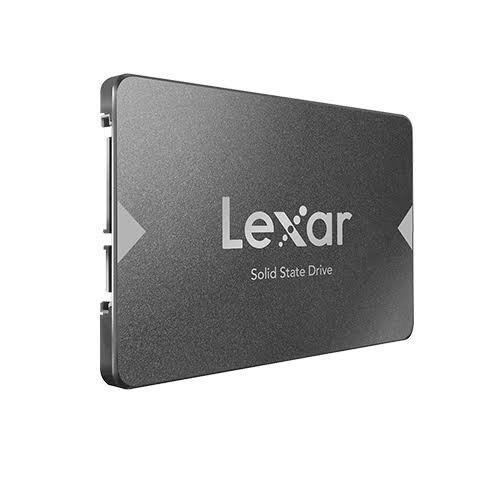
Because data is stored electronically, an SSD can access files almost instantly.
Advantages of SSDs
- Extremely fast boot times
- Faster application loading
- Silent operation
- Lower power consumption
- Shock-resistant
- Longer lifespan
- Improved overall system responsiveness
What Is an HDD?
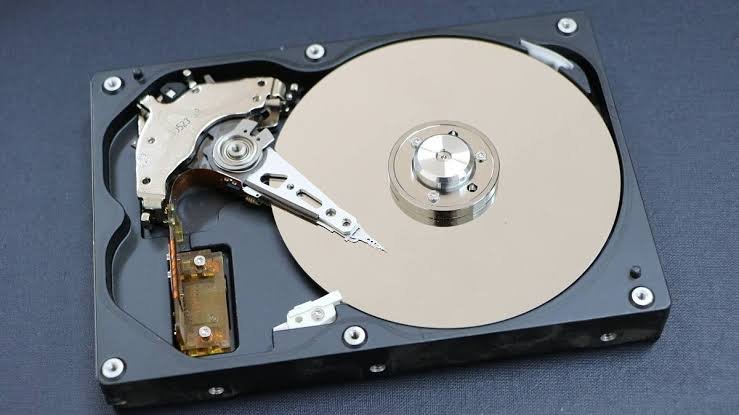
A Hard Disk Drive (HDD) is the traditional form of computer storage. It stores data on spinning magnetic disks that are read by a moving mechanical arm.
Although HDD technology has been around for decades, it remains popular because it offers large storage capacities at a lower price.
Advantages of HDDs
- Lower cost per gigabyte
- Available in very large capacities
- Ideal for storing large media collections
- Suitable for backups and archives
SSD vs HDD: Quick Comparison
| Feature | SSD | HDD |
|---|---|---|
| Speed | ⭐⭐⭐⭐⭐ | ⭐⭐ |
| Boot Time | 10–20 seconds | 45–90 seconds |
| Durability | Excellent | Moderate |
| Noise | Silent | Audible spinning and clicking |
| Power Consumption | Low | Higher |
| Heat Generation | Minimal | Higher |
| Reliability | High | Moderate |
| Gaming Load Times | Very Fast | Slower |
| File Transfers | Extremely Fast | Slower |
| Price | Higher | More Affordable |
If performance matters, SSDs are the clear winner.
1: For Speed & Everyday Performance
This is where the SSD absolutely demolishes the HDD. The difference is so stark that once you go SSD, you’ll never want to go back.
The SSD Experience
- Boot Time: Your laptop powers on and is ready to go in 10-15 seconds.
- Application Launch: Microsoft Word, Excel, or your web browser opens instantly.
- File Transfer: Moving large files or folders is lightning-fast.
- Multitasking: Switching between multiple apps is smooth and snappy.
- Overall Feeling: Your computer feels new, responsive, and alive.
The HDD Experience
- Boot Time: You press the power button, then go make a cup of tea. It takes 1-2 minutes to reach the desktop.
- Application Launch: You click on an app, and the cursor spins. You wait. And wait.
- File Transfer: Copying large files feels like watching paint dry.
- Multitasking: Switching between apps results in frustrating stutters and lag.
- Overall Feeling: Your computer feels old, sluggish, and frustrating.
Verdict for Speed: SSD wins by a landslide. It’s the single best upgrade you can make to any computer.
2: For Gaming
Gamers have specific needs, and the storage debate gets a little more interesting here.
Why SSD is Better for Gaming
- Faster Load Times: Games installed on an SSD load maps, levels, and save files drastically faster. In open-world games like Grand Theft Auto V or Call of Duty, this means less waiting and more playing.
- Smoother Open-World Streaming: Modern games constantly load assets from storage as you move through the world. An SSD ensures textures and environments pop in instantly, reducing “pop-in” and stuttering.
- In-Game Performance: While an SSD doesn’t directly increase your frames per second (FPS)—that’s the job of your GPU and CPU—it eliminates stutter caused by slow texture loading.
Why HDD Might Still Be Used for Gaming
- Bulk Game Storage: Modern games are massive (often 100GB+). A 2TB HDD is much cheaper than a 2TB SSD. Many gamers use an SSD for their operating system and favorite games, and an HDD as a “game vault” for older or less-played titles.
- For Older or Indie Games: Less demanding games with smaller file sizes see less benefit from an SSD.
Verdict for Gaming: For your primary, most-played games, SSD is essential. However, a combination approach (SSD for OS and main games, HDD for storage) is a smart, budget-friendly strategy for gamers with massive libraries.
Scenario 3: For Business & Professional Use
As an IT administrator, this is where I see the most dramatic impact on productivity. The choice of storage directly affects your team’s efficiency.
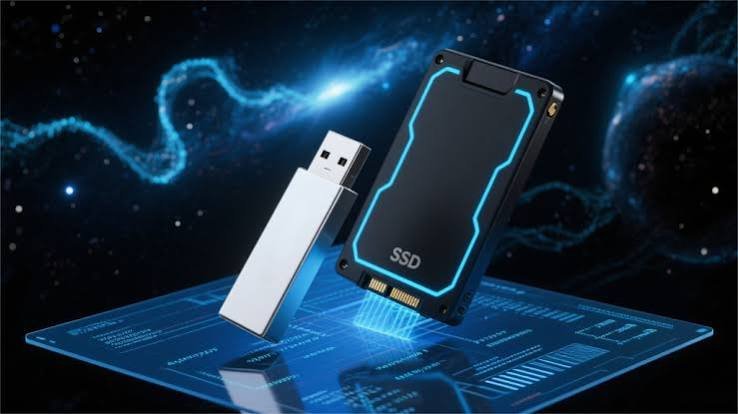
Why SSD is a Business No-Brainer.
- Boosted Productivity: Employees spend less time waiting for their computers. This adds up to hours of saved time per week across your team. Time is money.
- Increased Reliability: SSDs are more reliable because they have no moving parts. This means fewer hardware failures, less downtime, and lower IT support costs.
- Better for Mobile Workers: The lower power consumption means longer battery life for employees who are constantly on the move. The shock resistance is also a lifesaver for laptops that travel.
- Faster Data Access: For tasks like data analysis, opening large spreadsheets, or running presentations, the speed of an SSD ensures everything happens instantly, which looks and feels more professional.
When an HDD Makes Sense for Business.
- Archival Storage: For long-term backups and storing old files that are rarely accessed, an HDD offers the most affordable way to archive large amounts of data.
- Network Attached Storage (NAS): For a central file server where speed is less critical than capacity, an HDD is the standard choice.
Verdict for Business: For company laptops and any PC used for active work, SSD is non-negotiable. It’s a productivity investment that pays for itself many times over. Use HDDs only for backup and archival purposes.
Signs Your Laptop Needs an SSD Upgrade
If your laptop exhibits any of these symptoms, upgrading to an SSD could dramatically improve its performance:
- Slow startup
- Long application loading times
- Frequent freezing
- Slow file transfers
- Delayed Windows updates
- Constant hard drive activity
- Overall sluggish performance
For many older laptops, replacing an HDD with an SSD is one of the most cost-effective upgrades available.
Can You Replace an HDD with an SSD?
Yes.
Most laptops and desktop computers allow you to replace an HDD with an SSD.
The upgrade process typically involves:
- Backing up your data.
- Installing the new SSD.
- Reinstalling or cloning your operating system.
- Restoring your files.
If you’re unsure about the process, it’s best to have the upgrade performed by a qualified technician to ensure your data is protected and the installation is completed correctly.
Final Verdict: SSD or HDD?
If you want the best overall performance, an SSD is the clear winner. It offers faster boot times, quicker application launches, silent operation, better durability, and a smoother computing experience.
An HDD still makes sense if your priority is storing large amounts of data at the lowest possible cost. It’s well suited for backups, media libraries, and archival storage.
For many users, the ideal setup is a combination of both: an SSD for the operating system and frequently used applications, paired with an HDD for bulk storage.
No matter which option you choose, understanding the strengths of each storage type will help you get the most value from your computer.
Frequently Asked Questions.
Yes, for most users. SSDs are faster, quieter, more durable, and significantly improve overall system performance.
Not usually. An SSD reduces loading times and improves responsiveness, but FPS is primarily determined by your graphics card, processor, and RAM.
In most laptops and desktop PCs, yes. Before upgrading, verify compatibility and back up your data.
For most users, absolutely. The noticeable improvement in speed and responsiveness makes it one of the most worthwhile computer upgrades.
An SSD is generally the better choice for business because it helps applications load faster, improves multitasking, and reduces downtime, leading to greater productivity.











