
From Desk to Deadline: The Essential Laptop Accessories Every Professional Needs. Leave a comment
You’ve just invested in a sleek new laptop—maybe a MacBook Air for its portability or a Dell XPS for its raw power. It’s fast, it’s responsive, and it’s ready to handle your workload. But here’s the hard truth: a great laptop is only half the equation. On its own, your machine is powerful, but without the right supporting cast of accessories, you’re leaving productivity, comfort, and even money on the table.
Think of it this way: you wouldn’t drive a performance car with a loose steering wheel, would you? In the same vein, trying to navigate complex spreadsheets on a tiny trackpad or hunching over a screen that’s positioned too low is a recipe for slow output and chronic back pain. In today’s fast-paced professional landscape, the right tools don’t just help you work—they help you win.
This guide is for the modern professional ready to transform their workspace. We’ll walk through the best laptop accessories that will protect your gear, save your posture, and elevate your entire workflow.
Protect Your Investment: Because Commutes Are Chaotic.
Before we boost performance, let’s talk about survival. Your laptop isn’t just a tool; it’s an expensive asset that needs to survive the daily grind.
1. A Premium Laptop Bag or Backpack.
Your laptop endures the chaos of daily commuting—crowded trains, bumpy bus rides, unexpected downpours, and the general hustle of city life. A flimsy bag is a disaster waiting to happen. A high-quality bag with thick padding, reinforced stitching, and water-resistant materials is non-negotiable. It’s the most critical accessory for any mobile professional because one bad drop can destroy a machine worth well over a thousand dollars.
What to look for: Padded laptop compartment, water-resistant exterior, comfortable shoulder straps, and multiple compartments for organization.
2. Protective Laptop Sleeve.
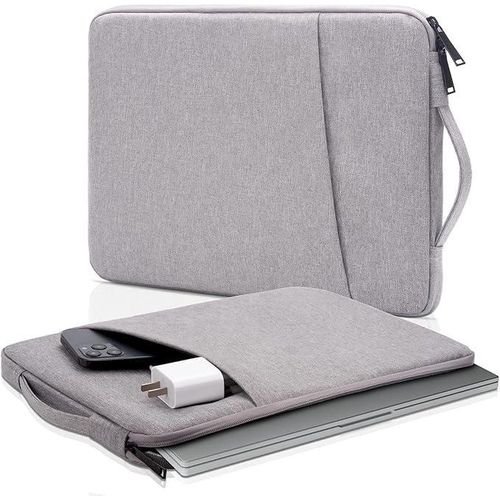
Even if you have a great backpack, a neoprene or felt sleeve adds an extra layer of protection inside it. It prevents scratches from loose keys and pens and adds essential cushioning against everyday bumps and jostles. For less than the price of a decent dinner, it’s the cheapest insurance policy you can buy for your laptop’s pristine screen and body.
What to look for: Snug fit for your specific laptop size, soft inner lining, and a durable outer shell.
3. Security Cable Lock.
Working from coffee shops, hotel lobbies, or co-working spaces is great for networking, but it also presents a theft risk. Most business-grade laptops feature a Kensington security slot. A sturdy cable lock is a powerful deterrent against opportunistic theft. It threads through a desk fixture, making it significantly harder for someone to simply grab your laptop and disappear into the crowd.
What to look for: Keyed or combination lock, sturdy steel cable, and compatibility with your laptop’s security slot.
4. Adjustable Laptop Stand.
This is arguably the single most impactful ergonomic upgrade you can make. A laptop stand raises your screen to eye level, eliminating that forward neck angle that causes chronic neck and shoulder pain. It also improves airflow underneath your laptop, reducing heat buildup and extending its internal lifespan. Adjustable aluminum stands are widely available and offer incredible value for the price.
What to look for: Adjustable height and angle, sturdy construction, foldable design for portability, and heat dissipation features.
5. External Keyboard and Mouse.
Once your laptop is elevated on a stand, you can’t comfortably use the built-in keyboard and trackpad. Enter the external keyboard and mouse combo. The jump from a touchpad to a precision wireless mouse is immediately noticeable—you’ll gain pinpoint control for spreadsheets, design work, and presentations.
.
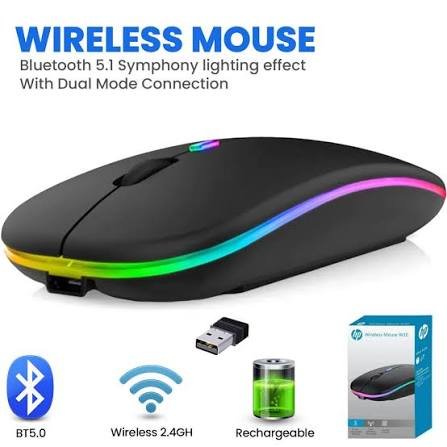
- The Mouse: A silent, wireless mouse with adjustable DPI is a game-changer for focus and accuracy.
- The Keyboard: For finance, accounting, or data professionals, a full-size keyboard with a dedicated number pad is essential for rapid number-crunching. Ergonomic split keyboards are also a fantastic option for those who type all day.
What to look for: Wireless connectivity (Bluetooth or 2.4GHz), comfortable key travel, silent clicks, and long battery life.
6. High-Capacity Power Bank.
The grid isn’t always reliable, and outlets are never where you need them. A high-capacity power bank with USB-C Power Delivery (PD) is no longer a luxury—it’s business continuity. It lets you keep working through power outages, long-haul flights, or all-day meetings away from a socket. Look for a 20,000mAh+ unit that can deliver enough wattage to charge a laptop at full speed.
What to look for: USB-C PD support, sufficient wattage (at least 45W for most laptops), multiple ports, and fast recharge capability.
7. Multi-Port USB-C Hub.
Modern laptops are beautifully sleek but often sacrifice essential ports. How are you supposed to connect your external monitor, mouse, keyboard, and flash drive when you only have two USB-C ports? A USB-C hub solves this problem elegantly with a single cable. Look for a model offering HDMI, USB-A, SD card slots, and even Ethernet for the best all-in-one connectivity. It instantly transforms your ultraportable into a desktop powerhouse.
What to look for: At least 3 USB-A ports, HDMI output, SD/microSD card reader, pass-through charging, and durable build quality.
8. External HD Webcam.
Let’s be honest—most laptop webcams produce a grainy, washed-out image that doesn’t do you justice. An external 1080p or 4K webcam makes you look sharp, well-lit, and thoroughly professional on every single call. It signals that you take your interactions seriously and instantly elevates your presence during client meetings and team syncs.
What to look for: 1080p resolution at minimum, good low-light performance, built-in microphone, and plug-and-play compatibility.
9. Noise-Cancelling Headset
Your laptop’s built-in microphone picks up every sound in the room—from typing and fan noise to the neighbor’s lawnmower.
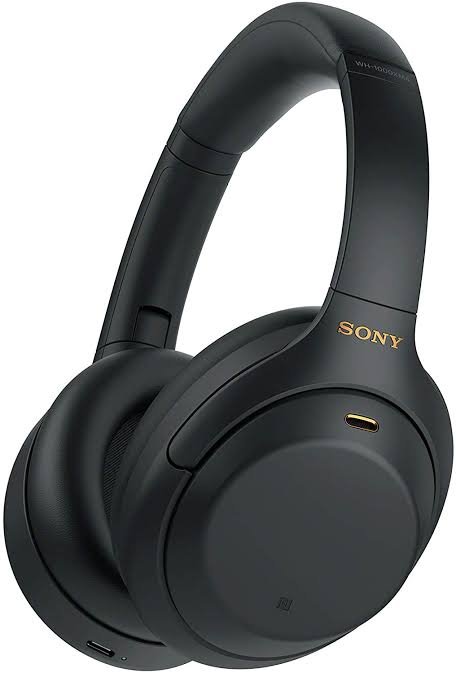
A headset with a dedicated boom mic and active noise cancellation ensures your voice remains clear, calm, and authoritative, muting the background chaos. Whether you opt for a wired USB headset or a premium wireless model with 30+ hours of battery life, this is an investment in clear communication.
What to look for: Active noise cancellation, crystal-clear microphone, comfortable ear cups for all-day wear, and reliable wireless connectivity.
10. Screen Cleaning Kit.
Your laptop screen accumulates fingerprints, dust, and smudges faster than you think. A proper cleaning kit with a microfiber cloth and alcohol-free solution keeps your display crisp and clear, reducing eye strain and maintaining that “new laptop” feel.
11. Cable Management Solutions
Tangled cables are visually distracting and can damage ports over time. Simple cable ties, sleeves, or a small organizer pouch keep your workspace tidy and your accessories protected.
Final Thoughts
You don’t need to purchase every accessory on this list today. The smartest strategy is to identify your biggest daily frustration and solve that first. Is it neck pain? Get a stand. Is it a cluttered desk with tangled cables? Get a hub. Are you constantly running out of battery mid-task? Get a power bank.
By investing in the right laptop accessories, you’re not just spending money—you’re engineering a more productive, more comfortable, and more professional work environment. Start with what you need most, and watch how your efficiency, comfort, and overall work satisfaction transform.
Frequently Asked Questions (FAQs)
That depends on your biggest pain point. If you experience neck or back pain after work, start with a laptop stand. If you’re always running out of battery, invest in a power bank. For most professionals, a USB-C hub is the best first purchase because it unlocks connectivity for multiple devices at once.
Generally, yes—but you don’t need to break the bank. A sturdy, adjustable aluminum stand in the mid-price range offers excellent durability and ergonomic benefits. The key is adjustability; being able to set your screen at eye level is what delivers the health benefits. Avoid flimsy plastic stands that wobble or collapse.
No. Your power bank must support USB-C Power Delivery (PD) and deliver sufficient wattage for your specific laptop model. Ultrabooks typically need at least 45W, while larger laptops may require 60W or more. Always check both your laptop’s charging requirements and the power bank’s output specifications before purchasing.
If you attend frequent video calls, absolutely. Built-in webcams generally offer poor image quality, especially in low light. An external 1080p webcam provides significantly better clarity, color accuracy, and framing options—making you look more professional and engaged during meetings.
Wireless mice offer greater freedom and a cleaner desk setup, with modern models providing near-zero latency. Wired mice are generally cheaper, never run out of battery, and offer guaranteed responsiveness. For most professionals, a quality wireless mouse with a rechargeable battery is the best choice.
A USB-C hub is portable and offers basic port expansion (HDMI, USB-A, SD card, etc.)—perfect for travel. A docking station is larger, often requires its own power supply, and provides more extensive connectivity, including multiple monitor outputs, Ethernet, and charging for multiple devices. Choose a hub for mobility and a dock for a permanent home office setup.











