

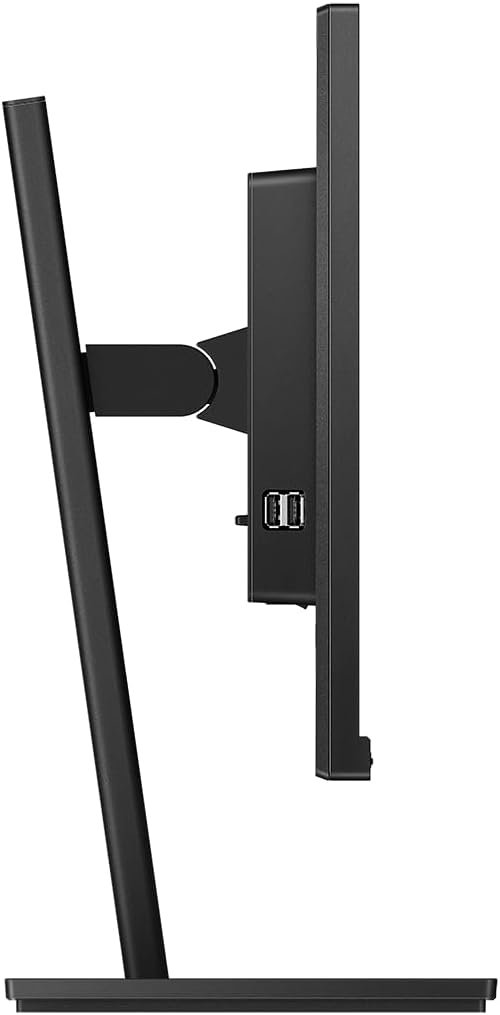
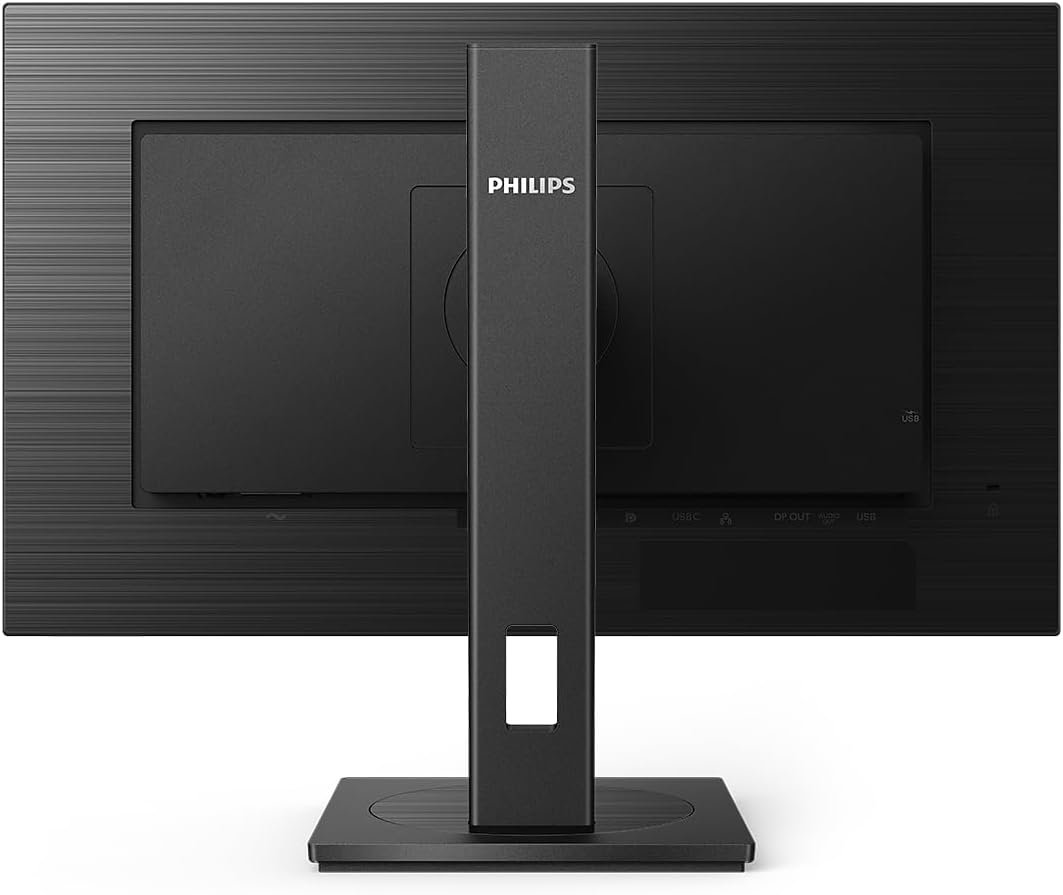
Philips 243B1-24 Inch FHD Monitor, 75Hz, 4ms, IPS, USB-C
- Brand: Philips
- Model: 243B1
- Product category: Business and productivity monitor
- Screen size: 23.8 inches, marketed as 24 inches
- Display technology: LED-backlit LCD
- Panel type: IPS
- Native resolution: 1920 × 1080 pixels (Full HD)
- Aspect ratio: 16:9 widescreen
- Refresh rate: Up to 75Hz
- Response time: 4ms grey-to-grey
- Brightness: 250 cd/m²
- Typical static contrast ratio: 1000:1
- SmartContrast: Up to 50,000,000:1
- Viewing angles: 178° horizontal and 178° vertical
- Display colours: 16.7 million colours
- Colour coverage: Approximately 99% sRGB, depending on specification methodology
- Pixel pitch: Approximately 0.275 × 0.275mm
- Screen coating: Anti-glare, 3H hardness
- USB-C: DisplayPort Alternate Mode, data transfer, and up to 65W power delivery
KSh18,000.00
Philips 243B1 Monitor: The USB-C Docking Display That Declutters Your Desk
Cable clutter is a quiet productivity killer. Between laptop chargers, video cables, and peripheral connections, a workspace can quickly become a tangled mess. The Philips 243B1 monitor solves this problem with a single-cable USB-C docking solution that delivers video, data, and power delivery simultaneously.
At Compvate, we look for hardware that genuinely improves the working day. Therefore, we recognize why this B-Line model has earned a following among professionals who want a cleaner, more efficient desk setup.
Why the Philips 243B1 Monitor Excels at Cable Management
The Philips 243B1 monitor features a 23.8-inch IPS panel with Full HD resolution of 1920 x 1080. The display reaches a refresh rate of 75Hz, which offers a noticeable improvement over standard 60Hz panels for smoother scrolling and cursor movement. A 4ms grey-to-grey response time keeps motion looking clean, whether you are navigating spreadsheets or watching video.
The headline feature, however, is the USB-C connection. With compatible laptops, a single cable handles video output, data transfer, and power delivery. Consequently, you can charge your notebook directly from the monitor while it displays your work. This eliminates the need for a separate laptop charger and a dedicated docking station, freeing up desk space and reducing the number of cables you need to manage.
Connectivity and Built-In Docking
The Philips 243B1 monitor functions as a genuine docking hub rather than a simple display.
Port Configuration:
-
Video Inputs: 1x HDMI 1.4, 1x DisplayPort 1.2, and 1x USB-C
-
USB Hub: 4x USB-A downstream ports
-
Network: Built-in RJ-45 Ethernet port
-
Audio: 3.5mm headphone jack and two integrated 2W speakers
The inclusion of an Ethernet port is a practical detail that many competitors overlook. Therefore, users on wired networks can maintain a stable, low-latency connection without relying on a separate USB adapter. The USB-A ports allow you to connect a keyboard, mouse, and storage drive directly to the monitor, and these peripherals remain active when you dock your laptop.
The built-in speakers are adequate for video calls and casual listening. Furthermore, the monitor supports daisy-chaining via DisplayPort output, which allows you to connect a second display without running an additional cable back to your PC.
Eye Comfort and Smart Features
Philips has equipped the Philips 243B1 monitor with several features aimed at reducing eye strain during long workdays. The panel carries TÜV Rheinland Eye Comfort certification, and it includes Flicker-Free technology and a LowBlue Mode. Together, these features help minimize the fatigue that accumulates during extended screen time.
Two additional sensors set this model apart. The PowerSensor uses harmless infrared signals to detect when you step away from your desk, and it automatically reduces brightness to cut energy consumption. The LightSensor adjusts screen brightness based on ambient room lighting. As a result, the display adapts to your environment without manual intervention, and it can reduce operating costs over time.
Ergonomics and Build Quality
The Philips 243B1 monitor includes the SmartErgoBase stand, which offers height adjustment, tilt, swivel, and a 90-degree pivot for portrait orientation. This range of movement supports comfortable posture across a full workday. The monitor is also VESA compatible with a 100 x 100mm pattern for arm or wall mounting.
User feedback highlights the build quality as a strength. Owners describe the stand as solid and the assembly process as straightforward, requiring no tools. Some users note that the USB-A ports are all positioned on the side rather than split between the side and underside, which can affect cable tidiness depending on your setup.
Consideration: The 250 cd/m² brightness is adequate for typical office lighting but may feel limited in very bright rooms. Additionally, the USB-C power delivery is rated at 65W, so high-power laptops under heavy load may still require their own charger. For standard office notebooks, however, the single-cable setup works well.
Who Should Buy This Display?
The Philips 243B1 monitor is a strong fit for three main groups:
-
Hybrid and remote workers: The USB-C docking and Ethernet port make it easy to transition between home and office with a single cable.
-
IT managers standardizing desks: The built-in docking reduces the need for separate docking stations, simplifying procurement and support.
-
Users who value eye comfort: The TÜV certification, Flicker-Free technology, and ambient light sensor support long sessions without discomfort.
Why Buy From Compvate?
At Compvate, we focus on hardware that delivers practical value. The Philips 243B1 monitor combines a capable display with genuine docking functionality, and it does so without the premium price of a dedicated business dock.
-
Genuine Hardware: Authentic Philips products with manufacturer warranty support.
-
Business Fulfillment: We process orders efficiently and ensure your equipment arrives ready to deploy.
-
Straightforward Guidance: Our team can help you confirm whether the 65W power delivery suits your laptop fleet or whether a higher-wattage model would serve you better.
Declutter your desk and simplify your workflow with the Philips 243B1 monitor.
Outfitted with an advanced IPS panel, a smooth 75Hz refresh rate, and an integrated USB-C docking station with power delivery, this display eliminates desktop cable clutter by routing video, high-speed data, and network signals through a single cable. It matches this rich infrastructure with built-in eco-sensors and a medical-grade ergonomic foundation, providing clients with an optimal, high-efficiency hub for prolonged daily business workflows.
- Panel Size: 23.8 inches (60.5 cm) diagonal viewable area.
- Aspect Ratio: 16:9 widescreen format.
- Panel Type: IPS (In-Plane Switching) technology with anti-glare, 3H hard coating, and 25% haze.
- Native Resolution: Full HD 1920 x 1080 at a fluid 75Hz maximum refresh rate.
- Response Time: 4ms (gray-to-gray) via SmartResponse acceleration.
- Static Contrast Ratio: 1000:1 native contrast ratio.
- Brightness Rating: 250 cd/m² typical luminance output.
- Viewing Angles: 178° horizontal and 178° vertical with consistent color integrity.
- Color Gamut Coverage: 107% sRGB and 91% NTSC (CIE 1976) typical color range tracking.
- Color Depth: 16.7 million displayable colors (8-bit depth processing).
- Pixel Density Index: 93 Pixels Per Inch (PPI) at a 0.2745 mm x 0.2745 mm pixel pitch.
- Digital Video Inputs: 1 x HDMI 1.4 port.
- Digital Video Inputs: 1 x DisplayPort 1.2 input interface.
- Digital Video Outputs: 1 x DisplayPort out terminal (supports MST daisy-chaining).
- USB-C Docking Interface: 1 x USB-C 3.2 Gen 2 upstream port (supports DP Alt Mode and up to 65W Power Delivery).
- Integrated USB Hub: 1 x USB-C upstream paired with 4 x USB 3.2 downstream ports (including 1 port with B.C. 1.2 fast charging).
- Network Connectivity: 1 x RJ45 Gigabit Ethernet LAN port with Wake-on-LAN (WoL) support.
- Audio Hardware: Dual 2-Watt built-in high-fidelity stereo speakers.
- Audio Interconnects: 1 x 3.5 mm PC audio-in; 1 x 3.5 mm headphone output jack.
- Smart Eco Sensors: Integrated PowerSensor (infrared sensor dims screen when user steps away, saving up to 70% energy).
- Smart Eco Sensors: Built-in LightSensor (automatically scales panel brightness based on ambient room lighting conditions).
- Eye Care Framework: Hardware-level Flicker-Free technology paired with software-based LowBlue Mode and EasyRead configurations.
- Variable Sync Technology: Adaptive-Sync / AMD FreeSync compatible for tear-free visual motion.
- Height Adjustment Range: SmartErgoBase stand supports up to 150 mm of vertical travel.
- Tilt Capabilities: 5° forward adjustment or up to 35° backward tilt allocation.
- Swivel Range: 180° total mechanical swivel capacity (90° left and 90° right).
- Pivot Function: 90° clockwise portrait orientation capability.
- Wall Mounting: Native VESA 100 mm x 100 mm mounting pattern interface.
- Security Integration: Outfitted with an integrated Kensington standard anti-theft security lock slot.
- Power Management: 16.4W average operational power draw, EcoMode low draw, and less than 0.3W in standby.
- Weight Profile: 4.98 kg (10.98 lbs) with standard ergonomic stand; 3.40 kg (7.50 lbs) panel-only for VESA arrays.
Based on 0 reviews
Be the first to review “Philips 243B1-24 Inch FHD Monitor, 75Hz, 4ms, IPS, USB-C”
Related products
-
24 Inch, LED Monitors, Monitors
Dell S2421HSX 24-inch FHD monitor
Feature Detail Display Type LED-backlit LCD monitor / TFT active matrix Panel Technology IPS (In-Plane Switching) Diagonal Size 23.8 inches Native Resolution Full HD (1080p) 1920 x 1080 at 75 Hz Aspect Ratio 16:9 Brightness 250 cd/m² Contrast Ratio 1000:1 (typical) Color Gamut 99% sRGB coverage Response Time 4 ms (grey-to-grey extreme) Adaptive-Sync AMD FreeSync Ports 1x HDMI (HDCP 1.4), 1x DisplayPort 1.2, 1x Audio line-out Adjustability Height, pivot (rotation), swivel, tilt VESA Mounting 100 x 100 mm Eye Comfort Flicker-Free technology, ComfortView (low blue light feature) SKU: n/a -
24 Inch, LCD Monitors, Monitors
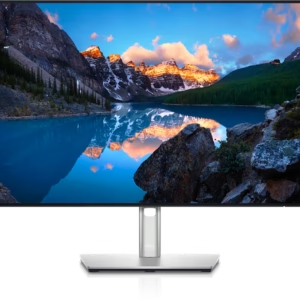
Dell U2421E UltraSharp USB-C 24 Inch monitor
- Screen Size & Type: 24.1-inch IPS Panel
- Resolution: WUXGA (1920 x 1200)
- Aspect Ratio: 16:10 (more vertical space than 16:9)
- Refresh Rate: 60Hz
- Brightness: 350 cd/m²
- Contrast Ratio: 1000:1
- Response Time: 8ms (normal), 5ms (fast)
- Color: 99% sRGB, 99% Rec.709, <2 Delta E calibration
Connectivity & Features:- USB-C Hub: 90W Power Delivery (PD) for laptops, plus USB-A ports.
- Connectivity: HDMI, DisplayPort In/Out, USB-C, USB-A ports.
- Ethernet: Built-in RJ45 port (acts as a network dock).
- Daisy Chaining: Supports linking multiple monitors via DisplayPort.
- Ergonomics: Height, tilt, swivel, and pivot (portrait) adjustments with cable management.
- ComfortView Plus: Low blue light technology for eye comfort.
SKU: n/a -
27 Inch, Monitors
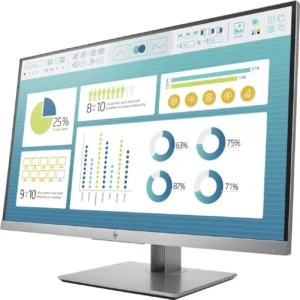
HP EliteDisplay E273m 27-inch Monitor
-
Screen Size: 27 inches
-
Resolution: 1920 x 1080 (Full HD)
-
Panel Type: IPS
-
Brightness: 250 nits
-
Contrast Ratio: 1000:1
-
Response Time: 5ms
-
Viewing Angles: 178° horizontal / 178° vertical
-
Integrated Features: HD Webcam, Dual Microphones, Dual Speakers
-
Connectivity: HDMI, DisplayPort, VGA, USB 3.0, Audio In/Out
-
Ergonomics: Tilt, Swivel, Pivot, Height Adjustment
-
Certification: Skype for Business Certified
SKU: n/a -
-
27 Inch, Monitors
Dell U2719DC UltraSharp 27″ 16:9 IPS Monitor 2560 x 1440 pixels
-
Display Size: 27 inches
-
Resolution: 2560 × 1440 (QHD)
-
Panel Type: IPS (In-Plane Switching)
-
Aspect Ratio: 16:9
-
Brightness: 350 cd/m² (typical)
-
Contrast Ratio: 1000:1 (typical)
-
Color Support: 16.7 million colors, 99% sRGB coverage, factory calibrated
-
Response Time: 5ms (Gray-to-Gray, fast mode)
-
Connectivity: USB-C (65W Power Delivery), DisplayPort 1.4, HDMI, USB 3.0 hub
-
Ergonomics: Tilt, Swivel, Pivot, Height adjustable
-
Design: InfinityEdge ultra-thin bezels, anti-glare coating
-
Best For: Creatives, professionals, office executives, multitaskers
SKU: n/a -













There are no reviews yet.