


HP Compaq LA1951g 19-inch LCD Monitor
- Brand: HP (Hewlett-Packard)
- Product Series: HP Compaq
- Model: LA1951g
- Product Type: LCD computer monitor
- Screen Size: 19 inches
- Display Technology: LCD with TFT active-matrix technology
- Aspect Ratio: 5:4
- Native Resolution: 1280 × 1024 pixels
- Refresh Rate: Up to 75Hz, depending on resolution and connection
- Response Time: Approximately 5ms
- Brightness: Approximately 250 cd/m²
- Contrast Ratio: Approximately 1000:1
- Video Inputs: VGA and DVI-D
- Stand Adjustments: Height, tilt, swivel, and pivot
- Typical Applications: Office productivity, administrative work, education, and general computing
KSh4,000.00
HP Compaq LA1951g 19-Inch LCD Monitor – A Reliable Business Display for Everyday Productivity
Looking for a dependable monitor for office work, business applications, or everyday computing? The HP Compaq LA1951g 19-Inch LCD Monitor is a practical choice for users who value reliability, ergonomic flexibility, and useful connectivity. With a clear display, an anti-glare screen, adjustable positioning, and integrated USB ports, this HP monitor is designed to support comfortable and efficient daily work.
Whether you are equipping an office, setting up a home workstation, or upgrading a computer in an educational environment, the HP Compaq LA1951g offers practical features for everyday productivity.
Why Is the HP Compaq LA1951g a Good Monitor?
The HP Compaq LA1951g is a good monitor for office productivity, administrative work, and business environments because it combines a compact screen with ergonomic adjustments and versatile connectivity.
Its 1280 × 1024 resolution is well suited to traditional office applications, including spreadsheets, word processing, email, and data entry. The 5:4 screen format provides a nearly square workspace that can be useful for viewing documents and working with older business software.
Unlike basic monitors with limited positioning options, the LA1951g features height adjustment, tilt, swivel, and pivot functionality. These features help users position the display to suit their workspace and preferred viewing posture.
Key Features and Benefits
1. Clear Display for Everyday Office Tasks
The HP Compaq LA1951g features a 19-inch TFT LCD display with a native resolution of 1280 × 1024 pixels. Its 5:4 aspect ratio makes it suitable for traditional office applications, business records, spreadsheets, and document editing.
The display supports up to 16 million colors and offers a typical brightness of 250 cd/m², providing practical visibility for routine work in standard office environments.
2. Anti-Glare Screen for Comfortable Viewing
The monitor’s anti-glare screen helps reduce distracting reflections from overhead lighting and nearby windows. This can make documents and other on-screen content easier to view in offices, classrooms, and reception areas.
For users who spend several hours working at a computer, the anti-glare surface is a useful feature for maintaining a more comfortable viewing experience.
3. Ergonomic Stand with Flexible Adjustments
One of the biggest advantages of the HP Compaq LA1951g is its adjustable stand. It supports height adjustment, tilt, swivel, and pivot rotation, allowing the display to be positioned to suit different desk arrangements and work preferences.
The pivot function is particularly useful for users who need to view long documents or portrait-oriented content. The monitor also supports compatible VESA mounting solutions for alternative installation arrangements.
4. VGA and DVI-D Connectivity
The HP Compaq LA1951g includes both VGA and DVI-D inputs, supporting connections to compatible desktop computers and business systems.
VGA is useful for older computers, while DVI-D provides a digital video connection. These options make the monitor a practical choice for organizations maintaining existing computer equipment.
5. Built-In USB Hub for Added Convenience
The integrated USB 2.0 hub provides two downstream USB ports for connecting compatible peripherals, such as a keyboard, mouse, or USB accessories. This can help make everyday workstation connections more convenient.
The USB hub must be connected to the computer using the appropriate upstream USB cable to function.
6. Practical Design for Business Environments
With its professional design and durable workstation-focused features, the LA1951g is suitable for offices, administrative departments, schools, and other environments that need functional displays.
Its traditional 5:4 screen format is especially useful when working with older business applications, although users who frequently watch widescreen videos or multitask across modern applications may prefer a newer widescreen monitor.
Who Should Choose the HP Compaq LA1951g?
This monitor is a practical option for:
- Office professionals working with documents, spreadsheets, email, and business software.
- Small businesses seeking functional displays for administrative workstations.
- Schools and institutions using desktop computers for basic educational tasks.
- Reception areas that need a dependable display for routine computer use.
- Users of older computer systems who need VGA or DVI-D compatibility.
For professional graphic design, high-definition entertainment, or competitive gaming, a modern Full HD IPS monitor may be a better choice.
Buy the HP Compaq LA1951g Monitor from Compvate
Need a practical monitor for your office or workstation? The HP Compaq LA1951g combines essential display performance, flexible positioning, and convenient USB connectivity in a business-focused design.
Visit Compvate to explore available monitors and computer accessories for your workplace. Since this is an older monitor model, confirm its condition, available ports, included cables, and warranty coverage before purchasing.
Frequently Asked Questions
1. Is the HP Compaq LA1951g a good monitor for office work?
Yes. Its 1280 × 1024 resolution, anti-glare screen, and ergonomic adjustments make it suitable for documents, spreadsheets, email, and traditional business applications.
2. What is the resolution of the HP Compaq LA1951g?
Its native resolution is 1280 × 1024 pixels, with a 5:4 aspect ratio.
3. Does the HP Compaq LA1951g have HDMI?
No. The standard model uses VGA and DVI-D inputs. An appropriate adapter may be required for computers that only support HDMI or DisplayPort.
4. Can the monitor be adjusted for comfortable viewing?
Yes. It supports height adjustment, tilt, swivel, and pivot rotation, providing flexibility for different workstation setups.
5. Does the HP Compaq LA1951g have USB ports?
Yes. It includes a USB 2.0 hub with two downstream ports for compatible peripherals.
-
- Classic 5:4 Square Display: Perfect for viewing legacy enterprise software, accounting sheets, medical equipment interfaces, and text-heavy office systems without awkward stretching.
- Full Ergonomic Customization: Easily adjust the display height, tilt, swivel, and pivot a full 90 degrees to landscape or portrait mode for customized, all-day comfort.
- Energy-Efficient Engineering: Built with low-power components to help reduce utility costs and lower your business’s environmental footprint.
- Convenient Peripheral Hub: Features a built-in two-port USB hub, allowing users to plug in keyboards, mice, or flash drives right on the side of the display.
- Versatile Connectivity: Equipped with both digital and analog video interfaces to ensure hassle-free compatibility with modern and older computer systems alike.
-
- Screen Size: 19 inches (48.3 cm) diagonal
- Panel Type: Twisted Nematic (TN)
- Aspect Ratio: 5:4
- Native Resolution: 1280 x 1024 at 60 Hz (SXGA)
- Pixel Pitch: 0.294 mm
- Brightness: 250 cd/m²
- Contrast Ratio: 1000:1 (static)
- Viewing Angles: 160° horizontal / 160° vertical
- Response Time: 5 ms (on/off)
- Screen Coating: Anti-glare and anti-static treatment
-
- Video Inputs: 1 x DVI-D (with HDCP support), 1 x VGA (D-Sub)
- USB Ports: 1 x USB upstream (connects to PC), 2 x USB 2.0 downstream ports
- Color / Finish: Professional Carbonite and Silver accents
- Height Adjustment: Up to 130 mm (5.1 inches)
- Tilt Angle: -5° to +35°
- Swivel Angle: -45° to +45°
- Pivot Rotation: -90° to +90° (landscape/portrait orientation)
- VESA Wall Mount Interface: 100 x 100 mm
Based on 0 reviews
Be the first to review “HP Compaq LA1951g 19-inch LCD Monitor”
Related products
-
22 Inch, Gaming Monitors, Monitors
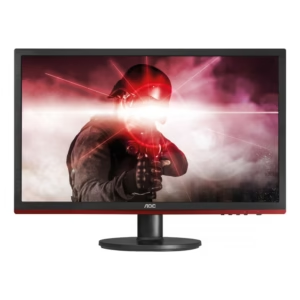
AOC 22- inch Gaming Monitor
-
Brand: AOC
-
Screen Size: 22 inches
-
Resolution: Full HD 1920 x 1080
-
Aspect Ratio: 16:9
-
Panel Type: Twisted Nematic (TN) or IPS (model dependent)
-
Refresh Rate: 75Hz (typical, model dependent)
-
Response Time: 1–5ms (model dependent)
-
Adaptive Sync: FreeSync support (model dependent)
-
Connectivity:
-
HDMI
-
VGA
-
Audio Out (on select units)
-
-
Stand Adjustments: Tilt
-
Mounting: VESA compatible (100 x 100 mm)
-
Color Support: 16.7 million colors
-
Viewing Angles: 178° horizontal / 178° vertical (IPS models)
SKU: n/a -
-
22 Inch, Gaming Monitors, Monitors
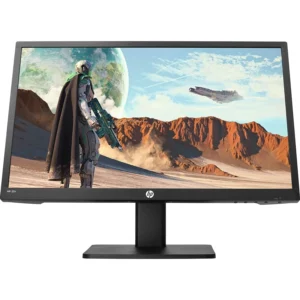
HP gaming monitor 22″
-
rand: HP
-
Screen Size: 22 inches
-
Resolution: Full HD (1920 × 1080)
-
Aspect Ratio: 16:9
-
Panel Type: TN or IPS (model dependent)
-
Refresh Rate: 75Hz or higher (model dependent)
-
Response Time: 1–5ms (model dependent)
-
Adaptive Sync: FreeSync or Adaptive Sync (model dependent)
-
Connectivity:
-
HDMI
-
VGA
-
Audio Out / Headphone Jack (select models)
-
-
Stand: Tilt adjustable
-
Mounting: VESA compatible (select models)
-
Color Support: Up to 16.7M colors
-
Viewing Angles: Up to 178° horizontal / 178° vertical (IPS models)
SKU: n/a -
-
24 Inch, Monitors
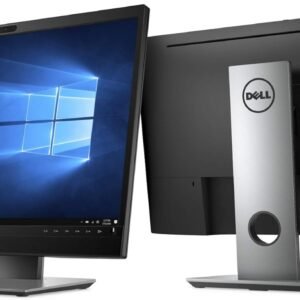
Dell P2418HZm 24″ FHD 1080i Monitor
-
Brand: Dell
-
Model: P2418HZm
-
Display Size: 24 inches
-
Resolution: Full HD (1920 × 1080)
-
Panel Type: IPS (In-Plane Switching)
-
Aspect Ratio: 16:9
-
Brightness: 250 cd/m² (typical)
-
Contrast Ratio: 1000:1 (typical)
-
Response Time: 5 ms (typical)
-
Viewing Angles: 178° horizontal / 178° vertical
-
Color Support: 16.7 million colors
-
Ports:
-
HDMI
-
DisplayPort
-
VGA
-
USB 3.0 hub (upstream + downstream)
-
Audio out
-
-
Stand Adjustments: Height, tilt, swivel, pivot
-
Mounting: VESA compatible (100 × 100 mm)
-
Design: Slim bezels with professional black finish
-
Energy Efficiency: Energy-saving design with power-efficient LED panel
SKU: n/a -
-
24 Inch, LED Monitors, Monitors
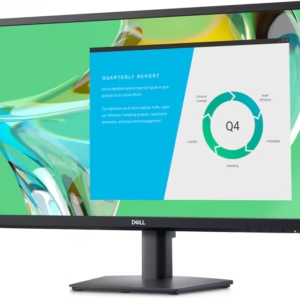
Dell E2422HN 23.8 inch LED Backlit Monitor
-
Brand: Dell
-
Model: E2422HN
-
Display Size: 23.8 inches
-
Display Type: LED backlit LCD
-
Resolution: Full HD (1920 × 1080)
-
Aspect Ratio: 16:9
-
Brightness: Typical 250 cd/m²
-
Contrast Ratio: 1000:1
-
Response Time: 8 ms (typical)
-
Viewing Angles: 178° horizontal / 178° vertical
-
Color Support: Up to 16.7 million colors
-
Ports:
-
HDMI
-
VGA
-
-
Stand Adjustments: Tilt (-5° to 21°)
-
Mounting: VESA compatible (100 × 100 mm)
-
Design Color: Black
SKU: n/a -












There are no reviews yet.