
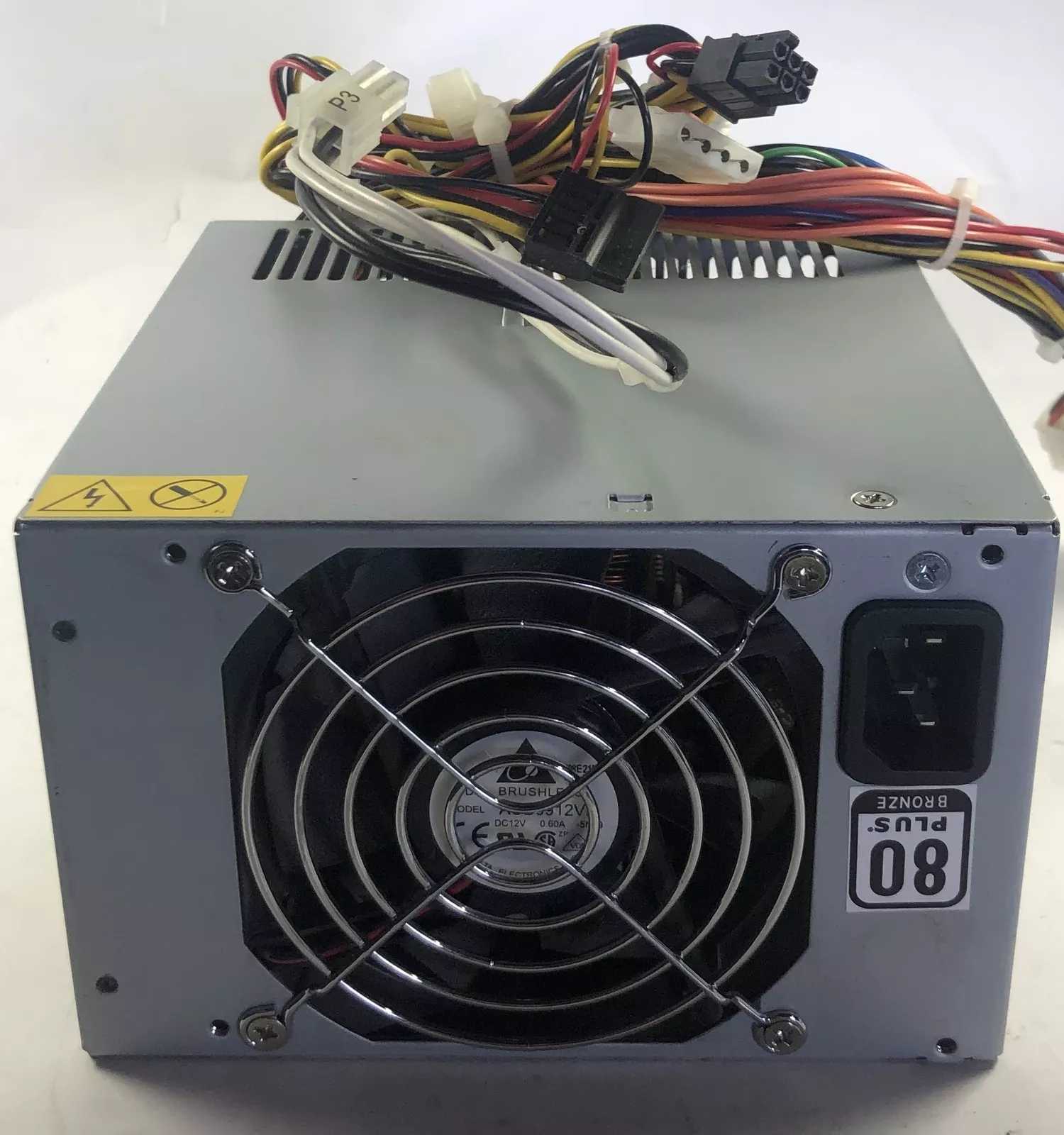
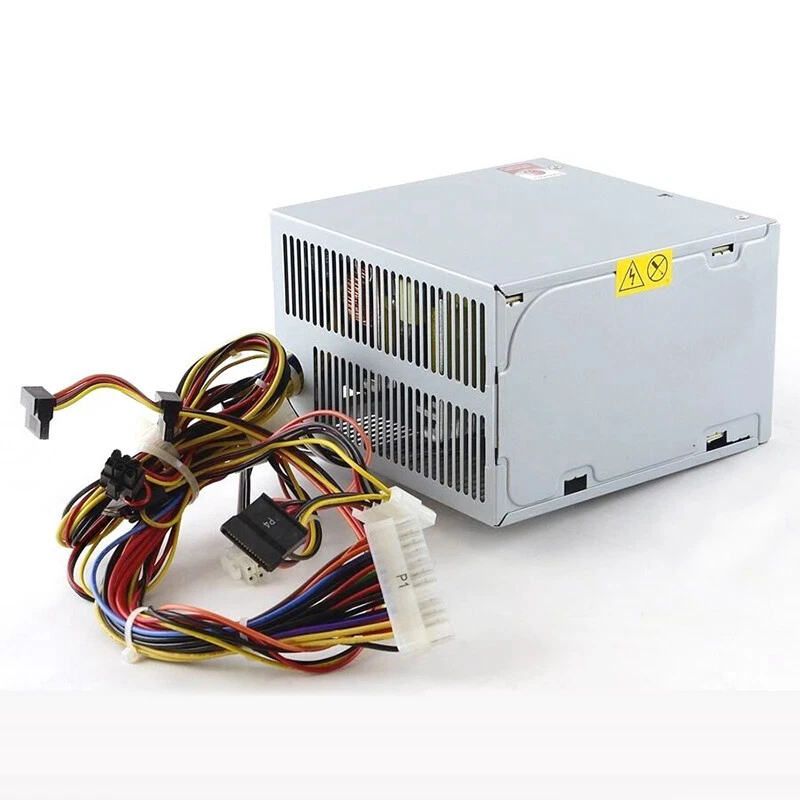
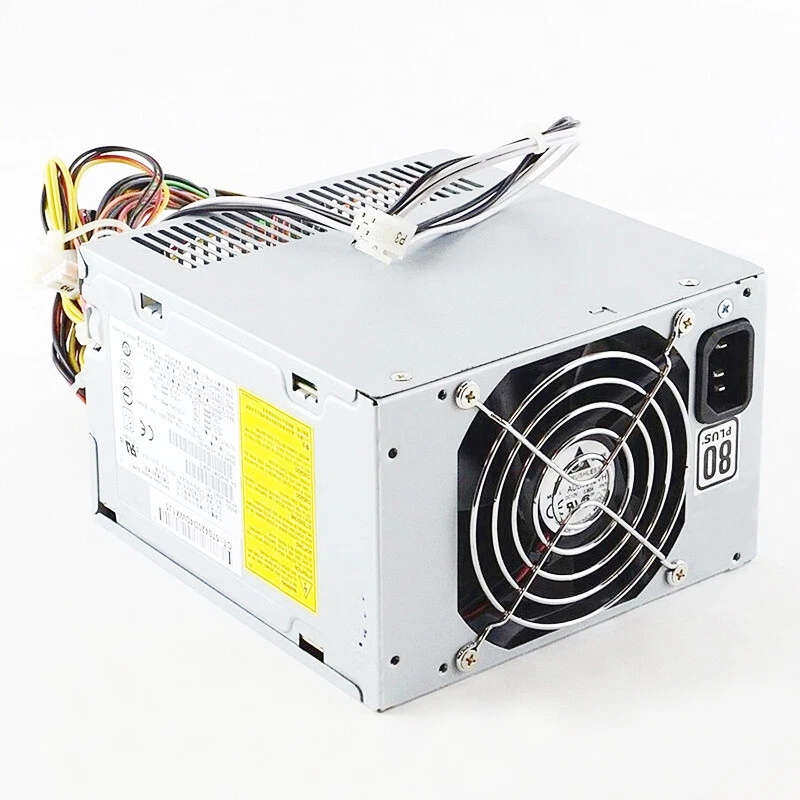
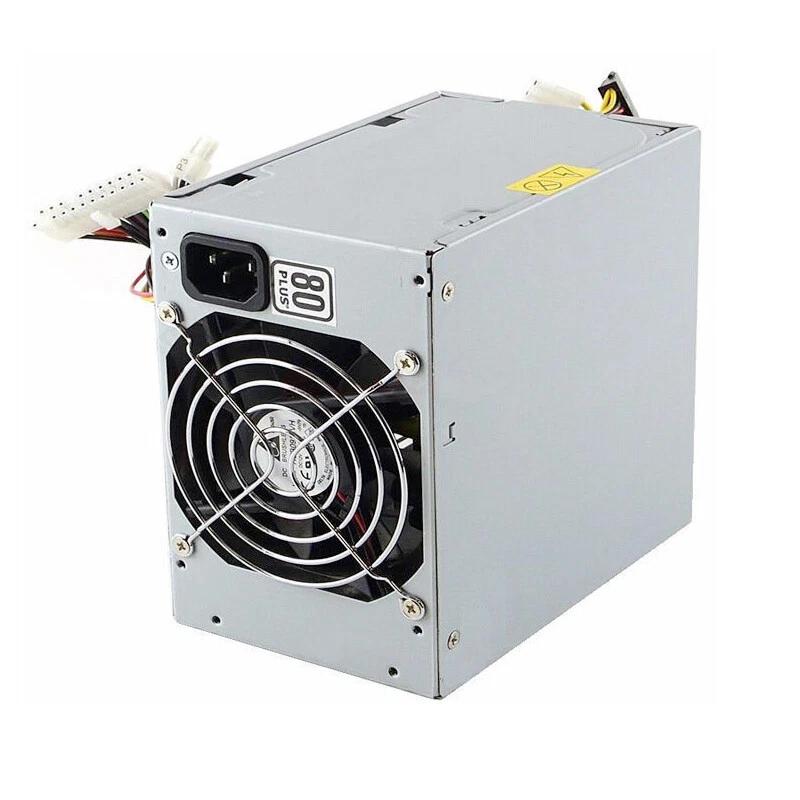
hp xw4600 workstation power supply
Max Power: 475W
AC Input: 100-127V~/10.0A, 200-240V~/6A, 50-60Hz 118V~/10A, 400Hz
DC Output: 475W Max Power Output
Specifications
-
Wattage: 400W (standard for xw4600)
-
Input Voltage: 100–240V AC
-
Form Factor: Standard ATX
-
Efficiency: 80 PLUS rated
-
Connectors: 24-pin ATX, 4/8-pin CPU, SATA, Molex, PCIe (varies by model).
KSh4,500.00
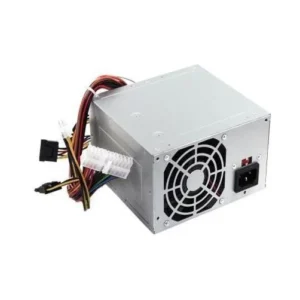
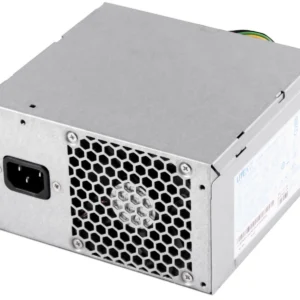
HP xw4600 Workstation Power Supply 475W
The HP xw4600 Workstation uses a 475-watt power supply with active Power Factor Correction (PFC) and an 80% efficiency rating . This power supply is engineered specifically for the xw4600 chassis and is not compatible with standard ATX power supplies due to its proprietary design .
When searching for a replacement HP xw4600 power supply, it is critical to ensure the unit is specifically intended for this workstation model. The xw4600 power supply uses a proprietary motherboard connector that differs from standard ATX specifications .
HP xw4600 PSU Specifications
The key specifications for this replacement power supply are:
| Specification | Details |
|---|---|
| Product | HP xw4600 Workstation Power Supply |
| Power Output | 475W |
| Efficiency | 80% (80 PLUS Certified) |
| Power Factor Correction | Active PFC |
| Input Voltage | 100–240V AC (auto-ranging) |
| Input Frequency | 50–60 Hz |
| Form Factor | HP Proprietary |
| Compatible Workstation | HP xw4600 |
| Application | Replacement and workstation repair |
The DPS-475GB and DPS-475CB-A are known compatible models for this workstation .
Compatibility Note: Proprietary Design
The HP xw4600 workstation motherboard and power supply use a proprietary connector . This means:
-
Standard ATX power supplies are not directly compatible
-
The motherboard uses a non-standard power connector that requires HP’s specific pinout
-
Even if the wattage matches, a standard ATX power supply will not plug into the xw4600 motherboard
A suitable replacement must match the original PSU in terms of:
-
475W power rating
-
HP Proprietary form factor
-
Motherboard connector configuration
-
Physical dimensions
-
Mounting arrangement
Known Compatible Part Numbers
When purchasing a replacement, look for these part numbers:
-
450937-001 – HP spare number
-
468930-001 – HP spare number
-
452554-001 – HP spare number
-
437407-001 – Compatible model number
-
DPS-475GB – Manufacturer model number
-
DPS-475CB-A – Manufacturer model number
How to Identify Your Current Power Supply
1. Inspect the PSU Label
Record the following information from the label on your current power supply:
-
Wattage (should be 475W)
-
Model/Part Number
-
Manufacturer
-
Voltage and current ratings
2. Verify the Workstation Model
Confirm that your system is an HP xw4600 Workstation and not a different xw series model, as each model uses different power supplies.
3. Check Connectors
The xw4600 uses proprietary connectors. Compare your existing connectors with any replacement before purchasing.
Common Signs of a Faulty xw4600 Power Supply
A defective power supply can cause several symptoms:
-
The workstation does not turn on
-
System shuts down unexpectedly
-
Workstation becomes unstable
-
Intermittent power loss
-
Internal hardware does not receive power correctly
Resetting the Power Supply
If an overload triggers the power supply overload protection, all power is immediately disconnected. To reset the power supply :
-
Disconnect the power cord from the workstation
-
Determine what caused the overload and fix the problem
-
Reconnect the power cord and reboot the workstation
These symptoms can also be caused by other components. We recommend diagnosing the workstation before purchasing a replacement PSU.
What to Check Before Buying
1. Confirm the Workstation Model
Make sure you have an HP xw4600 Workstation.
2. Check the Original Wattage
The xw4600 specification is 475W. Match the original wattage.
3. Record the Original PSU Information
Note the model, spare number, and other identification information printed on the existing unit.
4. Verify Compatibility
Ensure the replacement is specifically designed for the HP xw4600, not a standard ATX unit.
5. Compare Connectors
Ensure the replacement provides the appropriate motherboard connections.
Why Choose a Genuine Compatible HP Power Supply?
Choosing the right power supply for your HP xw4600 is essential for:
-
Restoring a non-working workstation
-
Maintaining system stability
-
Ensuring proper power delivery
-
Supporting workstation repair and refurbishment
-
Extending the useful life of your hardware
The HP xw4600 is built to handle demanding workloads such as CAD, 3D rendering, and other intensive professional applications. A quality replacement power supply helps ensure reliable performance in these environments .
At Compvate, we provide computer hardware and replacement components for customers maintaining and repairing desktop and workstation systems.
HP xw4600 Workstation 475W Power Supply
- Product Type: Internal Desktop Workstation Power Supply Unit (PSU)
- Form Factor: Standard ATX Workstation Tower
- Max Output Power: 475 Watts Max Continuous
- Efficiency Rating: 80 PLUS Certified (Active PFC)
- AC Input Range: 100V–240V AC (Auto-Switching)
- Input Frequency Range: 50Hz–60Hz
- DC Output Ratings:
-
- +12Vcpu === 17.5A
- +12Vd === 15.0A
- +12Vg === 15.0A
- +5.1V === 15.0A
- +3.3V === 22.0A
-
- Motherboard Connectors:
-
- 1 x 24-Pin ATX Main Power Connector
- 1 x 8-Pin EPS CPU +12V Power Connector
-
- Peripheral & Graphics Connectors:
-
- 1 x 6-Pin PCI-Express (PCIe) Power Connector
- 4 x Straight SATA Power Connectors
- 3 x 4-Pin Large Molex IDE Connectors
- 1 x Floppy Drive Connector
-
- Cooling System: 1 x Integrated Internal Thermal Controlled Fan
- Dimensions: 150mm x 140mm x 86mm
- Compatible HP Spare / Part Numbers: 453139-001, 452110-001, 446376-001
- Compatible Manufacturer Model Numbers: DPS-475CB-1 A, DPS-475CB-1A, PC7047
- System Compatibility: HP xw4600 Workstation Tower
Based on 0 reviews
Be the first to review “hp xw4600 workstation power supply”
Related products
-
Computer Accessories, Power Supplies
Lenovo ThinkCentre A58E Power Supply Unit 54Y8817
- Compatible Desktop: Lenovo ThinkCentre A58e Desktop Tower Series
- Lenovo FRU Part Number: 54Y8817
- Manufacturer Model Code: PC9011 / PS-5181-02VL (and equivalents)
- Max Output Capacity: 180 Watts
- Form Factor Variant: Standard TFX / Custom Lenovo Tower Layout
- Main Wire Pin Layout: 24-Pin Standard Main Power, 4-Pin 12V CPU Power, SATA Power Lines
- AC Input Voltage: 100V – 240V Auto-Switching Frequency Range
- Cooling System: 1 x 80mm Integrated Smart-Speed Cooling Fan
SKU: n/a -
Apple Mackbook Chargers, Computer Accessories, Laptop Chargers
Apple MacBook Air 11″ 13″ A1465 A1436 A1466 A1435 Laptop Power Adapter Charger 45w (2013-2015)
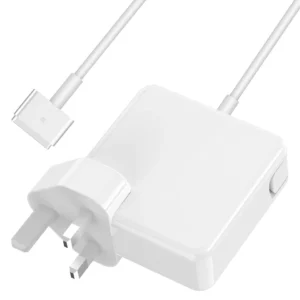 Apple Mackbook Chargers, Computer Accessories, Laptop Chargers
Apple MacBook Air 11″ 13″ A1465 A1436 A1466 A1435 Laptop Power Adapter Charger 45w (2013-2015)
Technical Specifications
-
Input Voltage: 100–240V AC
-
Output Voltage: 14.85V / 3.05A (MacBook Air 11” & 13”)
-
Power Output: 45W
-
Connector Type: MagSafe or MagSafe 2 (depending on model)
-
LED Status Indicator: Amber = Charging, Green = Fully Charged
-
Cable Length: Standard Apple design (approx. 2 meters)
-
Safety Features: Over-voltage, over-current, short-circuit protection
-
Compatibility: MacBook Air 11” & 13” (2013–2015) – Models A1465, A1436, A1466, A1435
These specifications ensure optimal performance, device safety, and battery longevity.
SKU: n/a -
-
Computer Accessories, Power Supplies
Lenovo ThinkCentre M82 M93P M92P E31 54Y8851 280W PS-4281-02 VA
- Compatible Desktop Series: Lenovo ThinkCentre M82, M92p, M93p (Tower models), Lenovo ThinkServer E31
- Lenovo FRU Part Number: 54Y8851 / 54Y8854 / 54Y8856
- Manufacturer Model Code: PS-4281-02VA / HK380-12GP / FSP280-40EPA
- Max Output Capacity: 280 Watts
- Form Factor Variant: Standard TFX / Custom Lenovo Tower Layout
- Main Wire Pin Layout: 24-Pin Main Power, 4-Pin 12V CPU Power
- AC Input Voltage: 100V – 240V Auto-Switching Frequency Range
- Cooling System: 1 x 80mm Integrated Smart-Speed Exhaust Fan
SKU: n/a -
Apple Mackbook Chargers, Computer Accessories, Laptop Chargers
Macbook pro 2013 charger(Retina, 13-inch) 60W MagSafe 2 power adapter.
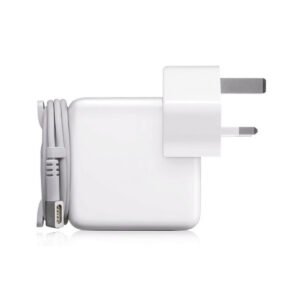 Apple Mackbook Chargers, Computer Accessories, Laptop Chargers
Macbook pro 2013 charger(Retina, 13-inch) 60W MagSafe 2 power adapter.
-
Product Type: Power Adapter
-
Output Power: 60W
-
Connector Type: MagSafe 2
-
Input Voltage: 100–240V AC
-
Output Voltage: 16.5V
-
Compatibility: MacBook Pro Retina 13-inch (2012–2015)
-
LED Indicator: Yes
-
Condition: Tested and verified
This adapter meets the required specifications for stable and efficient MacBook charging.
SKU: n/a -












There are no reviews yet.