
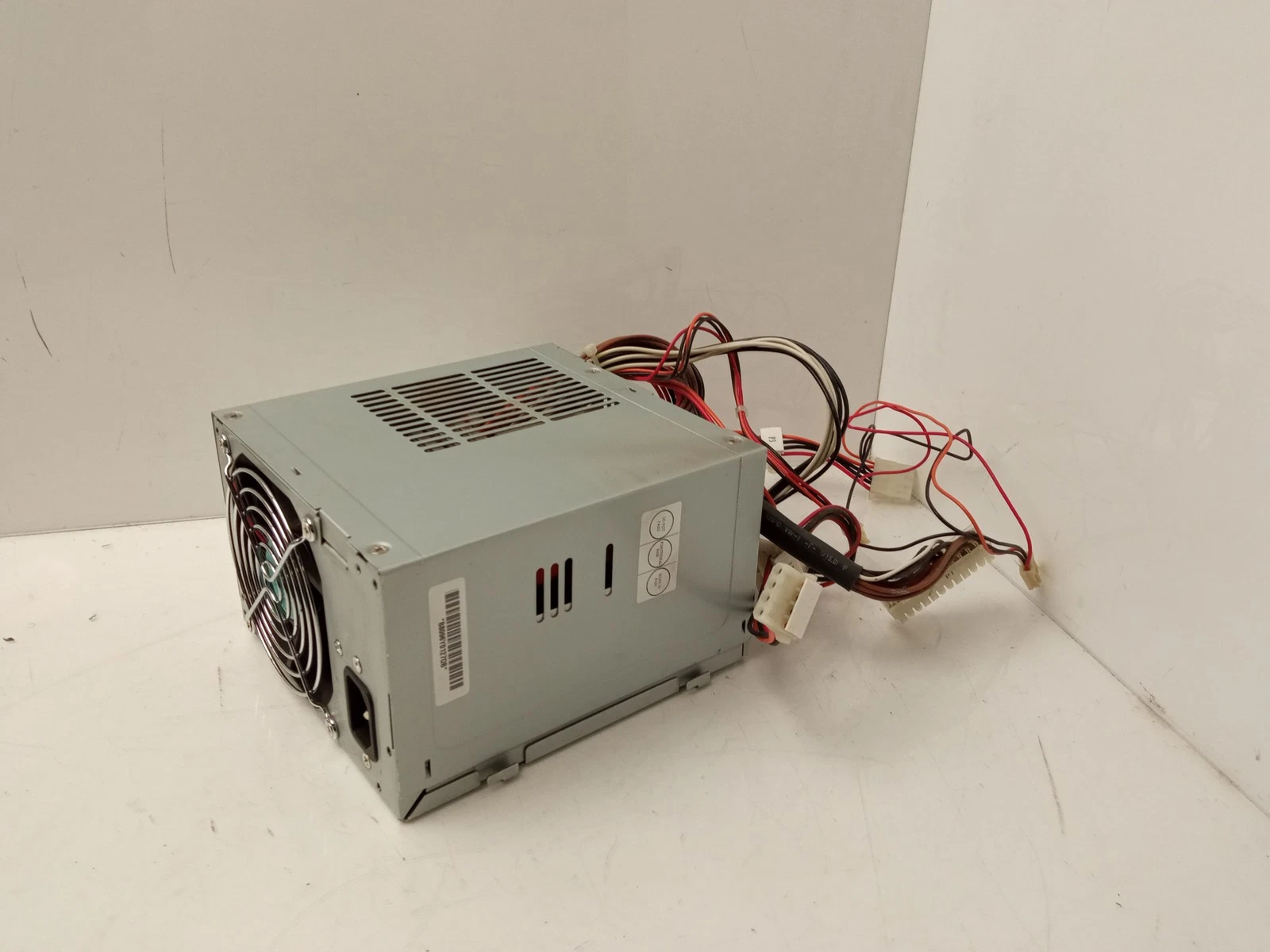
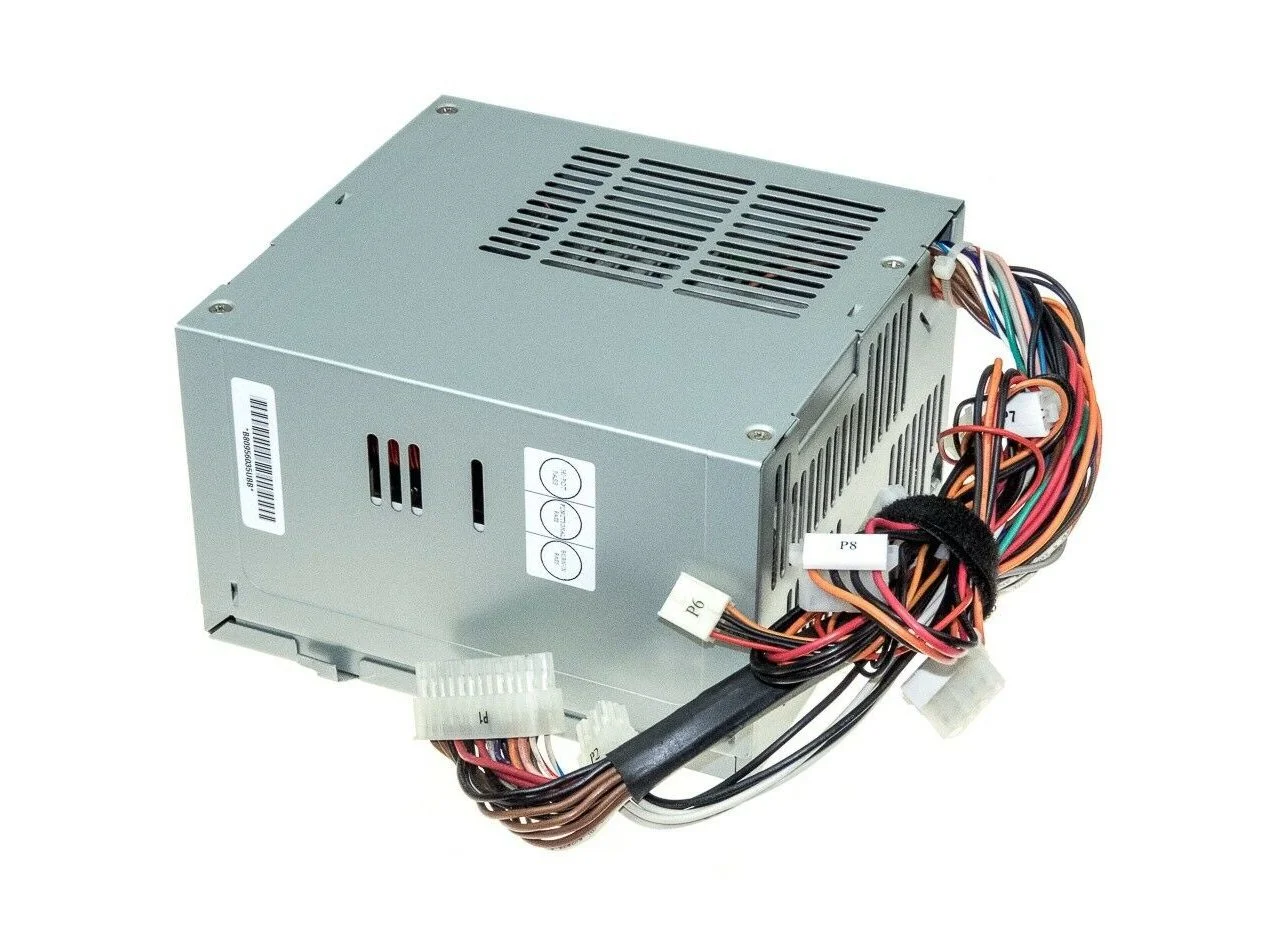
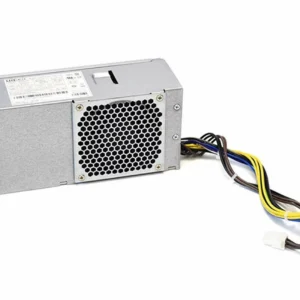
HP WORKSTATION 6000 power supply 335741-001 189643-003 460w
-
Form Factor: HP Proprietary (xw6000 series)
-
Max Output Power: 460 Watts
-
AC Input Range: 100–240V AC (Auto-Ranging)
-
Power Factor Correction: Active (Full-ranging)
-
Outputs: Seven DC outputs
-
Cooling System: Integrated Active Cooling Fan
Compatible Part Numbers
-
335741-001
-
189643-003
-
202348-001
-
WTX-460-3505
System Compatibility
-
HP xw6000 Workstation
-
HP Evo W6000 Workstation
KSh5,500.00
HP WORKSTATION 6000 460W POWER SUPPLY 335741-001 189643-003
HP Workstation 6000 460W Power Supply
This 460-watt power supply is the standard configuration for the HP xw6000 Workstation series . The unit is identified by HP spare numbers 335741-001 and 189643-003, and is designed as a direct replacement for the xw6000 workstation line.
The power supply is also compatible with the HP Evo W6000 series and uses the manufacturer model number WTX-460-3505 . This unit features a full-ranging, active power factor corrected design with seven DC outputs for comprehensive workstation power delivery .
HP Workstation 6000 PSU Specifications
The key specifications for this replacement power supply are:
| Specification | Details |
|---|---|
| Product | HP Workstation 6000 Power Supply |
| Power Output | 460W |
| Power Factor Correction | Active PFC (Full-ranging) |
| Input Voltage | 100–240V AC (auto-ranging) |
| Outputs | Seven DC outputs |
| Form Factor | HP Proprietary (xw6000 series) |
| Model Number | WTX-460-3505 |
| Compatible Workstations | HP xw6000, Evo W6000 |
| Application | Replacement and workstation repair |
Known Compatible Part Numbers
When purchasing a replacement, look for these compatible part and model numbers:
HP Spare Numbers
-
335741-001 – Primary HP spare number
-
189643-003 – Alternate HP spare number
-
202348-001 – Compatible part number
Manufacturer Model Numbers
-
WTX-460-3505 – Manufacturer model number
Compatibility Information
The HP 460W power supply is compatible with:
-
HP xw6000 Workstation – All configurations
-
HP Evo W6000 Workstation – Selected models
Form Factor: This unit uses an HP proprietary form factor designed specifically for the xw6000 chassis .
Important Note: Multiple sources confirm this power supply provides 460-watt, seven outputs with full-ranging active power factor correction .
Common Signs of a Faulty Workstation 6000 Power Supply
A defective power supply can cause several symptoms:
-
The workstation does not turn on
-
System shuts down unexpectedly
-
Workstation becomes unstable
-
Intermittent power loss
-
Internal hardware does not receive power correctly
These symptoms can also be caused by other components. We recommend diagnosing the workstation before purchasing a replacement PSU.
What to Check Before Buying
1. Confirm the Workstation Model
Make sure you have an HP xw6000 Workstation or HP Evo W6000.
2. Check the Original Wattage
The xw6000 specification is 460W.
3. Record the Original PSU Information
Note the model, spare number, and other identification information printed on the existing unit.
4. Verify Physical Dimensions
This is a proprietary form factor designed for the xw6000 chassis .
5. Compare Connectors
This unit features seven outputs with active PFC. Ensure the replacement provides the appropriate connections.
Why Choose a Genuine Compatible HP Power Supply?
Choosing the right power supply for your HP xw6000 is essential for:
-
Restoring a non-working workstation
-
Maintaining system stability
-
Ensuring proper power delivery
-
Supporting workstation repair and refurbishment
-
Extending the useful life of your hardware
At Compvate, we provide computer hardware and replacement components for customers maintaining and repairing workstation systems.
- Manufacturer: HP / Hewlett Packard Enterprise
- HP Assembly Part Number: 189643-003
- HP Spare Part Number: 335741-001
- Device Type: Internal Workstation Power Supply
- Form Factor: Standard ATX / Proprietary Workstation Chassis
- Maximum Output Power: 460 Watts
- Input Voltage Range: 100V – 240V AC (Auto-Ranging)
- Input Frequency: 50Hz – 60Hz
- Cooling System: 1 x Integrated dedicated exhaust cooling fan for optimal thermal management
- 1 x 24-Pin Main Motherboard Power Connector
- 1 x 4-Pin CPU Power Connector
- Integrated Serial ATA (SATA) power feeds for storage drives
- Legacy 4-Pin peripheral Molex connectors for optical drives and accessories
- Workstation-Grade Dependability: Precision-engineered to manage the high power thresholds demanded by dual-processor configurations and dedicated graphics hardware.
- Clean Voltage Regulation: Built with heavy-duty internal capacitors to filter electrical noise and safeguard sensitive computing components from grid instabilities.
- Direct Bolt-In Fit: Designed with factory-exact dimensions and targeted wire harness lengths to install directly into the xw6000 chassis without modifications.
- Advanced Protection Grids: Features built-in hardware shielding to safeguard your system against over-voltage, short-circuits, and thermal overloads.
- HP Workstation xw6000 Desktop PC Series
Based on 0 reviews
Be the first to review “HP WORKSTATION 6000 power supply 335741-001 189643-003 460w”
Related products
-
Apple Mackbook Chargers, Computer Accessories, Laptop Chargers
Macbook air m2 2022 charger 35W USB-C
-
Product Type: Power Adapter
-
Output Power: 35W
-
Connector Type: USB-C
-
Input Voltage: 100–240V AC
-
Compatibility: MacBook Air M2 (2022)
-
Fast-Charge Support: Yes (Apple-optimized)
-
Condition: Brand New
SKU: n/a -
-
Computer Accessories, Power Supplies
Lenovo Power Supply FRU-54Y8874 For ThinkCentre M92P 3209 SFF
Product Name: Lenovo Power Supply FRU-54Y8874 for ThinkCentre M92P 3209 SFF
Brand: Lenovo
FRU Number: 54Y8874
Power Rating: 240W
Input Voltage: 100-240V AC
Form Factor: TFX
Product Type: Internal desktop power supply / replacement PSU
Compatible System: Lenovo ThinkCentre M92P SFF, including compatible 3209 configurations
Application: Desktop repair, PSU replacement, system maintenance, and workstation restoration
Efficiency: The FRU 54Y8874 is listed as an 85% single-output PSU; individual replacement units should be checked against their own label/specification.
SKU: n/a -
Apple Mackbook Chargers, Computer Accessories, Laptop Chargers
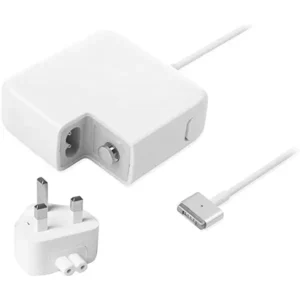
MacBook Pro model A1502 Charger
MacBook Pro A1502 Charger
-
Product Type: Power Adapter
-
Connector Type: MagSafe 2
-
Output Power: 60W (recommended)
-
Input Voltage: 100–240V AC
-
Output Voltage: 16.5V
-
LED Indicator: Yes
-
Compatibility: MacBook Pro Retina 13-inch (A1502)
-
Condition: Tested and verified
This charger meets Apple’s power requirements for safe and efficient charging.
SKU: n/a -
-
Apple Mackbook Chargers, Computer Accessories, Laptop Chargers
Macbook pro 2013 charger(Retina, 13-inch) 60W MagSafe 2 power adapter.
 Apple Mackbook Chargers, Computer Accessories, Laptop Chargers
Macbook pro 2013 charger(Retina, 13-inch) 60W MagSafe 2 power adapter.
-
Product Type: Power Adapter
-
Output Power: 60W
-
Connector Type: MagSafe 2
-
Input Voltage: 100–240V AC
-
Output Voltage: 16.5V
-
Compatibility: MacBook Pro Retina 13-inch (2012–2015)
-
LED Indicator: Yes
-
Condition: Tested and verified
This adapter meets the required specifications for stable and efficient MacBook charging.
SKU: n/a -












There are no reviews yet.