
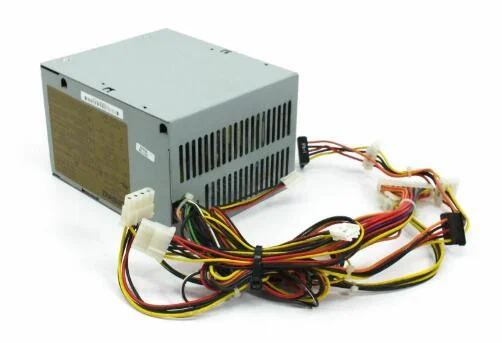
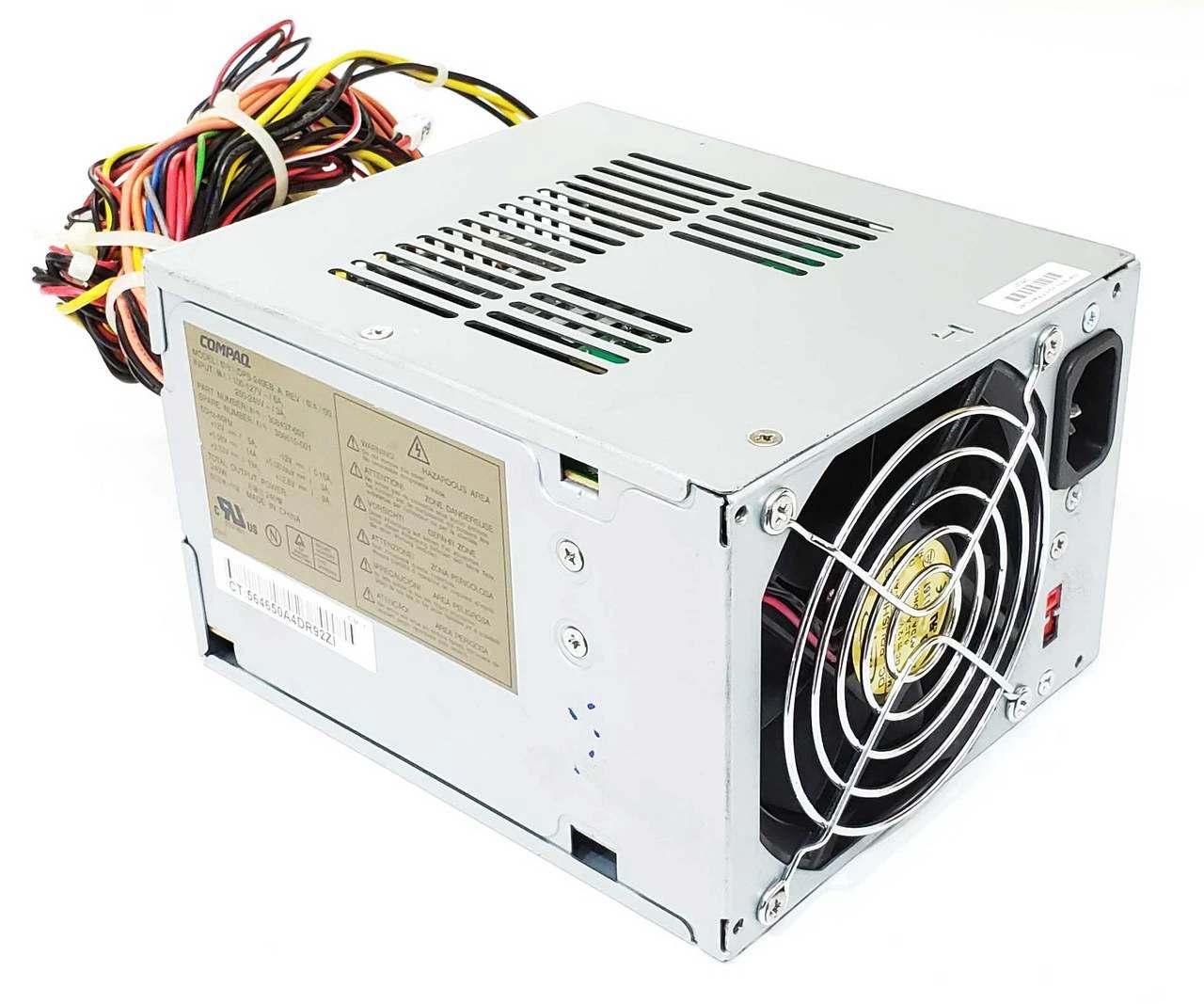
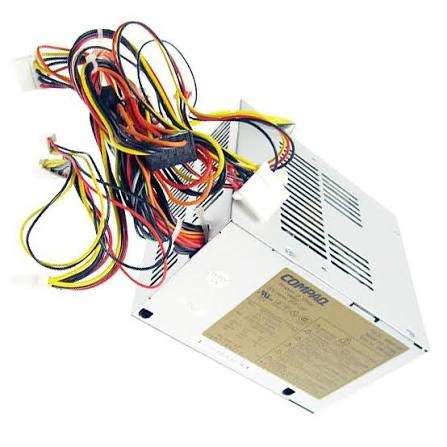
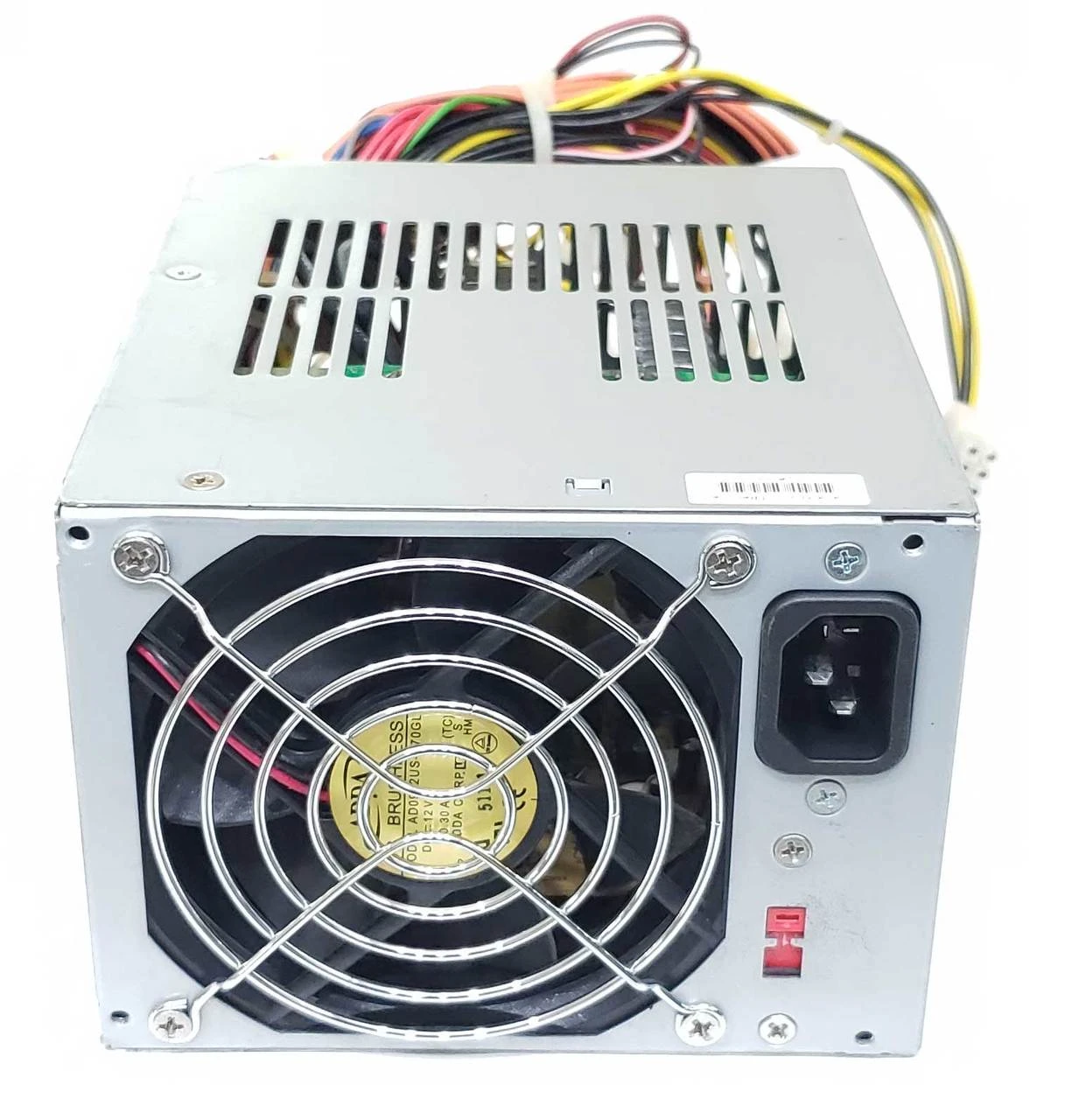
HP Evo D330 D5300 Power Supply PS-6241-3CF PDP123P
-
- Manufacturer: HP / Hewlett Packard Enterprise (Manufactured by Lite-On / Delta)
- Model Numbers: PS-6241-3CF, PDP123P, PDP-123P, DPS-240EB
- HP Spare Part Number: 308615-001
- HP Part Number: 308437-001
- Device Type: Internal PC Desktop Power Supply
- Form Factor: Standard ATX
- Maximum Output Power: 240 Watts continuous
- Input Voltage Range: 100V – 127V AC (6.0A) / 200V – 240V AC (3.0A)
- Input Frequency: 50Hz – 60Hz
- Voltage Selection: Manual physical slide toggle switch between 115V and 230V feeds
- Cooling System: Integrated 1 x dedicated low-noise exhaust cooling fan for balanced thermal management
KSh1,800.00
HP Evo D330 D5300 Power Supply PS-6241-3CF PDP123P
A replacement HP Evo D330 D5300 PSU can be useful when the original power supply has failed or become unreliable.
The power supply provides the electrical power required by the computer’s internal components, including the motherboard, processor, memory, storage devices, cooling fans, and compatible expansion hardware.
Because HP produced different chassis and configurations, we recommend confirming the exact computer model and original PSU before ordering a replacement.
HP Evo D330 Power Supply
The HP Evo D330 is an older HP business desktop platform, and replacement power supplies should be matched carefully to the particular chassis configuration.
When searching for an HP Evo D330 power supply, the model numbers printed on the original PSU can provide more accurate identification than the computer model alone.
Useful search terms include:
- HP Evo D330 power supply
- HP D330 PSU
- PS-6241-3CF power supply
- PDP123P power supply
- HP Evo D330 PSU replacement
Using the PSU model number together with the computer model can help narrow the search to the correct replacement.
HP D530 Power Supply
The HP D530 is another HP business desktop platform associated with this PSU identification.
Customers searching for an HP D530 power supply should confirm the exact chassis type and compare the original PSU before purchasing.
HP systems from this generation may use different power-supply designs depending on their form factor and configuration.
For this reason, the PS-6241-3CF and PDP123P model references are valuable when identifying a replacement.
PS-6241-3CF Power Supply
PS-6241-3CF is one of the primary model references for this power supply.
When purchasing a replacement, compare the model printed on the existing unit with the replacement listing.
The complete PSU label should also be checked for:
- HP spare or part number
- Manufacturer
- Wattage
- Input specifications
- Output specifications
- Connector configuration
- Model information
The model number is an important identification reference, but compatibility should be verified using the complete PSU specifications.
PDP123P Power Supply
PDP123P is another model reference associated with this HP power supply.
Customers may find the same or compatible PSU listed under different combinations of:
PS-6241-3CF
PDP123P
HP Evo D330
HP D530
Using these identifiers together can make product searches more precise.
HP Evo D330 D530 Power Supply Specifications
The key product identification information can be summarized as follows:
| Specification | Details |
|---|---|
| Compatible Systems | HP Evo D330 / HP D530 configurations |
| PSU Model | PS-6241-3CF |
| Alternate Model Reference | PDP123P |
| Product Type | Desktop Power Supply |
| Application | Replacement / Repair |
| Wattage | Verify from original PSU label |
| Connectors | Must match the original configuration |
| Form Factor | Verify against original PSU |
Because the wattage is not provided in the product title, it is important to check the original PSU label rather than assuming the output rating from the model number.
HP Evo D330 D530 PSU Compatibility
Compatibility is particularly important when replacing an older OEM HP power supply.
The replacement should be checked for:
- PSU model
- HP part number
- Wattage
- Input voltage
- Output specifications
- Motherboard connector
- Processor power connector
- Storage connectors
- Peripheral connectors
- Physical dimensions
- Mounting points
A replacement power supply can have a similar appearance and still be incompatible.
How to Identify the HP PS-6241-3CF PSU
The original PSU label provides the most reliable identification information.
Look for:
Model: PS-6241-3CF
Model Reference: PDP123P
HP Spare Number: Check the original label
Power Rating: Check the original label
Input Specifications: Check the original label
Output Specifications: Check the original label
Customers can photograph the PSU label before ordering and compare it with the replacement listing.
This is especially useful for older HP computers where several similar power supplies may exist.
HP Evo D330 PSU Replacement for Computer Repair
A replacement power supply can help restore an older HP business desktop when the original PSU has failed.
Potential symptoms of a power-supply problem include:
- The computer does not turn on.
- The system shuts down unexpectedly.
- The computer loses power intermittently.
- Internal fans do not operate.
- Storage devices fail to receive power.
- The system becomes unstable.
These symptoms can have other causes, so appropriate troubleshooting should be completed before replacing the PSU.
When the power supply has been confirmed as faulty, installing a correctly matched replacement can restore the computer.
HP D530 PSU Replacement
The HP D530 power supply can be an important replacement component when maintaining older HP business desktops.
A replacement PSU can be useful for:
- Desktop computer repair
- Business PC maintenance
- Computer refurbishment
- Legacy hardware support
- IT equipment servicing
- Testing and restoration of older systems
Replacing the PSU can allow other functional components to remain in service.
Why Match PS-6241-3CF?
Matching the PS-6241-3CF model number is useful because HP produced power supplies with different specifications for different desktop configurations.
A generic replacement PSU may differ in:
- Connector arrangement
- Cable length
- Physical dimensions
- Mounting points
- Output voltages
- Power rating
For this reason, we recommend comparing the original PSU label with the replacement before purchasing.
Can You Use Any Power Supply in an HP Evo D330 or D530?
No. A generic desktop power supply should only be used after confirming that it meets the computer’s requirements.
The replacement must be compatible with the:
- Motherboard
- Processor
- Storage devices
- Chassis
- Power connectors
- Mounting arrangement
- Electrical specifications
The PS-6241-3CF and PDP123P identifiers provide useful references for matching the replacement to the original unit.
HP Evo D330 D530 Power Supply and Hardware Upgrades
Before replacing the PSU, consider the computer’s complete hardware configuration.
Additional components such as expansion cards, hard drives, optical drives, and other peripherals can affect the computer’s total power requirements.
If the system has been upgraded from its original factory configuration, verify that the replacement PSU can support the installed hardware.
This is particularly important when restoring older computers that may have been modified over the years.
Replacing the HP Evo D330 D530 Power Supply
Before replacing an internal PSU, shut down the computer completely and disconnect the power cable.
Document the existing cable connections before removing the original unit. A photograph can provide a useful reference when reconnecting the replacement.
Remove the old PSU carefully and install the replacement securely.
Reconnect the required motherboard, processor, storage, and peripheral power connections.
Before powering the system, check that all connections are properly seated.
If a connector does not match the original, do not force it. Confirm the PSU’s compatibility before continuing.
What to Check Before Buying PS-6241-3CF
Before purchasing an HP PS-6241-3CF power supply, check the following:
1. Computer Model
Confirm whether the computer is an HP Evo D330, HP D530, or another compatible configuration.
2. PSU Model
Check for PS-6241-3CF.
3. Alternate Identification
Check for PDP123P.
4. HP Part Number
Record the HP spare or part number printed on the original PSU.
5. Wattage
Verify the exact output rating on the original PSU label.
6. Connectors
Compare the motherboard, processor, storage, and peripheral connectors.
7. Physical Dimensions
Make sure the replacement physically fits the computer chassis.
8. Electrical Specifications
Compare the input and output specifications before installation.
Buy HP Evo D330 D530 Power Supply PS-6241-3CF
The HP Evo D330 D530 Power Supply PS-6241-3CF PDP123P is an important replacement reference for compatible HP business desktop systems.
For the best compatibility, we recommend matching the original unit’s PS-6241-3CF model, PDP123P reference, HP part number, wattage, connectors, dimensions, mounting arrangement, and electrical specifications.
Because older HP computers can have different chassis and PSU configurations, checking the original label before ordering is the most reliable way to identify the correct replacement.
At Compvate, we provide computer hardware and replacement components for customers maintaining, repairing, and refurbishing desktop computer systems. Visit Compvate to explore available computer hardware and replacement components.
-
- Manufacturer: HP / Hewlett Packard Enterprise (Manufactured by Lite-On / Delta)
- Model Numbers: PS-6241-3CF, PDP123P, PDP-123P, DPS-240EB
- HP Spare Part Number: 308615-001
- HP Part Number: 308437-001
- Device Type: Internal PC Desktop Power Supply
- Form Factor: Standard ATX
-
- Maximum Output Power: 240 Watts continuous
- Input Voltage Range: 100V – 127V AC (6.0A) / 200V – 240V AC (3.0A)
- Input Frequency: 50Hz – 60Hz
- Voltage Selection: Manual physical slide toggle switch between 115V and 230V feeds
- Cooling System: Integrated 1 x dedicated low-noise exhaust cooling fan for balanced thermal management
-
- 1 x 20-Pin ATX Main Motherboard Power Connector
- 1 x 4-Pin P4 CPU Power Connector
- 2 x Serial ATA (SATA) Power Connectors
- 5 x Legacy 4-Pin Peripheral Molex Connectors
- 2 x 4-Pin Floppy Drive Connectors
-
- Legacy Business Continuity: Tailored specifically to support old-school corporate computing grids, ensuring long operational lifetime and consistent voltage thresholds.
- Manual Input Switch: A built-in rear voltage selector allows easy toggling to align with your building’s precise alternating current supply.
- Exact Wire Mapping: Constructed with standard structural layout dimensions and precise factory cable lengths for immediate, secure connection placement.
- Integrated Hardware Safety: Fully fortified with internal safety relays against short-circuits, over-current output, and high-voltage line anomalies.
- HP Compaq Evo D330 Desktop & Tower Series
- HP Compaq Evo D338 Desktop PC
- HP Compaq Evo D530 Desktop & Tower Series
- HP Compaq Evo D538 Desktop PC
- HP Compaq dc5000 Business Desktop Series
Based on 0 reviews
Be the first to review “HP Evo D330 D5300 Power Supply PS-6241-3CF PDP123P”
Related products
-
Apple Mackbook Chargers, Computer Accessories, Laptop Chargers
Apple MacBook Air 11″ 13″ A1465 A1436 A1466 A1435 Laptop Power Adapter Charger 45w (2013-2015)
 Apple Mackbook Chargers, Computer Accessories, Laptop Chargers
Apple MacBook Air 11″ 13″ A1465 A1436 A1466 A1435 Laptop Power Adapter Charger 45w (2013-2015)
Technical Specifications
-
Input Voltage: 100–240V AC
-
Output Voltage: 14.85V / 3.05A (MacBook Air 11” & 13”)
-
Power Output: 45W
-
Connector Type: MagSafe or MagSafe 2 (depending on model)
-
LED Status Indicator: Amber = Charging, Green = Fully Charged
-
Cable Length: Standard Apple design (approx. 2 meters)
-
Safety Features: Over-voltage, over-current, short-circuit protection
-
Compatibility: MacBook Air 11” & 13” (2013–2015) – Models A1465, A1436, A1466, A1435
These specifications ensure optimal performance, device safety, and battery longevity.
SKU: n/a -
-
Computer Accessories, Power Supplies
Lenovo Power Supply FRU-54Y8874 For ThinkCentre M92P 3209 SFF
Product Name: Lenovo Power Supply FRU-54Y8874 for ThinkCentre M92P 3209 SFF
Brand: Lenovo
FRU Number: 54Y8874
Power Rating: 240W
Input Voltage: 100-240V AC
Form Factor: TFX
Product Type: Internal desktop power supply / replacement PSU
Compatible System: Lenovo ThinkCentre M92P SFF, including compatible 3209 configurations
Application: Desktop repair, PSU replacement, system maintenance, and workstation restoration
Efficiency: The FRU 54Y8874 is listed as an 85% single-output PSU; individual replacement units should be checked against their own label/specification.
SKU: n/a -
Apple Mackbook Chargers, Computer Accessories, Laptop Chargers
Macbook air m2 2022 charger 35W USB-C
-
Product Type: Power Adapter
-
Output Power: 35W
-
Connector Type: USB-C
-
Input Voltage: 100–240V AC
-
Compatibility: MacBook Air M2 (2022)
-
Fast-Charge Support: Yes (Apple-optimized)
-
Condition: Brand New
SKU: n/a -
-
Computer Accessories, Power Supplies
Lenovo ThinkCentre M71 M81 M91 240 Watt Power Supply 54Y8826
- Compatible Desktop Series: Lenovo ThinkCentre M71, M81, M91 (Small Form Factor models)
- Lenovo FRU Part Number: 54Y8826 / 54Y8819 / 54Y8822
- Manufacturer Model Code: PC9024 / FSP240-50SBV / HK340-71FP
- Max Output Capacity: 240 Watts
- Form Factor Variant: Lenovo Proprietary SFF Slim Desktop Format
- Main Wire Pin Layout: 24-Pin Standard Main Power, 4-Pin 12V CPU Power, SATA Power Lines
- AC Input Voltage: 100V – 240V Auto-Switching Range
- Cooling System: 1 x 80mm Integrated Smart-Speed Exhaust Fan
SKU: n/a












There are no reviews yet.