
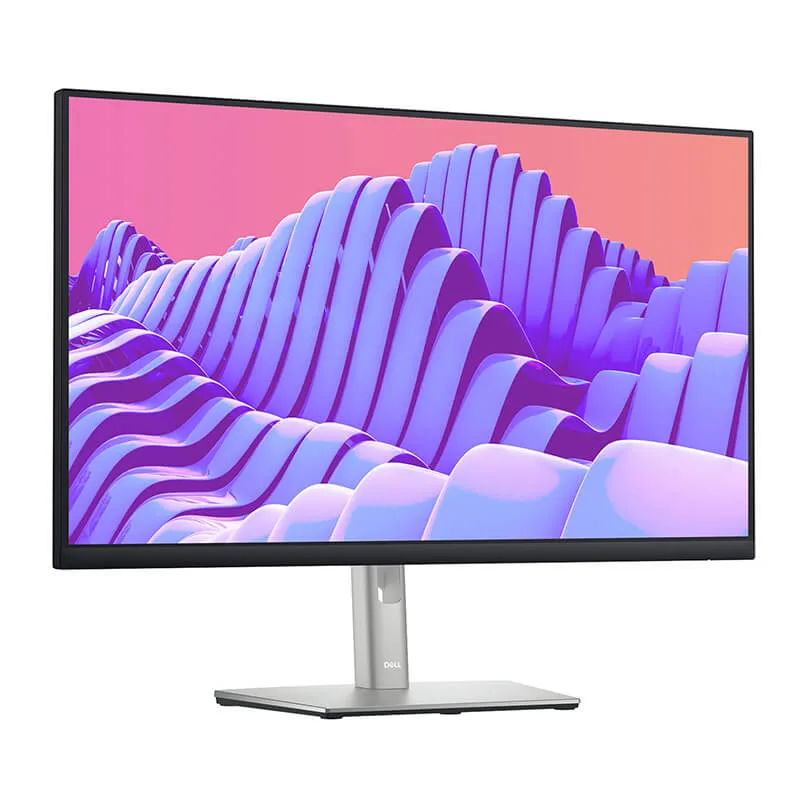


Dell P2722H 27 inch FHD Monitor
- Brand: Dell
- Model: P2722H
- Screen size: 27 inches
- Display resolution: 1920 × 1080 pixels (Full HD)
- Panel technology: In-Plane Switching (IPS)
- Aspect ratio: 16:9
- Maximum refresh rate: 60 Hz
- Response time: 5 ms in Fast mode; 8 ms in Normal mode
- Brightness: 300 cd/m²
- Typical contrast ratio: 1,000:1
- Colour coverage: 99% sRGB
- Viewing angles: 178° horizontal and 178° vertical
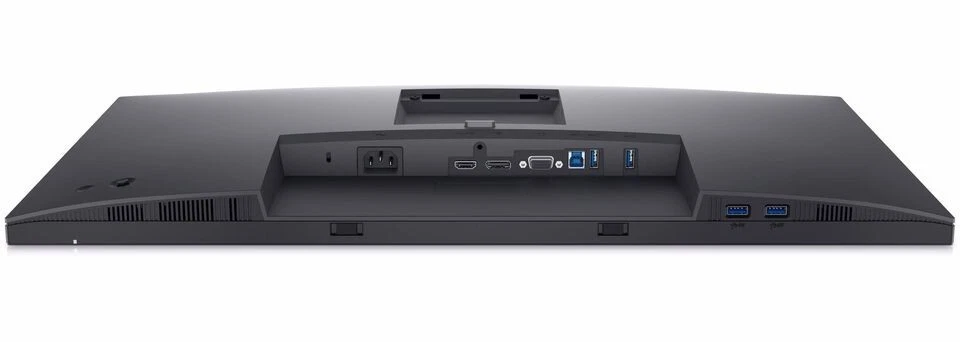
- Display inputs: HDMI, DisplayPort and VGA
- USB connectivity: Integrated USB hub with USB-A and USB-B connections; confirm the exact port configuration for the supplied unit
- Ergonomic adjustments: Height, tilt, swivel and pivot
- Low-blue-light feature: ComfortView Plus
- Mounting compatibility: VESA-compatible mounting interface
- Primary applications: Office productivity, business administration, education, remote work and general desktop computing
KSh28,000.00
Dell P2722H 27-Inch FHD Monitor.
The Dell P2722H 27-inch FHD Monitor is a professional display designed to support productivity, comfortable viewing, and efficient multitasking in modern office environments. Combining Full HD resolution, In-Plane Switching (IPS) technology, an ergonomic stand, and versatile connectivity, this monitor is suitable for business professionals, corporate offices, educational institutions, and home workstations.
At Compvate, we recognize the importance of selecting reliable IT equipment that balances performance, usability, and long-term value. The Dell P2722H offers practical features for users who need a dependable monitor for everyday business applications, document management, virtual meetings, data analysis, and general computing.
In this comprehensive product guide, we explore the Dell P2722H monitor’s specifications, display quality, connectivity options, ergonomic features, and practical applications to help businesses and individual buyers make informed purchasing decisions.
Dell P2722H 27-Inch FHD Monitor Overview
The Dell P2722H belongs to Dell’s professional monitor range and is designed to deliver dependable performance in demanding workplace environments. Its 27-inch screen provides a spacious viewing area, while the Full HD resolution supports everyday productivity tasks without requiring the additional graphics processing resources associated with higher-resolution displays.
Featuring a 1920 × 1080 native resolution and a 16:9 aspect ratio, the monitor provides a familiar widescreen format for business software, web applications, spreadsheets, presentations, and multimedia content.
The IPS panel technology helps maintain consistent colours and image clarity when viewed from different positions. This is particularly useful in collaborative offices where colleagues may need to review information together or share content during meetings.
The Dell P2722H also incorporates Dell ComfortView Plus, an adjustable ergonomic stand, and multiple connection options. These features make it a practical choice for organisations seeking a professional display that integrates easily into existing computer setups.
27-Inch Full HD Display for Everyday Productivity
The Dell P2722H features a 27-inch Full HD display with a native resolution of 1920 × 1080 pixels. This configuration offers a generous screen area for users who regularly work with documents, spreadsheets, browser windows, business applications, and email.
The widescreen 16:9 aspect ratio provides a practical layout for viewing presentations, participating in video meetings, and working across multiple application windows. Users can arrange their workspace to keep reference documents and active applications visible simultaneously, reducing the need to switch constantly between tasks.
For administrative teams, accountants, customer service representatives, and general office staff, the display offers a straightforward solution for daily computing activities.
However, users who require highly detailed visual work should consider their resolution requirements carefully. A 27-inch Full HD display has a lower pixel density than a 27-inch Quad HD monitor. Consequently, professionals working extensively with fine text, intricate design elements, or high-resolution photographs may prefer a higher-resolution alternative.
For standard office productivity, web browsing, business communication, and general desktop applications, the Dell P2722H provides a practical balance between screen size and display performance.
IPS Panel Technology and Consistent Colour Reproduction
The Dell P2722H uses In-Plane Switching technology to provide wide viewing angles and consistent image presentation.
With typical horizontal and vertical viewing angles of 178 degrees, the monitor allows users to view content from different positions without the pronounced colour and contrast changes often associated with narrower-viewing-angle display technologies.
This capability is useful in shared workspaces, training rooms, and collaborative office environments. Colleagues can review presentations or business reports together without needing to sit directly in front of the display.
The monitor also supports a typical 99% sRGB colour gamut, making it suitable for everyday visual tasks such as preparing presentations, reviewing marketing materials, editing standard business graphics, and viewing online content.
Its 300 cd/m² typical brightness supports use in many conventional office environments, while the 1000:1 typical contrast ratio helps distinguish lighter and darker elements on the screen.
Although the display offers useful colour reproduction for general business work, specialist photographers, video editors, and colour-critical designers should assess their calibration and colour-accuracy requirements before selecting this model.
Dell ComfortView Plus for More Comfortable Viewing
Extended screen use is a regular part of modern office work. The Dell P2722H includes Dell ComfortView Plus, an integrated low-blue-light feature designed to reduce blue-light emissions while maintaining colour performance.
Unlike software-based approaches that may noticeably shift the screen towards warmer colours, ComfortView Plus is designed to minimise blue-light exposure without significantly compromising colour presentation.
The monitor also supports flicker-free operation, helping provide a more comfortable viewing experience during extended work sessions.
These features can be beneficial for professionals who spend substantial time reading documents, managing spreadsheets, attending virtual meetings, or working with business applications.
However, eye comfort depends on several factors beyond the display itself. Appropriate screen brightness, regular breaks, suitable viewing distance, and correct workstation positioning remain important considerations when setting up a productive workspace.
Ergonomic Design and Flexible Screen Adjustments
A key advantage of the Dell P2722H is its adjustable stand. Rather than requiring users to accept a fixed screen position, the monitor allows adjustments that help accommodate different desk arrangements and working preferences.
The stand supports four primary adjustments:
- Height adjustment: Raise or lower the display to achieve a more suitable viewing position.
- Tilt adjustment: Angle the screen forwards or backwards to improve visibility.
- Swivel adjustment: Turn the monitor horizontally to accommodate different seating positions.
- Pivot adjustment: Rotate the screen between landscape and portrait orientations.
The height-adjustable stand provides up to approximately 150 mm of vertical movement. The monitor also supports portrait orientation, which can be particularly useful when reviewing long documents, reading code, editing lengthy webpages, or working with vertically structured information.
For businesses equipping multiple workstations, these ergonomic adjustments make it easier to accommodate different users without replacing the monitor or relying entirely on additional mounting accessories.
The Dell P2722H also supports a standard 100 × 100 mm VESA mounting interface. This allows compatible monitor arms and wall mounts to be used where the installation requirements permit.
Connectivity Options for Business Workstations
The Dell P2722H provides a selection of video and USB connections designed to support a variety of workplace configurations.
Its primary video connections include HDMI, DisplayPort, and VGA. This combination helps businesses connect compatible desktop computers, laptops, and other display sources, including some older systems that continue to use VGA.
HDMI connectivity supports straightforward connections with compatible modern computers and other digital video sources.
DisplayPort connectivity provides another digital display option for compatible business computers and workstations.
VGA connectivity can be useful when maintaining compatibility with legacy computer equipment.
The monitor also includes a USB hub with one upstream connection and four downstream USB ports. When connected to a computer through the upstream USB cable, the hub allows compatible peripherals to be connected conveniently at the monitor.
This arrangement can help reduce the need to reach behind a desktop computer or laptop whenever a user needs to connect a USB accessory.
It is important to note that the Dell P2722H does not provide USB-C video connectivity or laptop charging through a USB-C connection. Businesses planning USB-C-only workstation setups should confirm compatibility or consider a monitor with the required USB-C functionality.
A Practical Monitor for Multitasking and Office Applications
The Dell P2722H is designed primarily for productivity rather than specialist gaming or high-end creative workloads.
Its 27-inch screen supports common multitasking scenarios, including viewing a spreadsheet alongside a browser, keeping communication software open while preparing reports, or reviewing reference material while drafting documents.
The 60 Hz refresh rate is suitable for standard office applications, presentations, web browsing, and conventional multimedia playback. Its response-time options of 5 ms in Fast mode and 8 ms in Normal mode provide flexibility for general display use.
For business professionals, the monitor’s main advantage is its combination of screen space, ergonomic flexibility, and practical connectivity.
For competitive gamers or users who prioritise high refresh rates, adaptive synchronisation, or exceptionally fast motion handling, a purpose-built gaming display may be more appropriate.
Similarly, professionals editing high-resolution video or working with detailed CAD models should compare the P2722H against higher-resolution displays designed for those workflows.
Why Choose the Dell P2722H for Your Office?
Selecting the right business monitor involves more than comparing screen sizes and prices. Reliability, ease of installation, compatibility, comfort, and the needs of individual users should all inform the purchasing decision.
The Dell P2722H offers several practical advantages for business environments.
1. Professional display design
Its restrained appearance and functional stand make it suitable for corporate offices, reception areas, administrative departments, and home offices.
2. Multiple connectivity options
HDMI, DisplayPort, VGA, and USB connectivity support a variety of compatible computer configurations and workplace peripherals.
3. Ergonomic flexibility
Height, tilt, swivel, and pivot adjustments help users position the screen according to their workspace requirements.
4. Integrated USB hub
Four downstream USB ports provide convenient peripheral connectivity when the monitor is connected correctly to the computer.
5. Eye-comfort features
ComfortView Plus and flicker-free technology support a more comfortable viewing setup for users who spend extended periods working at a screen.
6. Broad workplace suitability
The monitor is appropriate for common office tasks, business communication, document preparation, data entry, and general productivity applications.
For organisations standardising their desktop equipment, these characteristics make the Dell P2722H a useful model to evaluate against the requirements of individual departments and the wider IT environment.
Dell P2722H vs Other Monitor Options
The best monitor depends on how it will be used. Comparing the Dell P2722H with alternative display categories helps clarify where it fits within a business purchasing strategy.
A 27-inch QHD monitor offers more pixels than the Dell P2722H, potentially providing sharper text and additional usable workspace. However, it may cost more and should be evaluated according to the intended application.
A gaming monitor may offer a substantially higher refresh rate, but those features may be unnecessary for a business user whose primary activities involve email, spreadsheets, documents, and web applications.
The Dell P2722H is best evaluated as a professional office monitor that prioritises practical functionality over specialist display performance.
Who Should Buy the Dell P2722H 27-Inch Monitor?
The Dell P2722H can suit a range of users and organisations.
Corporate offices: Businesses can evaluate this model for administrative departments, finance teams, customer support operations, and general desktop workstations.
Small and medium-sized businesses: Companies seeking a professional monitor with useful connectivity and ergonomic adjustments can consider it when planning workstation upgrades.
Remote workers: Its adjustable stand and 27-inch screen make it suitable for many home-office configurations.
Educational institutions: Staff offices, administrative departments, computer laboratories, and training environments may benefit from its conventional Full HD display and broad connectivity.
General productivity users: Individuals who primarily work with documents, online applications, spreadsheets, and business communication can consider the monitor as an everyday display solution.
Users requiring USB-C docking, higher pixel density, HDR-focused viewing, or high-refresh-rate gaming should compare alternative specifications before purchasing.
Frequently Asked Questions About the Dell P2722H
Is the Dell P2722H a 27-inch monitor?
Yes. The Dell P2722H features a 27-inch display with a native Full HD resolution of 1920 × 1080 pixels.
Does the Dell P2722H support Full HD resolution?
Yes. It supports Full HD at 1920 × 1080 with a maximum native refresh rate of 60 Hz.
Does the Dell P2722H have an IPS panel?
Yes. Its IPS panel provides wide viewing angles and consistent colour presentation for everyday productivity tasks.
Does the Dell P2722H support HDMI and DisplayPort?
Yes. The monitor includes HDMI and DisplayPort connections, as well as VGA for compatible legacy equipment.
Does the Dell P2722H have USB ports?
Yes. It features a USB hub with four downstream USB ports and one upstream connection. The upstream connection must be connected to the computer for the hub to function as intended.
Can the Dell P2722H be adjusted for comfortable viewing?
Yes. Its stand supports height, tilt, swivel, and pivot adjustments. It also supports compatible VESA 100 × 100 mm mounting solutions.
Does the Dell P2722H have USB-C connectivity?
No. The P2722H does not include a USB-C video input or USB-C laptop-charging functionality. Users requiring these features should consider a compatible alternative.
Is the Dell P2722H suitable for office work?
Yes. Its Full HD display, ergonomic stand, anti-glare coating, USB hub, and multiple video connections make it suitable for a broad range of standard office applications.
Is the Dell P2722H suitable for professional graphic design?
It can support basic graphic work and general visual tasks, particularly where sRGB colour coverage is sufficient. However, professionals who require higher resolution, advanced calibration, or more demanding colour-management capabilities should compare specialist monitors before purchasing.
Buy the Dell P2722H 27-Inch FHD Monitor from Compvate
Choosing the right monitor can help businesses build productive, comfortable, and reliable workstations. The Dell P2722H combines a 27-inch Full HD IPS display with practical connectivity, flexible positioning, and integrated eye-comfort features, making it a strong candidate for everyday office use.
At Compvate, we help customers evaluate IT equipment according to their operational needs, workstation requirements, and technology plans. Whether you are equipping a new office, upgrading existing computers, or sourcing monitors for a growing team, assessing the display specifications and connection requirements can help ensure a suitable fit.
Contact Compvate to enquire about the Dell P2722H 27-inch FHD Monitor, confirm current availability and pricing, and identify the right display solution for your business.
-
- Stunning IPS Clarity: Experience consistent, vibrant colors across a wide 178° viewing angle with 99% sRGB color coverage.
- Seamless Multi-Screen Setup: Three-sided ultrathin bezels provide an uninterrupted view across dual or triple-monitor configurations.
- All-Day Comfort: Built-in ComfortView Plus reduces harmful blue light emissions and screen flicker without sacrificing color accuracy.
- Ultimate Ergonomics: Easily tilt, swivel, pivot 90° for portrait view, and adjust the height up to 150mm to match your ideal posture.
- Integrated USB Hub: Clean up desk clutter by plugging your mouse, keyboard, and flash drives directly into the monitor’s built-in 4-port USB hub.
-
- Screen Size: 27 inches (68.6 cm)
- Panel Type: In-Plane Switching (IPS)
- Aspect Ratio: 16:9
- Native Resolution: Full HD (1920 x 1080) at 60 Hz
- Brightness: 300 cd/m²
- Contrast Ratio: 1000:1 (static)
- Response Time: 5 ms (gray-to-gray fast mode) / 8 ms (normal mode)
- Viewing Angles: 178° horizontal / 178° vertical
- Screen Coating: Anti-glare, 3H Hard Coating
- Backlight Technology: LED edgelight system
-
- Video Inputs: 1 x HDMI 1.4, 1 x DisplayPort 1.2, 1 x VGA
- USB Ports: 1 x USB 3.2 Gen 1 upstream, 4 x SuperSpeed USB 5Gbps downstream
- HDCP Support: Yes (HDCP 1.4)
-
- Height Adjustment: Up to 150 mm (5.9 inches)
- Tilt Angle: -5° to +21°
- Swivel Angle: -45° to +45°
- Pivot Rotation: -90° to +90° (landscape/portrait)
- VESA Wall Mount Interface: 100 x 100 mm
- Security Lock Slot: Yes (cable lock sold separately)
-
- Dell P2722H Monitor with Stand
- DisplayPort to DisplayPort Cable (1.8m)
- USB 3.2 Gen 1 Upstream Cable
- Power Cable
- Quick Setup Guide
Based on 0 reviews
Be the first to review “Dell P2722H 27 inch FHD Monitor”
Related products
-
Dell Desktops, Desktops
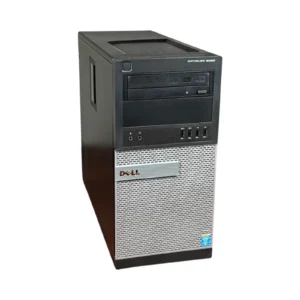
Dell Optiplex 9020 Mini-Tower Desktop, i5 3.4Ghz, 8GB DDR3 RAM, 500GB HDD
-
Model: Dell OptiPlex 9020 Mini-Tower
-
Processor: Intel Core i5, 3.4GHz Quad-Core
-
Memory: 8GB DDR3 RAM (Upgradeable)
-
Storage: 500GB Hard Disk Drive
-
Graphics: Intel Integrated Graphics
-
Networking: Gigabit Ethernet
-
Ports: USB 3.0, DisplayPort, VGA, Ethernet, Audio In/Out
-
Form Factor: Mini-Tower
-
Operating System: Windows-ready
SKU: n/a -
-
Desktops, Lenovo Desktops
Lenovo ThinkCentre M720q Tiny Desktop Computer, Intel i5-8500, 16GB RAM, 256GB NVMe,
 Desktops, Lenovo Desktops
Lenovo ThinkCentre M720q Tiny Desktop Computer, Intel i5-8500, 16GB RAM, 256GB NVMe,
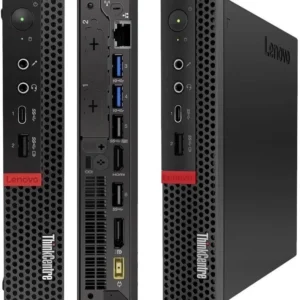
Lenovo ThinkCentre M720q Tiny Desktop Computer, Intel i5-8500, 16GB RAM, 256GB NVMe.
Processor: Intel Core i5-8500 (6 Cores, up to 4.1GHz)
Memory: 16GB DDR4 RAM
Storage: 256GB NVMe SSD
Form Factor: Tiny Desktop
Ports: USB 3.1, DisplayPort, Ethernet, Audio In/Out
Operating System: Pre-installed, ready to use
SKU: n/a -
Desktops, Lenovo Desktops
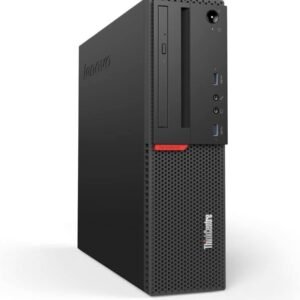
Lenovo ThinkCentre M900 SFF Intel Core i5-6500T, 8GB DDR4 RAM, 1TB HDD
Key Specifications & Features:- Processor: Intel Core i5-6500T (6th Gen, around 2.7GHz base, 4 cores/4 threads).
- Memory: 8GB DDR4 RAM (expandable).
- Storage: 1TB Hard Disk Drive (HDD).
- Form Factor: Small Form Factor (SFF) – compact tower.
- Graphics: Integrated Intel HD Graphics 530.
- Connectivity: USB 3.0, USB 2.0, DisplayPort, HDMI, Ethernet, often includes Wi-Fi/Bluetooth.
- Operating System: Typically Windows 10 Pro (or newer on renewed models).
What it’s good for:- Office applications (Word, Excel, PowerPoint).
- Web browsing and email.
- Streaming media.
- Light multitasking for home or business.
SKU: n/a -
Dell Desktops, Desktops
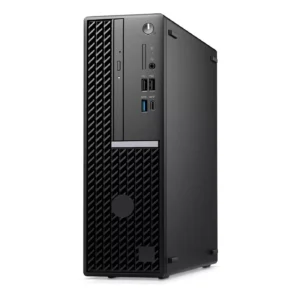
Dell OptiPlex 7000 Core i7, 12th Gen 8gb RAM 512 SSD
-
Brand: Dell
-
Model: OptiPlex 7000 Series
-
Processor: Intel Core i7, 12th Generation
-
Memory: 8GB RAM (Upgradeable)
-
Storage: 512GB Solid State Drive (SSD)
-
Graphics: Intel UHD Integrated Graphics
-
Networking: Gigabit Ethernet
-
Ports: USB-A, USB-C, DisplayPort, HDMI, Audio I/O
-
Security: TPM 2.0, Secure Boot, BIOS Protection
-
Operating System: Windows 11
SKU: n/a -












There are no reviews yet.