
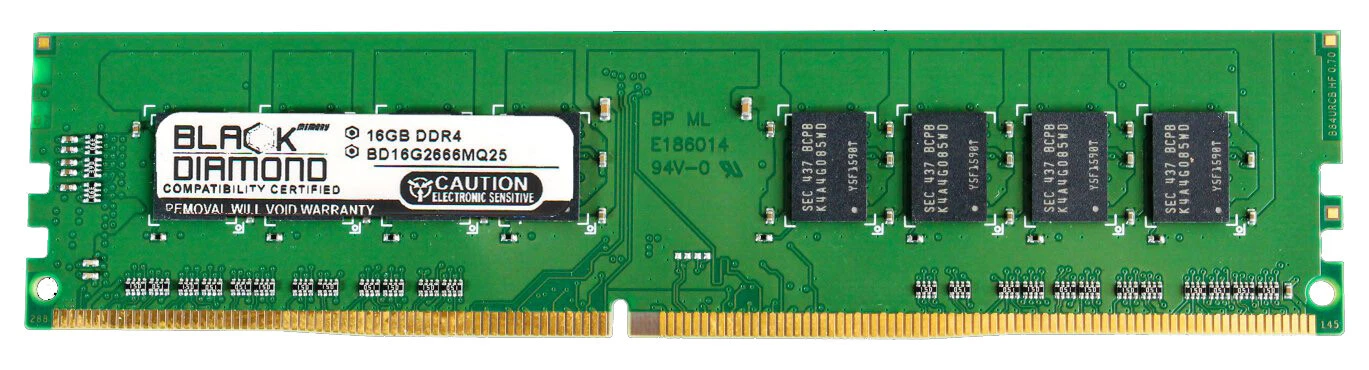
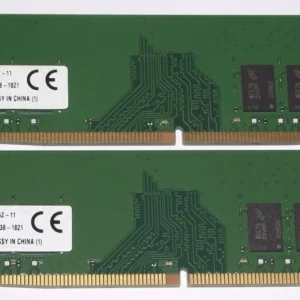
Dell Inspiron 3670 16GB RAM
- Compatible Model: Dell Inspiron 3670 Desktop
- Memory Capacity: 16 GB
- Module Layout: 1 x 16 GB
- Memory Technology: DDR4 SDRAM
- Form Factor: 288-Pin UDIMM (Desktop size)
- Frequency Speed: 2666 MHz (PC4-21300)
- Data Integrity: Non-ECC Unbuffered
- Voltage Power: 1.2V
- Rank Architecture: 1Rx8 or 2Rx8 compatible
KSh7,000.00
Dell Inspiron 3670 RAM Upgrade 16GB Module – DDR4 Memory
Upgrade your Dell Inspiron 3670 with a 16GB RAM module and increase your desktop’s available memory for smoother multitasking, productivity, browsing, entertainment, and demanding applications. A Dell Inspiron 3670 16GB RAM upgrade is a practical solution for users who want to expand system memory without replacing their entire computer.
Whether you use your Inspiron 3670 for home computing, office work, studying, browsing, media, business applications, or multitasking, additional RAM can provide more memory capacity for running multiple applications at the same time.
Dell Inspiron 3670 16GB RAM Upgrade
The Dell Inspiron 3670 is a versatile desktop computer suitable for home and office use. Increasing its RAM capacity can give the system additional memory headroom when running multiple programs and handling larger workloads.
A 16GB RAM upgrade for Dell Inspiron 3670 is a useful option for users who experience limited memory capacity while multitasking. With more RAM available, the system has additional space for active applications, browser tabs, documents, media applications, and other processes.
This makes a 16GB memory upgrade particularly useful for customers who want to continue using their Inspiron 3670 for modern everyday computing.
16GB RAM for Dell Inspiron 3670
If you are searching for 16GB RAM for Dell Inspiron 3670, compatibility is an important consideration. The correct memory module must match the specifications supported by your particular desktop configuration.
The Inspiron 3670 platform uses DDR4 desktop memory, but the exact supported memory speed and configuration should be verified before purchase.
When selecting a Dell Inspiron 3670 memory upgrade, consider:
- Capacity: 16GB
- Memory Type: DDR4 SDRAM
- Form Factor: Desktop DIMM
- Compatible System: Dell Inspiron 3670
- Memory Speed: Verify against your current system configuration
- Installation: Check available memory slots and existing RAM
Checking these details before ordering helps ensure that the selected RAM is suitable for your computer.
Why Upgrade Dell Inspiron 3670 RAM?
A RAM upgrade can provide your Dell desktop with additional memory capacity for active applications and multitasking.
Improved Multitasking
Running a browser, email application, office software, media player, and other programs simultaneously can increase memory usage. A 16GB RAM configuration provides more room for these everyday workloads.
Better Productivity
For office users and professionals, additional RAM can be useful when working with spreadsheets, documents, web applications, communication tools, and multiple programs at the same time.
More Room for Applications
Modern applications can require more system resources than older software. Increasing RAM capacity gives the operating system and applications more memory to work with.
Extend the Useful Life of Your Desktop
If your Dell Inspiron 3670 continues to meet your needs but requires additional memory, upgrading the RAM can be a practical way to improve its capabilities without replacing the entire desktop.
Dell Inspiron 3670 DDR4 RAM
The Dell Inspiron 3670 RAM upgrade requires compatible DDR4 desktop memory. DDR4 is a different memory generation from DDR3 and other previous standards, so customers should ensure they select the correct technology.
When shopping for Dell Inspiron 3670 DDR4 RAM, capacity is only one part of compatibility. The memory speed, physical form factor, module configuration, and existing RAM should also be considered.
For customers specifically looking for a 16GB Dell Inspiron 3670 RAM module, verifying these specifications before purchase can help avoid compatibility issues.
Who Should Upgrade to 16GB RAM?
A Dell Inspiron 3670 16GB RAM upgrade can be suitable for a wide range of users, including:
- Home computer users
- Office professionals
- Students
- Small businesses
- Remote workers
- Multitaskers
- Internet and media users
- Users running productivity applications
- Customers upgrading an older Inspiron 3670
It is particularly useful for users who regularly run several applications simultaneously or want additional memory capacity for more demanding workloads.
Dell Inspiron 3670 Memory Upgrade Compatibility
Before purchasing a 16GB RAM module for Dell Inspiron 3670, confirm your exact desktop configuration.
Different system configurations can have different processor, memory, and hardware specifications. Checking your existing RAM can help determine the appropriate upgrade configuration.
Before ordering, consider checking:
- Current RAM capacity
- Number of installed memory modules
- Available RAM slots
- DDR4 compatibility
- Supported memory speed
- Maximum supported memory
- Existing module configuration
If you plan to add the new module alongside existing RAM, the specifications of both modules should be considered.
- Compatible Model: Dell Inspiron 3670 Desktop
- Memory Capacity: 16 GB
- Module Layout: 1 x 16 GB
- Memory Technology: DDR4 SDRAM
- Form Factor: 288-Pin UDIMM (Desktop size)
- Frequency Speed: 2666 MHz (PC4-21300)
- Data Integrity: Non-ECC Unbuffered
- Voltage Power: 1.2V
- Rank Architecture: 1Rx8 or 2Rx8 compatible.
- Tailored for Inspiron 3670: Guaranteed compatibility with the Dell Inspiron 3670 desktop tower motherboard configuration.
- Instant Performance Boost: Drastically reduces load times, eliminates system lag, and improves overall computer responsiveness.
- Effortless Multitasking: Extra 16GB capacity lets you run demanding software, office apps, and gaming titles simultaneously.
- Plug & Play Setup: Standard 288-pin desktop form factor slots seamlessly into your device with no complex BIOS adjustments needed.
- Eco-Friendly Energy Efficiency: Operates at a low 1.2V to decrease power consumption and lower system heat output.
Based on 0 reviews
Be the first to review “Dell Inspiron 3670 16GB RAM”
Related products
-
Desktops, RAM Memory
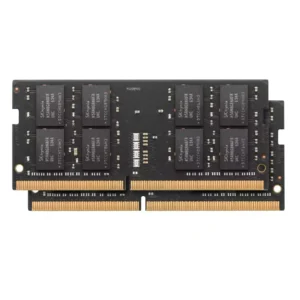
Mac Mini 2018 RAM Upgrade 16GB PC4 Module
Capacity: 16GB
Memory Type: DDR4 SDRAM
Form Factor: SO-DIMM
Speed: 2666MHz
PC Rating: PC4-21300
Application: Mac mini 2018
Upgrade Purpose: Increased system memory capacity
Memory Generation: DDR4
Ideal For: Multitasking, productivity, development and general computingSKU: n/a -
DDR4, Memory, RAM Memory
Dell Alienware Aurora R12 Memory RAM Upgrade 32GB DDR4 Stick
- Compatible Model: Dell Alienware Aurora R12 Gaming Desktop
- Memory Capacity: 32 GB
- Module Layout: 1 x 32 GB
- Memory Technology: DDR4 SDRAM
- Form Factor: 288-Pin UDIMM (Standard Desktop Size)
- Frequency Speed: 3200 MHz (PC4-25600)
- Overclocking Support: Intel XMP 2.0 (Extreme Memory Profile) compatible
- Data Integrity: Non-ECC Unbuffered
- Voltage Power: 1.2V JEDEC / 1.35V XMP voltage profile
- Rank Architecture: 2Rx8 Dual Rank module
SKU: n/a -
DDR4, Memory, RAM Memory
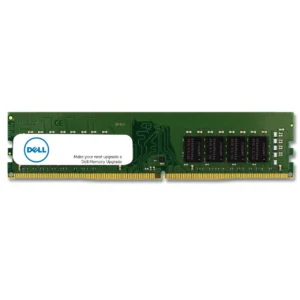
Dell optiplex 3050 memory ram upgrade 32GB stick
- : Dell OptiPlex 3050 (Mini Tower and Small Form Factor Tower variants)
- Total Kit Capacity: 32 GB
- Memory Technology: DDR4 SDRAM
- Form Factor: 288-Pin UDIMM (Standard Desktop Size)
- Frequency Speed: 2400 MHz (PC4-19200)
- Data Integrity: Non-ECC Unbuffered
- Voltage Power: 1.2V Low Voltage
- Rank Architecture: 1Rx8 or 2Rx8 fully compatible
SKU: n/a -
DDR4, Memory, RAM Memory
DELL optiplex 5060 memory ram upgrade 8GB stick
- Compatible Model: Dell OptiPlex 5060 (Mini Tower and Small Form Factor variants)
- Memory Capacity: 8 GB
- Module Layout: 1 x 8 GB
- Memory Technology: DDR4 SDRAM
- Form Factor: 288-Pin UDIMM (Standard Desktop Size)
- Frequency Speed: 2666 MHz (PC4-21300)
- Data Integrity: Non-ECC Unbuffered
- Voltage Power: 1.2V Low Voltage
- Rank Architecture: 1Rx8 Single Rank or 2Rx8 Dual Rank compatible
SKU: n/a












There are no reviews yet.