
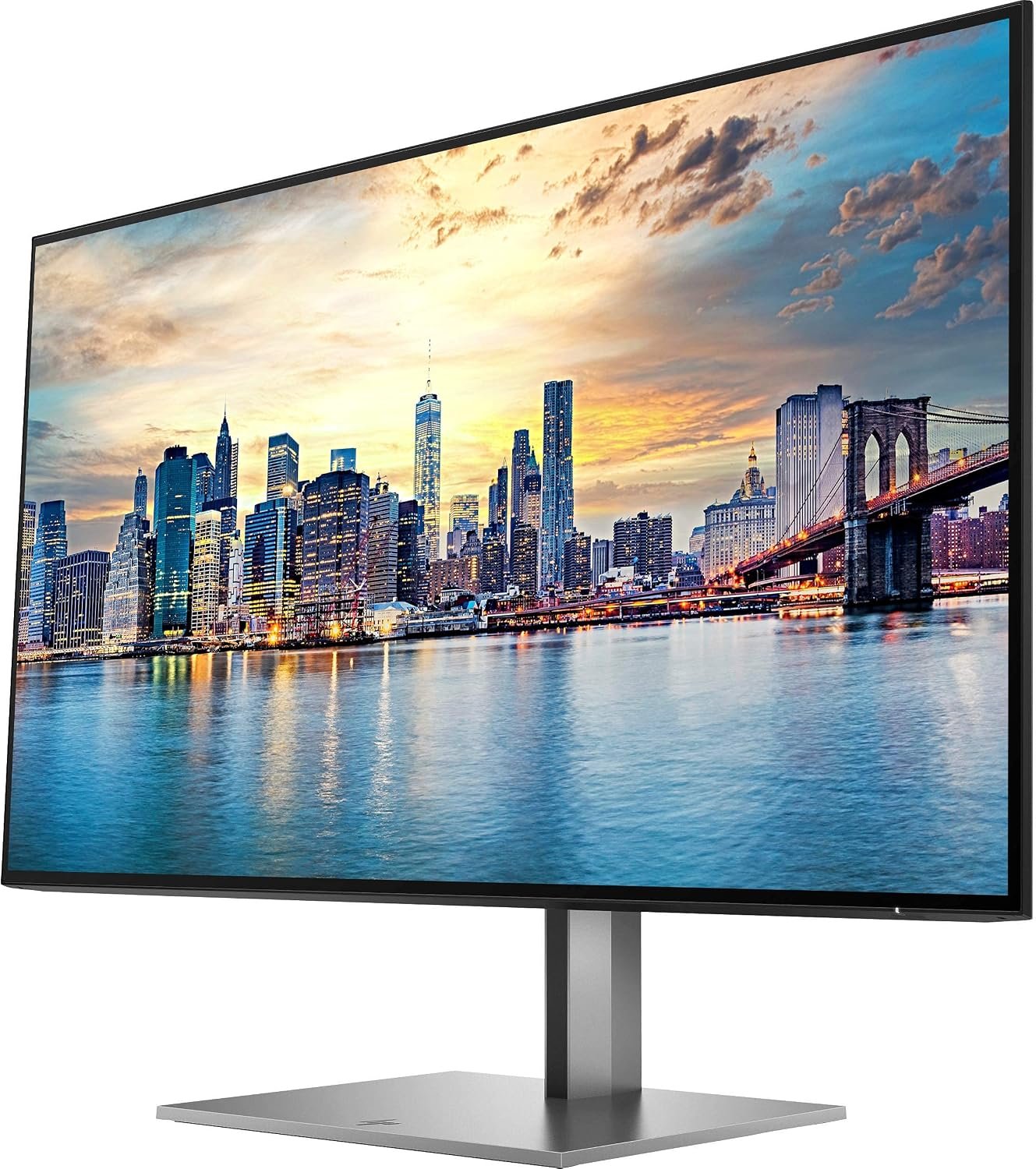


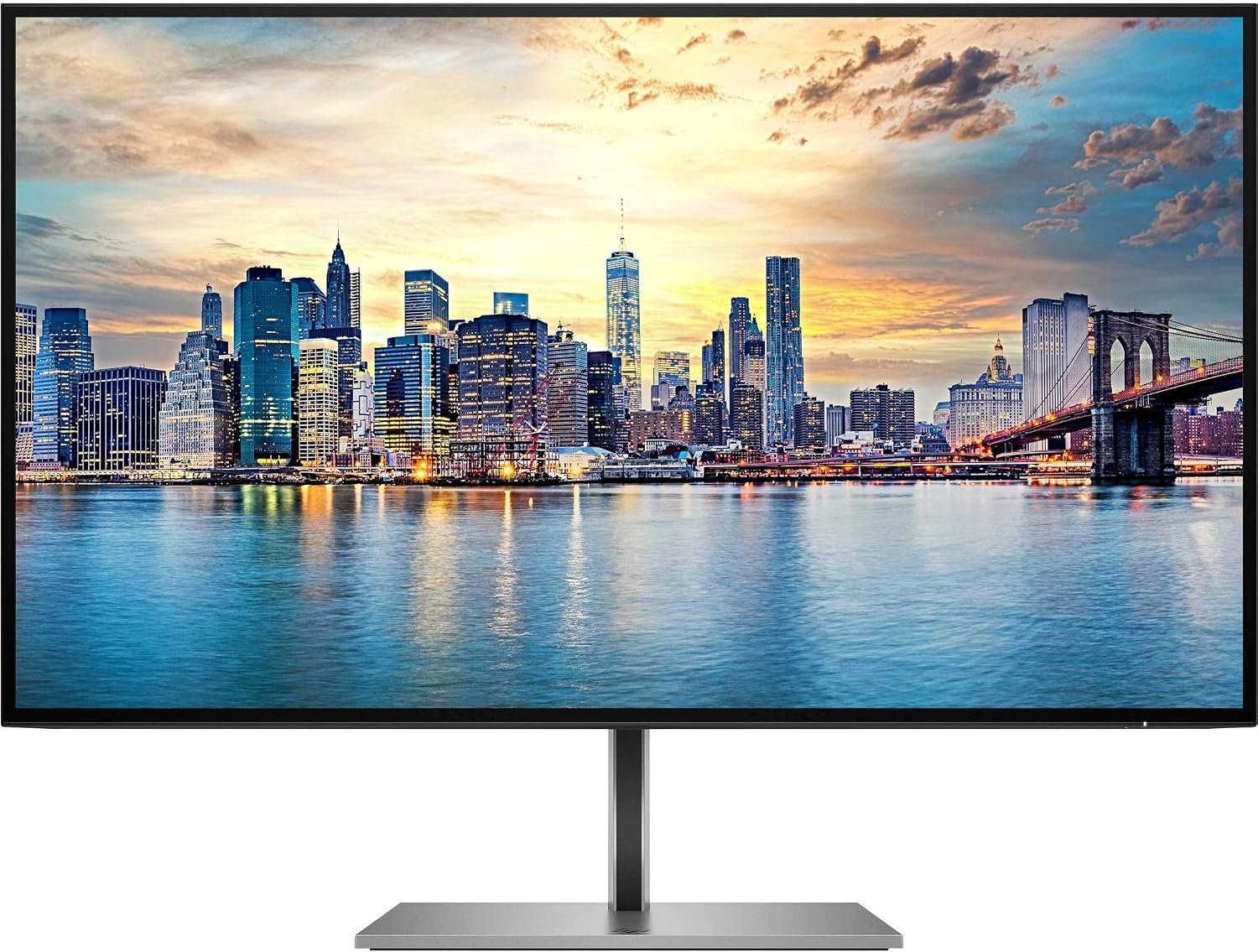
HP Z27q G3 – 27″ 2K QHD IPS Monitor
- Brand: HP
- Model: Z27q G3 QHD Display
- Screen Size: 27 inches (68.6 cm)
- Panel Technology: IPS
- Display Type: LED-backlit LCD
- Native Resolution: 2560 × 1440 (QHD)
- Aspect Ratio: 16:9
- Refresh Rate: 60 Hz
- Brightness: 350 nits
- Static Contrast Ratio: 1000:1
- Dynamic Contrast Ratio: 10,000,000:1
- Response Time: 5 ms GtG with overdrive
- Pixel Pitch: 0.2331 mm
- Pixel Density: 109 PPI
- Colour Coverage: 99% sRGB; 85% P3 D65
- Viewing Angles: 178° horizontal / 178° vertical
- Screen Surface: Anti-glare
- Colour Calibration: Factory calibrated, Delta E ≤ 2
- Low Blue Light: HP Eye Ease
- Flicker-Free Technology: Yes
- HDMI: 1 × HDMI 2.0
- DisplayPort Input: 1 × DisplayPort 1.4
- DisplayPort Output: 1 × DisplayPort
- USB Ports: 4 × USB-A 5 Gbps
- USB Upstream: 1 × USB-B
- Height Adjustment: 150 mm
KSh38,000.00
HP Z27q G3 27-Inch QHD IPS Monitor – Experience Clarity, Comfort, and Professional Performance
Upgrade Your Workspace with Stunning QHD Visuals
Enhance your productivity with the HP Z27q G3 27-inch QHD IPS Monitor, a premium display designed for professionals, creative teams, and modern business environments. Combining a spacious 27-inch screen with Quad HD resolution, this monitor delivers detailed visuals and generous workspace for handling multiple tasks with greater ease.
Whether you are managing spreadsheets, editing images, reviewing presentations, or working across several applications, the HP Z27q G3 offers a refined viewing experience that complements a productive workspace.
Key Features and Benefits
1. Sharp and Detailed QHD Resolution
The 2560 × 1440 Quad HD resolution provides more screen detail and workspace than a standard Full HD display. This makes it easier to view complex documents, compare information, organize windows, and work with creative content without constantly switching between applications.
2. IPS Technology for Consistent Colours
The IPS panel provides wide viewing angles, helping maintain consistent colours and image quality when viewed from different positions. With factory colour calibration and support for 99% sRGB coverage, the monitor is well suited to everyday design work, presentations, photo editing, and colour-conscious professional tasks.
3. A Spacious 27-Inch Display
The generous screen size creates a comfortable digital workspace for professionals who regularly work with large documents, detailed designs, data dashboards, and multiple open windows. Its four-sided micro-edge design also gives the monitor a clean, modern appearance that works well in contemporary offices.
4. Designed for Viewing Comfort
Long working hours call for a display that prioritizes comfort. The HP Z27q G3 features an anti-glare screen, flicker-free technology, and HP Eye Ease low-blue-light technology to help support comfortable viewing throughout the workday.
5. Flexible Ergonomic Adjustments
Create a setup that suits your working style with an adjustable stand offering height adjustment, tilt, swivel, and pivot rotation. Whether you prefer a traditional landscape layout or a vertical screen for reading lengthy documents and code, the monitor provides useful flexibility.
6. Convenient Connectivity
Connect compatible computers and accessories through HDMI, DisplayPort, and the monitor’s built-in USB hub. Four USB-A ports help keep essential peripherals accessible, while DisplayPort output supports compatible multi-monitor configurations for a more organized workstation.
7. Elegant Design for Professional Spaces
Finished in a sophisticated silver design, the HP Z27q G3 fits naturally into corporate offices, creative studios, and home offices. Its practical features and polished appearance make it an excellent choice for users who want both functionality and professional style.
Who Should Choose the HP Z27q G3?
This monitor is ideal for:
- Business professionals managing reports, spreadsheets, and presentations.
- Designers and content creators who need detailed visuals and dependable colour presentation.
- Developers and IT professionals working with code, dashboards, and multiple windows.
- Office teams seeking a comfortable and flexible display for daily productivity.
- Home-office users who want a spacious, high-resolution screen for work and general computing.
With its 60Hz refresh rate, the HP Z27q G3 is primarily designed for professional productivity and creative workflows rather than high-refresh-rate competitive gaming.
Buy the HP Z27q G3 Monitor from Compvate
Give your workspace a professional upgrade with the HP Z27q G3 27-inch QHD IPS Monitor. Enjoy detailed visuals, flexible positioning, convenient connectivity, and a screen designed to support productive work.
Visit Compvate to explore available monitors and find the right display for your business, creative projects, or home office.
Frequently Asked Questions
1. What resolution does the HP Z27q G3 support?
It features a native Quad HD resolution of 2560 × 1440, delivering detailed visuals and extra workspace.
2. Is the HP Z27q G3 suitable for graphic design?
Yes. Its IPS panel, factory colour calibration, and 99% sRGB coverage make it suitable for many design and creative tasks. Professional colour-critical workflows may still require calibration and verification for the intended output.
3. Can the monitor be adjusted for comfortable viewing?
Yes. Its stand supports height adjustment, tilt, swivel, and pivot rotation.
4. Does it have USB ports?
Yes. The monitor includes four USB-A ports and a USB-B upstream connection for connecting the built-in USB hub to a compatible computer.
5. Is the HP Z27q G3 good for office use?
Absolutely. Its QHD resolution, spacious screen, ergonomic adjustments, and connectivity options make it well suited to professional office environments.
- Panel Size: 27.0 inches (68.58 cm) diagonal viewable screen surface area.
- Aspect Ratio: 16:9 widescreen format.
- Panel Type: IPS (In-Plane Switching) with W-LED backlighting.
- Display Surface: Anti-glare matte panel treatment with a 3H hard-coating rating.
- Native Resolution: 2K Quad HD 2560 x 1440 pixels at a smooth 60Hz refresh rate.
- Color Depth Support: True 8-bit depth processing capable of displaying 16.7 million colors.
- Color Gamut Coverage: Factory-calibrated 99% sRGB and 99% BT.709 color space tracking for precise content creation.
- Factory Calibration Accuracy: Out-of-the-box color fidelity tracking at a highly accurate Delta E < 2 variation rating.
- Static Contrast Ratio: 1000:1 native static contrast baseline.
- Dynamic Contrast Ratio: 10,000,000:1 Advanced Dynamic Contrast Ratio (DCR).
- Brightness Rating: 350 cd/m² (typical nits) luminance output for optimal presentation under studio lighting.
- Response Time: 5ms gray-to-gray (GtG) with integrated Overdrive acceleration to eliminate ghosting.
- Viewing Angles: Ultra-wide 178° horizontal and 178° vertical viewing zones with complete color stability.
- Pixel Density Index: High-density 109 Pixels Per Inch (PPI) at a 0.233 mm x 0.233 mm pixel pitch.
- Chassis Engineering: 4-sided micro-edge borderless display framed in premium, high-strength authentic aluminum.
- Digital Video Inputs: 1 x HDMI version 2.0 input port (with HDCP support).
- Digital Video Inputs: 1 x DisplayPort™ version 1.4 input terminal (with HDCP support).
- Digital Video Outputs: 1 x DisplayPort™ 1.4 out terminal (supports Multi-Stream Transport for multi-screen daisy-chaining).
- Integrated Data Hub: 1 x USB-B upstream port paired with 4 x USB-A 3.2 Gen 1 downstream ports (including 2 ports with 7.5W power delivery for charging).
- Eye Care Framework: HP Eye Ease technology (always-on, hardware-level low blue light filtering that protects vision without shifting colors).
- Flicker-Free Technology: Direct-current backlight modulation to entirely eliminate high-frequency screen strobing.
- Height Adjustment Range: Heavy-duty column stand supports up to 150 mm of smooth vertical travel.
- Tilt Capabilities: Mechanical tilt range extending from 5° forward to 20° backward.
- Swivel Range: Wide horizontal swivel capability reaching 90° total rotation (45° left and 45° right).
- Pivot Function: Full 90° landscape-to-portrait bi-directional rotation capability.
- Wall Mounting: Native VESA 100 mm x 100 mm mounting pattern interface (includes a specialized Z-bracket adapter).
- Security Integration: Outfitted with an integrated standard Kensington anti-theft security lock slot.
- Power Management: 39W typical operational footprint, 69W maximum draw (with USB ports active), and less than 0.5W in energy-saving sleep mode.
- Dimensions With Stand (W x H x D): 612.3 mm x 530.4 mm x 205.0 mm (at maximum height configuration).
- Dimensions Without Stand (W x H x D): 612.3 mm x 356.1 mm x 38.9 mm.
- Weight Profile: 5.8 kg (12.79 lbs) total assembly with stand; 4.3 kg (9.48 lbs) panel-only for VESA arrays.
Based on 0 reviews
Be the first to review “HP Z27q G3 – 27″ 2K QHD IPS Monitor”
Related products
-
24 Inch, LCD Monitors, Monitors
Dell U2421E UltraSharp USB-C 24 Inch monitor
- Screen Size & Type: 24.1-inch IPS Panel
- Resolution: WUXGA (1920 x 1200)
- Aspect Ratio: 16:10 (more vertical space than 16:9)
- Refresh Rate: 60Hz
- Brightness: 350 cd/m²
- Contrast Ratio: 1000:1
- Response Time: 8ms (normal), 5ms (fast)
- Color: 99% sRGB, 99% Rec.709, <2 Delta E calibration
Connectivity & Features:- USB-C Hub: 90W Power Delivery (PD) for laptops, plus USB-A ports.
- Connectivity: HDMI, DisplayPort In/Out, USB-C, USB-A ports.
- Ethernet: Built-in RJ45 port (acts as a network dock).
- Daisy Chaining: Supports linking multiple monitors via DisplayPort.
- Ergonomics: Height, tilt, swivel, and pivot (portrait) adjustments with cable management.
- ComfortView Plus: Low blue light technology for eye comfort.
SKU: n/a -
22 Inch, Gaming Monitors, Monitors
AOC 22- inch Gaming Monitor
-
Brand: AOC
-
Screen Size: 22 inches
-
Resolution: Full HD 1920 x 1080
-
Aspect Ratio: 16:9
-
Panel Type: Twisted Nematic (TN) or IPS (model dependent)
-
Refresh Rate: 75Hz (typical, model dependent)
-
Response Time: 1–5ms (model dependent)
-
Adaptive Sync: FreeSync support (model dependent)
-
Connectivity:
-
HDMI
-
VGA
-
Audio Out (on select units)
-
-
Stand Adjustments: Tilt
-
Mounting: VESA compatible (100 x 100 mm)
-
Color Support: 16.7 million colors
-
Viewing Angles: 178° horizontal / 178° vertical (IPS models)
SKU: n/a -
-
24 Inch, LED Monitors, Monitors
HP EliteDisplay E24 G4 24 Inch IPS LED Backlit, FHD 1920 x 1080, Blue Light Filter, HDMI, VGA, DisplayPort Monitor
 24 Inch, LED Monitors, Monitors
HP EliteDisplay E24 G4 24 Inch IPS LED Backlit, FHD 1920 x 1080, Blue Light Filter, HDMI, VGA, DisplayPort Monitor
Feature Detail Display Size 23.8 inches/ 24 inches Panel Type In-Plane Switching (IPS) LED Backlit Resolution Full HD (FHD) 1920 x 1080 Aspect Ratio 16:9 Brightness 250 nits (cd/m²) Contrast Ratio 1000:1 static Response Time 5ms GtG (with overdrive) Refresh Rate 60Hz Connectivity 1x HDMI 1.4, 1x VGA (D-Sub), 1x DisplayPort 1.2, 1x USB Type-B upstream, 4x USB-A 3.2 Gen 1 downstream ports Ergonomics 4-way adjustable stand (tilt, swivel, pivot, height adjustment of up to 150mm), VESA mount compatible (100x100mm) Eye Comfort HP Eye Ease (always-on, integrated low blue light filter without sacrificing color accuracy) and anti-glare panel SKU: n/a -
24 Inch, LED Monitors, Monitors
Dell S2421HSX 24-inch FHD monitor
Feature Detail Display Type LED-backlit LCD monitor / TFT active matrix Panel Technology IPS (In-Plane Switching) Diagonal Size 23.8 inches Native Resolution Full HD (1080p) 1920 x 1080 at 75 Hz Aspect Ratio 16:9 Brightness 250 cd/m² Contrast Ratio 1000:1 (typical) Color Gamut 99% sRGB coverage Response Time 4 ms (grey-to-grey extreme) Adaptive-Sync AMD FreeSync Ports 1x HDMI (HDCP 1.4), 1x DisplayPort 1.2, 1x Audio line-out Adjustability Height, pivot (rotation), swivel, tilt VESA Mounting 100 x 100 mm Eye Comfort Flicker-Free technology, ComfortView (low blue light feature) SKU: n/a













There are no reviews yet.