
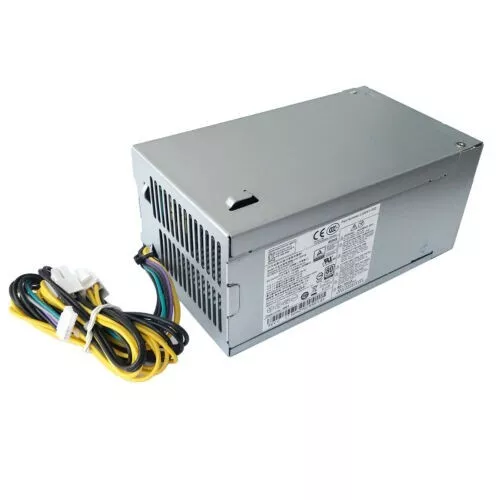
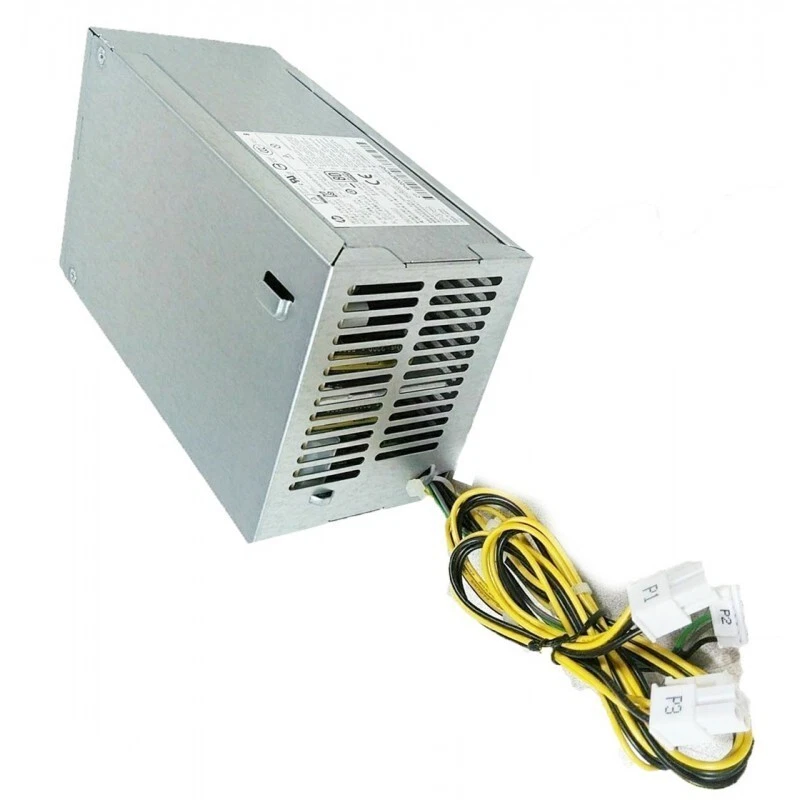
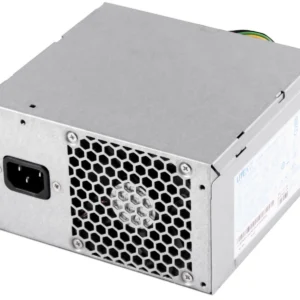
hp prodesk 400 g4 mt power supply
- Form Factor: Custom HP Proprietary MT Block
- Max Output Power: 180 Watts
- Efficiency Rating: 80 PLUS Gold Certified
- AC Input Range: 100V–240V AC (Auto-Switching)
- Input Frequency Range: 50Hz–60Hz
- Motherboard Connectors:
-
- 1 x 4-Pin Main Motherboard Power Connector
- 1 x 4-Pin CPU +12V Power Connector
- 1 x 7-Pin Mini Flat Inline Connector
-
- Cooling System: 1 x Integrated Internal Cooling Fan
- Dimensions: 165mm x 150mm x 95mm
KSh4,500.00
HP ProDesk 400 G4 MT Power Supply Replacement
A replacement HP ProDesk 400 G4 MT power supply can restore a compatible business desktop when its original PSU has failed.
The power supply converts AC mains electricity into the regulated DC voltages required by the computer’s internal components. A suitable replacement must provide the correct electrical output while also fitting the Microtower chassis and matching the computer’s power connectors.
Before ordering, we recommend checking the original PSU label for its HP spare number, model number, manufacturer, wattage, input specifications, and output information.
Matching the original power supply is generally more reliable than selecting a replacement based on wattage alone.
HP ProDesk 400 G4 Microtower Power Supply
The HP ProDesk 400 G4 Microtower is designed with a larger chassis than the SFF and Mini versions of the same product family.
HP provides separate documentation for the ProDesk 400 G4 MT, which confirms that the Microtower is a distinct configuration within the ProDesk 400 G4 family.
When purchasing an HP ProDesk 400 G4 power supply, always specify MT or Microtower to reduce the risk of receiving a PSU designed for a different chassis.
HP ProDesk 400 G4 MT Power Supply Wattage
The exact power-supply specification should be confirmed from the individual computer and its original PSU.
HP offered different configurations of the ProDesk 400 G4, and the power requirements can vary depending on the installed hardware.
Rather than assuming that every ProDesk 400 G4 MT uses the same PSU, we recommend checking the label on the existing power supply.
The following information is particularly useful:
- Wattage
- HP spare number
- Manufacturer model
- Input voltage
- Output specifications
- Motherboard connector type
- Peripheral connectors
If the original PSU is unavailable, the computer’s complete product number can help identify the correct factory configuration.
HP ProDesk 400 G4 MT PSU Specifications
When identifying a replacement HP ProDesk 400 G4 MT power supply, the following specifications should be considered:
| Specification | What to Check |
|---|---|
| Computer Model | HP ProDesk 400 G4 MT |
| Form Factor | Microtower |
| PSU Wattage | Match original PSU |
| HP Spare Number | Match original unit |
| Manufacturer Model | Match where possible |
| Motherboard Connector | Must be compatible |
| CPU Power Connector | Must be compatible |
| Storage Connectors | SATA/peripheral requirements |
| Physical Size | Must fit MT chassis |
| Mounting | Must match chassis |
This information helps ensure that the replacement PSU is appropriate for the particular ProDesk 400 G4 MT configuration.
HP ProDesk 400 G4 MT PSU Compatibility
Compatibility is particularly important when replacing an OEM power supply.
A PSU may have adequate wattage and still be unsuitable because its connectors or physical dimensions are different.
We recommend checking:
Power Rating
The replacement should provide the appropriate capacity for the computer’s configuration.
Motherboard Connector
The primary motherboard connector must match the original system.
Processor Power Connection
Check the auxiliary CPU power connection required by the motherboard.
Storage Connectors
If the computer contains SATA hard drives or SSDs, make sure the replacement provides the appropriate power connections.
Physical Dimensions
The replacement must fit correctly inside the Microtower chassis.
Mounting Arrangement
The PSU must align with the appropriate mounting points.
How to Identify an HP ProDesk 400 G4 MT PSU
The original PSU label is the best place to start.
Locate the label on the power supply and record the following:
Manufacturer:
The company that produced the PSU.
Model:
The manufacturer’s PSU model number.
HP Spare Number:
The HP-specific replacement identification number.
Wattage:
The rated output power.
Electrical Specifications:
Input and output voltage information.
These details make it easier to locate the correct HP ProDesk 400 G4 MT replacement PSU.
HP ProDesk 400 G4 MT Power Supply for Computer Repair
Replacing a failed PSU can be a practical way to repair an HP ProDesk 400 G4 MT when the rest of the computer remains functional.
The ProDesk series is commonly used in business and office environments, making replacement components useful for organizations maintaining existing hardware.
A compatible replacement power supply can help extend the useful life of the computer and keep functional components in service.
This can be useful for:
- Business computer repair
- Office PC maintenance
- Computer refurbishment
- IT equipment servicing
- School computer maintenance
- Replacement of failed power supplies
Common Signs of a Faulty HP ProDesk 400 G4 MT PSU
A failing power supply can cause several different symptoms.
Possible signs include:
- The computer does not power on.
- The system shuts down unexpectedly.
- The PC loses power intermittently.
- Internal components do not receive power.
- The system becomes unstable.
- The computer fails to start consistently.
These symptoms can also result from motherboard faults, memory problems, defective cables, or other hardware issues.
For that reason, the PSU should be properly diagnosed before purchasing a replacement.
HP ProDesk 400 G4 MT Power Supply and Graphics Cards
The installed graphics hardware should be considered when selecting a replacement PSU.
A basic office configuration may have relatively modest power requirements, while a system with a dedicated graphics card can require additional power.
If the ProDesk 400 G4 MT has been upgraded, check the complete configuration before selecting the replacement.
Consider:
- Processor
- Graphics card
- Number of storage drives
- Expansion cards
- USB-powered peripherals
- Other installed hardware
The replacement PSU should be suitable for the complete system configuration, not just the base computer.
Can You Use a Standard ATX PSU in an HP ProDesk 400 G4 MT?
A standard ATX PSU should not automatically be considered compatible with the ProDesk 400 G4 MT.
Although a conventional ATX power supply may provide sufficient wattage, it may differ in its:
- Connector configuration
- Physical dimensions
- Mounting points
- Cable arrangement
- Electrical characteristics
For this reason, we recommend comparing the original HP PSU with the proposed replacement before installation.
HP ProDesk 400 G4 MT vs SFF Power Supply
One of the most important considerations when purchasing an HP ProDesk 400 G4 power supply is the computer’s form factor.
The MT means Microtower, while SFF means Small Form Factor.
These systems have different chassis designs and internal layouts. A PSU designed for the SFF model may not physically fit the Microtower, and its electrical configuration may also differ.
Always specify HP ProDesk 400 G4 MT when searching for the correct replacement.
Replacing the HP ProDesk 400 G4 MT Power Supply
Before replacing an internal power supply, shut down the computer and disconnect it from the electrical outlet.
We recommend documenting the existing cable connections before removing the original PSU. Taking a photograph can make reconnection easier.
After removing the original unit, install the replacement securely and reconnect the required power cables.
Check every connection before restoring electrical power to the computer.
Never force a connector into a socket. If a connector does not match the original, verify the replacement PSU’s compatibility before continuing.
What to Check Before Buying an HP ProDesk 400 G4 MT PSU
Before purchasing an HP ProDesk 400 G4 MT Power Supply, check these details:
1. Confirm the Computer Model
Verify that the computer is an HP ProDesk 400 G4 Microtower.
2. Check the Original PSU
Record the wattage, model number, HP spare number, and manufacturer.
3. Check the Connectors
Compare the motherboard, CPU, storage, and peripheral connectors.
4. Check the Physical Dimensions
Make sure the replacement fits the Microtower chassis.
5. Check the Computer Configuration
Consider any graphics cards, additional drives, or expansion cards installed in the system.
6. Match the Original Part Where Possible
Using the original HP spare number or PSU model is one of the best ways to reduce compatibility problems.
HP ProDesk 400 G4 MT PSU Replacement for Businesses
The HP ProDesk 400 G4 MT is well suited to business and office environments where reliable desktop computing is required.
For organizations maintaining multiple ProDesk systems, replacement power supplies can be useful for keeping existing computers operational.
A failed PSU can prevent an otherwise functional computer from starting. Replacing the PSU rather than the complete PC can therefore be a practical option when the remaining hardware is still suitable for the organization’s requirements.
Buy HP ProDesk 400 G4 MT Power Supply
The HP ProDesk 400 G4 MT Power Supply is an important replacement component for customers repairing and maintaining HP ProDesk Microtower computers.
When choosing a replacement, we recommend matching the original PSU’s HP spare number, wattage, connectors, dimensions, mounting arrangement, and electrical specifications.
The MT/Microtower designation is particularly important because HP produced the ProDesk 400 G4 in multiple form factors.
At Compvate, we provide computer hardware and replacement components for customers maintaining, repairing, and refurbishing desktop systems. Visit Compvate to explore available computer hardware and replacement components.
- Product Type: Internal Desktop Power Supply Unit (PSU)
- Form Factor: Custom HP Proprietary MT Block
- Max Output Power: 180 Watts
- Efficiency Rating: 80 PLUS Gold Certified
- AC Input Range: 100V–240V AC (Auto-Switching)
- Input Frequency Range: 50Hz–60Hz I
- Motherboard Connectors:
-
- 1 x 4-Pin Main Motherboard Power Connector
- 1 x 4-Pin CPU +12V Power Connector
- 1 x 7-Pin Mini Flat Inline Connector
-
- Cooling System: 1 x Integrated Internal Cooling Fan
- Dimensions: 165mm x 150mm x 95mm
- Compatible HP Spare / Part Numbers: L70042-001, L70042-003, L70042-002, L70043-001, 901771-001, 901771-002, 901771-003
- Compatible Manufacturer Model Numbers: DPS-180AB-25A, DPS-180AB-35A, D16-180P2A, PA-1181-6HY, PCG004
- System Compatibility: HP ProDesk 400 G4 MT, HP ProDesk 400 G5 MT, HP ProDesk 600 G4 MT, HP EliteDesk 800 G4 MT, HP 280 G3 MT, HP 280 G4 MT, HP 288 G3 M
Based on 0 reviews
Be the first to review “hp prodesk 400 g4 mt power supply”
Related products
-
Apple Mackbook Chargers, Computer Accessories, Laptop Chargers
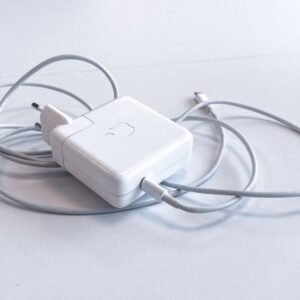
Apple macbook pro 61w usb c power adapter
 Apple Mackbook Chargers, Computer Accessories, Laptop Chargers
Apple macbook pro 61w usb c power adapter
Technical Specifications
-
Input Voltage: 100–240V AC
-
Output Voltage: 20.3V / 3A (USB-C)
-
Power Output: 61W
-
Connector Type: USB-C (reversible)
-
Safety Features: Over-voltage, over-current, and short-circuit protection
-
Compatibility: MacBook Pro 13-inch (2016–2020)
These specifications ensure fast, safe, and efficient charging for your MacBook Pro.
SKU: n/a -
-
Apple Mackbook Chargers, Computer Accessories, Laptop Chargers
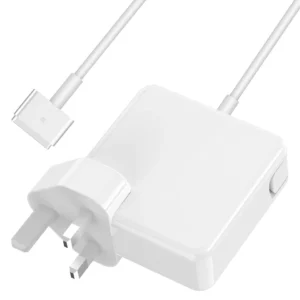
Apple MacBook Air 11″ 13″ A1465 A1436 A1466 A1435 Laptop Power Adapter Charger 45w (2013-2015)
 Apple Mackbook Chargers, Computer Accessories, Laptop Chargers
Apple MacBook Air 11″ 13″ A1465 A1436 A1466 A1435 Laptop Power Adapter Charger 45w (2013-2015)
Technical Specifications
-
Input Voltage: 100–240V AC
-
Output Voltage: 14.85V / 3.05A (MacBook Air 11” & 13”)
-
Power Output: 45W
-
Connector Type: MagSafe or MagSafe 2 (depending on model)
-
LED Status Indicator: Amber = Charging, Green = Fully Charged
-
Cable Length: Standard Apple design (approx. 2 meters)
-
Safety Features: Over-voltage, over-current, short-circuit protection
-
Compatibility: MacBook Air 11” & 13” (2013–2015) – Models A1465, A1436, A1466, A1435
These specifications ensure optimal performance, device safety, and battery longevity.
SKU: n/a -
-
Computer Accessories, Power Supplies
Lenovo ThinkCentre M82 M93P M92P E31 54Y8851 280W PS-4281-02 VA
- Compatible Desktop Series: Lenovo ThinkCentre M82, M92p, M93p (Tower models), Lenovo ThinkServer E31
- Lenovo FRU Part Number: 54Y8851 / 54Y8854 / 54Y8856
- Manufacturer Model Code: PS-4281-02VA / HK380-12GP / FSP280-40EPA
- Max Output Capacity: 280 Watts
- Form Factor Variant: Standard TFX / Custom Lenovo Tower Layout
- Main Wire Pin Layout: 24-Pin Main Power, 4-Pin 12V CPU Power
- AC Input Voltage: 100V – 240V Auto-Switching Frequency Range
- Cooling System: 1 x 80mm Integrated Smart-Speed Exhaust Fan
SKU: n/a -
Apple Mackbook Chargers, Computer Accessories, Laptop Chargers
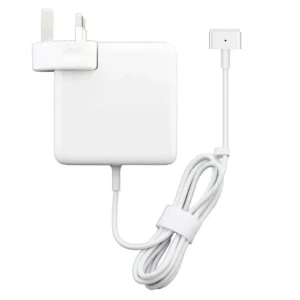
85w magsafe power adapter with magsafe 2 style connector
 Apple Mackbook Chargers, Computer Accessories, Laptop Chargers
85w magsafe power adapter with magsafe 2 style connector
-
Input Voltage: 100–240V AC
-
Output Voltage: 20V DC, 4.25A
-
Power Output: 85W
-
Connector Type: MagSafe 2 (magnetic)
-
LED Indicator: Amber = Charging, Green = Fully Charged
-
Cable Length: Approx. 2 meters
-
Safety Features: Over-voltage, over-current, and short-circuit protection
-
Compatibility: MacBook Pro Retina 15-inch (2012–2015), select 13-inch models
These specifications guarantee fast, safe, and efficient charging.
SKU: n/a -












There are no reviews yet.