
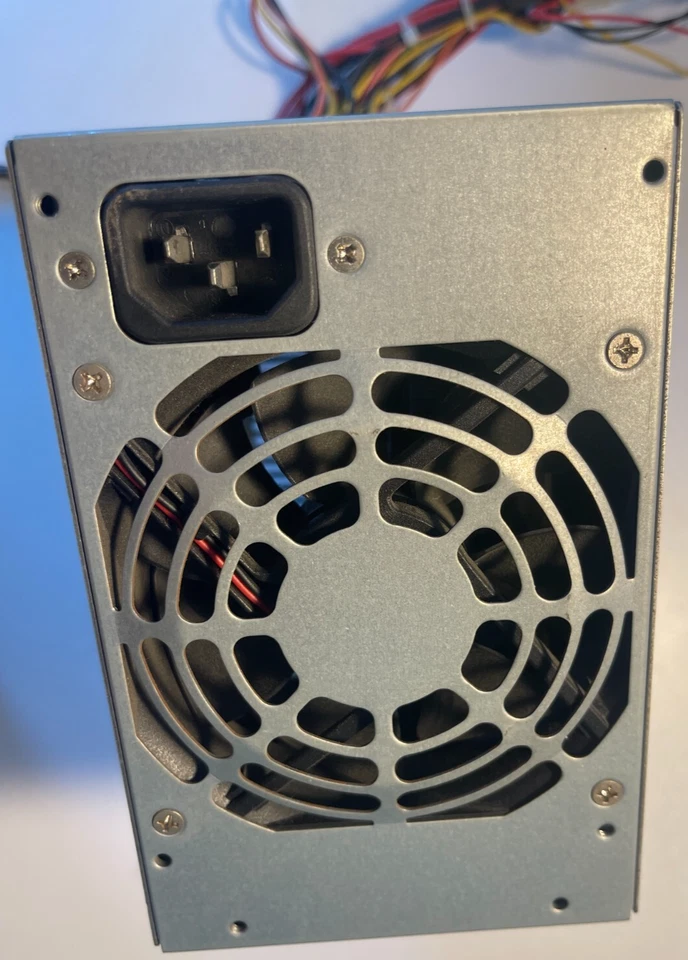
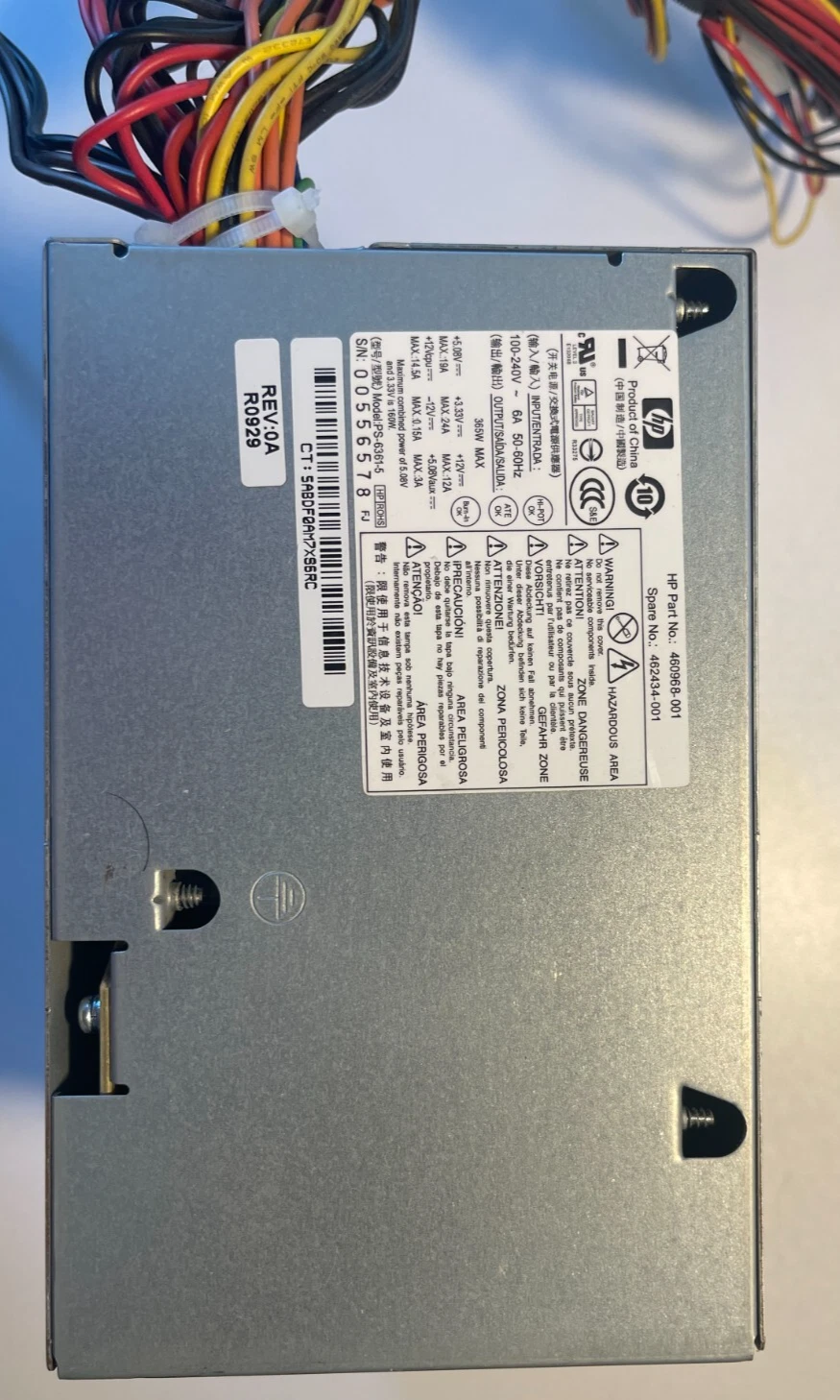
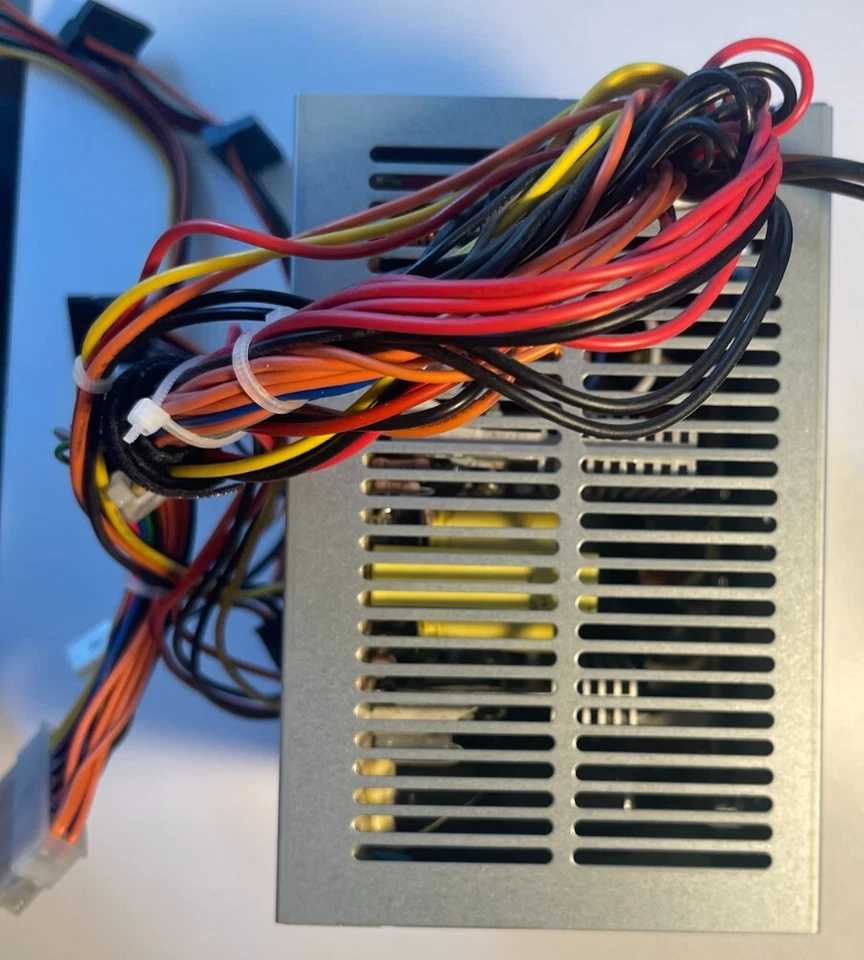
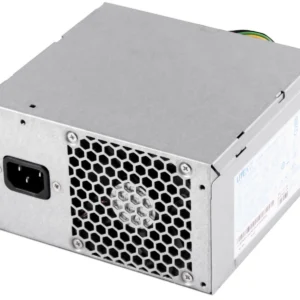
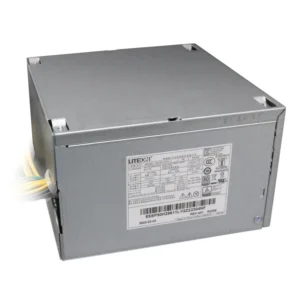
HP DC7608 DC7800 DC7900 MT 365W Power Supply PSU 437357-001 437799-001 PS-6361-4HP
- Form Factor: Custom HP Proprietary MT / CMT Block (Wide Format)
- Max Output Power: 365 Watts Continuous Delivery
- Efficiency Rating: 80 PLUS Certified (Active PFC Autosensing)
- AC Input Range: 100V–240V AC ~ 6A (Auto-Switching)
- Input Frequency Range: 50Hz–60Hz
- DC Output Ratings:
-
- +12.0Vmain === 12.0A
- +12.0Vcpu === 14.5A
- +12.0Vd === 10.5A
- +5.1V === 18.0A
- +3.3V === 22.0A
- -12.0V === 0.15A
- +5.1Vsb === 3.0A
-
- Motherboard Connectors:
-
- 1 x Proprietary HP 24-Pin Main Power Connector (Classic non-standard pinout)
- 1 x 4-Pin ATX +12V CPU Power Connector
-
- Peripheral Connectors:
-
- 4 x Straight SATA Power Connectors
- 2 x 4-Pin Large Molex IDE Device Connectors
- 1 x Floppy-Style / Berg Power Connector
-
- Cooling System: 1 x Integrated Internal Thermally-Controlled Cooling Fan
KSh2,000.00
HP DC7608/DC7800/DC7900 MT 365W Power Supply – Genuine OEM Replacement
Part Numbers: 437357-001, 437799-001, PS-6361-4HP
Alternate Part Numbers: 437357-002, 437799-002, 437800-001, 437800-002
Keep Your HP Business Desktop Running Strong
Your HP Compaq DC7600, DC7800, or DC7900 Micro Tower has been the backbone of your office for years. But when it starts shutting down randomly, refusing to power on, or making strange noises, the culprit is often a failing power supply.
At CompVate, we have the exact solution: a brand-new, genuine OEM 365W power supply built specifically for your HP Micro Tower system. This is the same high-quality component that HP originally installed, manufactured to their strict specifications for reliability and performance.
No generic substitutes. No questionable aftermarket units. Just the real deal, ready to bring your desktop back to life.
Will This Fit Your System?
This 365W power supply is designed exclusively for the Micro Tower chassis of these HP Compaq business desktops:
-
HP Compaq DC7600 Micro Tower
-
HP Compaq DC7800 Micro Tower
-
HP Compaq DC7900 Micro Tower
-
HP Compaq DC7700 Micro Tower
Before you order, double-check your chassis type.
The Micro Tower is the larger, upright desktop case. If your system is the smaller, slim version (Small Form Factor), this power supply will not fit. The physical dimensions and connector layouts are completely different.
Quick ways to confirm:
-
Look at your PC – is it a standard-sized tower or a slim, compact unit?
-
Check the label on your current power supply for the model number.
-
Refer to the specifications sticker on the side of your computer.
Getting the right part the first time saves you time and frustration.
Why Choose This Genuine HP Power Supply?
Built to Fit Perfectly
Aftermarket power supplies often come with universal brackets or adapters that don’t line up properly with your HP motherboard. This genuine unit has the exact standard ATX connectors in the right positions, so installation is straightforward and secure.
Steady 365W of Reliable Power
With a continuous 365-watt output, this power supply delivers stable energy for standard business configurations. Whether you are running Intel Core 2 processors, multiple hard drives, or basic dedicated graphics, this unit provides consistent power without the voltage dips that can corrupt data or damage components.
Worldwide Voltage Compatibility
This power supply features a manual voltage selector switch, supporting both 115V and 230V AC input. This makes it suitable for use in North America, Europe, and other regions with different power standards. Always verify your local voltage before switching on.
Built-in Protection Features
Genuine HP power supplies include overvoltage protection, short-circuit protection, and overload protection. These safeguards shield your motherboard, processor, and storage drives from unexpected power spikes. Cheaper third-party units often skip these essential safety features.
Quiet, Temperature-Controlled Cooling
The internal fan adjusts its speed based on system temperature, running quietly during normal office work and ramping up only when needed. This keeps your system cool without unnecessary noise in your workspace.
Long-Term Dependability
HP designs these power supplies for thousands of power cycles and years of continuous operation. When you replace your failing unit with this genuine part, you are investing in reliable service that minimizes future downtime and maintenance costs.
Signs Your Power Supply Is Failing
If your HP desktop is showing any of these symptoms, the power supply is likely the issue:
-
Dead system – Pressing the power button does nothing. No lights, no fan, no response.
-
Random shutdowns – The PC turns off by itself during normal use, especially under heavier workloads.
-
Unexpected restarts – The system reboots without warning, sometimes in a loop.
-
Strange noises – Whining, buzzing, or clicking sounds from the back of the chassis.
-
USB or peripheral issues – Devices disconnect and reconnect for no apparent reason.
-
Sleep mode problems – The system fails to wake up properly after going to sleep.
If you are dealing with one or more of these issues, replacing the power supply is usually the most cost-effective fix before other components get damaged.
-
- Product Type: Internal Desktop Power Supply Unit (PSU)
- Form Factor: Custom HP Proprietary MT / CMT Block (Wide Format)
- Max Output Power: 365 Watts Continuous Delivery
- Efficiency Rating: 80 PLUS Certified (Active PFC Autosensing)
- AC Input Range: 100V–240V AC ~ 6A (Auto-Switching)
- Input Frequency Range: 50Hz–60Hz
- DC Output Ratings:
-
- +12.0Vmain === 12.0A
- +12.0Vcpu === 14.5A
- +12.0Vd === 10.5A
- +5.1V === 18.0A
- +3.3V === 22.0A
- -12.0V === 0.15A
- +5.1Vsb === 3.0A
-
- Motherboard Connectors:
-
- 1 x Proprietary HP 24-Pin Main Power Connector (Classic non-standard pinout)
- 1 x 4-Pin ATX +12V CPU Power Connector
-
- Peripheral Connectors:
-
- 4 x Straight SATA Power Connectors
- 2 x 4-Pin Large Molex IDE Device Connectors
- 1 x Floppy-Style / Berg Power Connector
-
- Cooling System: 1 x Integrated Internal Thermally-Controlled Cooling Fan [1]
- Dimensions: 155mm x 150mm x 95mm
- Compatible HP Spare / Part Numbers: 437357-001, 437799-001, 460974-001, 462435-001, 505828-001, 506163-001
- Compatible Manufacturer Model Numbers: PS-6361-4HP, DPS-365BB A, PC7046
- System Compatibility: HP Compaq dc7800 CMT, HP Compaq dc7900 CMT, HP Compaq dc7700 CMT, HP Compaq dc7608 MT
Based on 0 reviews
Be the first to review “HP DC7608 DC7800 DC7900 MT 365W Power Supply PSU 437357-001 437799-001 PS-6361-4HP”
Related products
-
Apple Mackbook Chargers, Computer Accessories, Laptop Chargers
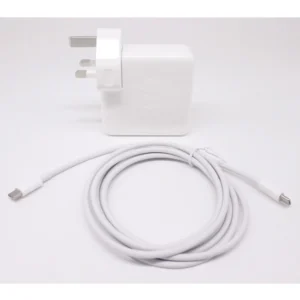
MacBook Pro 2019 96W Charger
-
Product Type: Power Adapter
-
Output Power: 96W
-
Connector Type: USB-C
-
Input Voltage: 100–240V AC
-
Power Delivery: USB-C PD
-
Compatibility: MacBook Pro 15-inch & 16-inch (2019)
-
Condition: Tested and verified
This charger meets Apple’s standards for safe, fast, and reliable charging.
SKU: n/a -
-
Computer Accessories, Power Supplies
Lenovo ThinkCentre M82 M93P M92P E31 54Y8851 280W PS-4281-02 VA
- Compatible Desktop Series: Lenovo ThinkCentre M82, M92p, M93p (Tower models), Lenovo ThinkServer E31
- Lenovo FRU Part Number: 54Y8851 / 54Y8854 / 54Y8856
- Manufacturer Model Code: PS-4281-02VA / HK380-12GP / FSP280-40EPA
- Max Output Capacity: 280 Watts
- Form Factor Variant: Standard TFX / Custom Lenovo Tower Layout
- Main Wire Pin Layout: 24-Pin Main Power, 4-Pin 12V CPU Power
- AC Input Voltage: 100V – 240V Auto-Switching Frequency Range
- Cooling System: 1 x 80mm Integrated Smart-Speed Exhaust Fan
SKU: n/a -
Computer Accessories, Power Supplies
Lenovo ThinkStation P340 (30DJ) Power Supply
- Model Compatibility: Lenovo ThinkStation P340 (30DJ)
- Power Output: 260W / 400W / 500W (varies by SKU)
-
Input Voltage: 100-240V AC
-
Connector Types: 24-pin, 8-pin CPU, SATA, PCIe
-
Cooling: Ultra-quiet internal fan
-
Certifications: 80 PLUS Bronze or higher
SKU: n/a -
Apple Mackbook Chargers, Computer Accessories, Laptop Chargers
Macbook pro 2013 charger(Retina, 13-inch) 60W MagSafe 2 power adapter.
 Apple Mackbook Chargers, Computer Accessories, Laptop Chargers
Macbook pro 2013 charger(Retina, 13-inch) 60W MagSafe 2 power adapter.
-
Product Type: Power Adapter
-
Output Power: 60W
-
Connector Type: MagSafe 2
-
Input Voltage: 100–240V AC
-
Output Voltage: 16.5V
-
Compatibility: MacBook Pro Retina 13-inch (2012–2015)
-
LED Indicator: Yes
-
Condition: Tested and verified
This adapter meets the required specifications for stable and efficient MacBook charging.
SKU: n/a -












There are no reviews yet.