
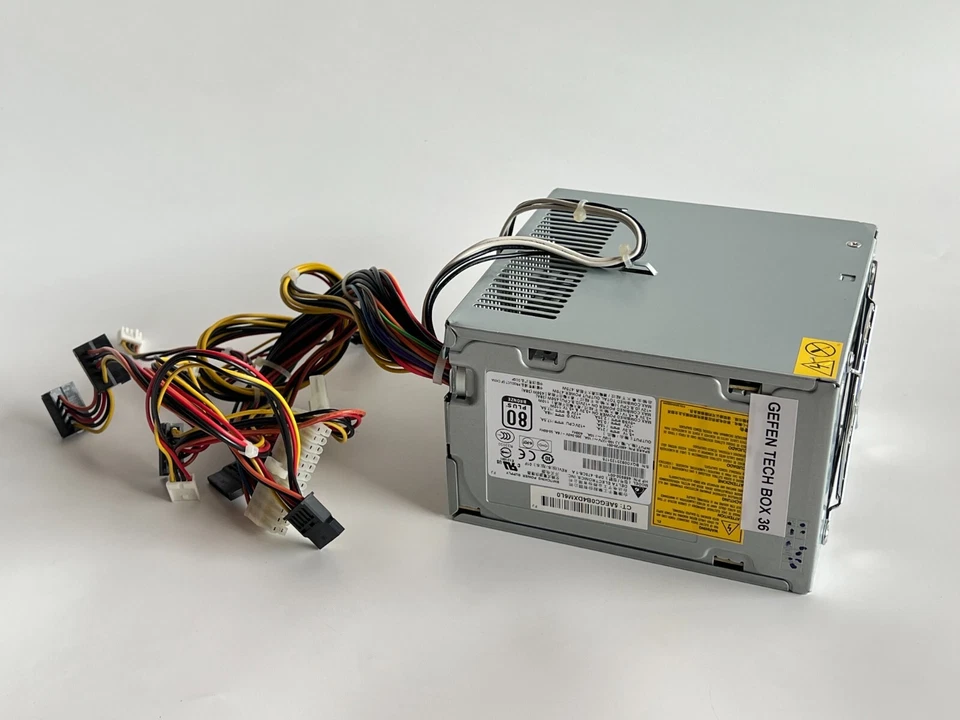
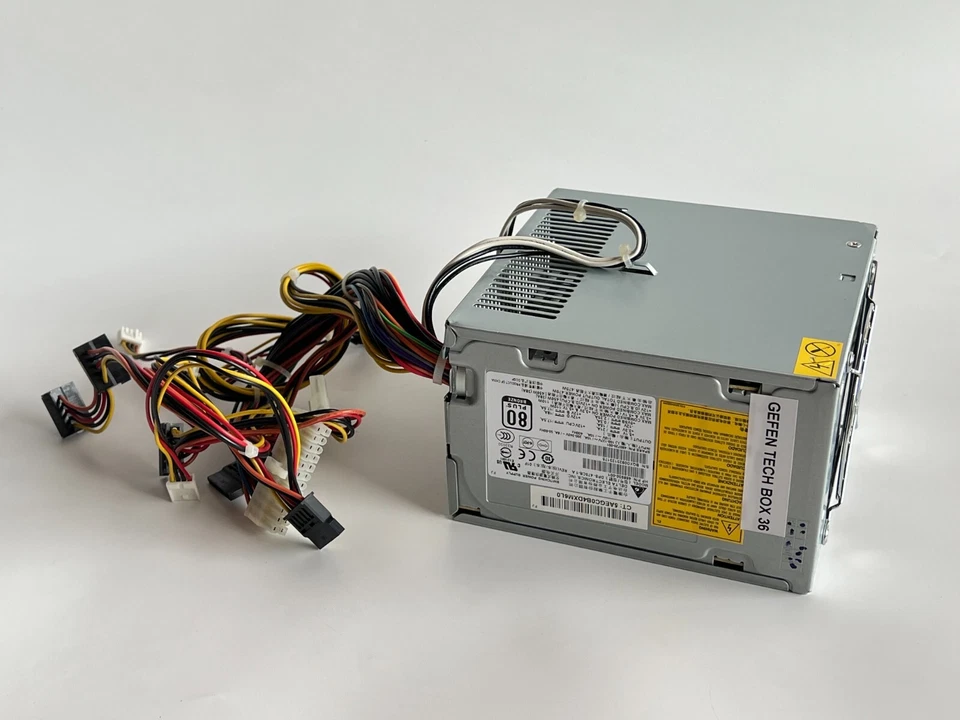
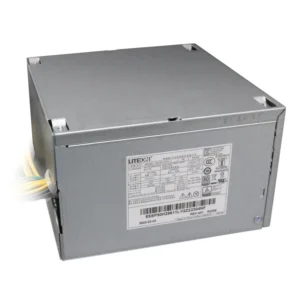
hp z400 workstation power supply
- Product Type: Internal Workstation Power Supply Unit (PSU)
- Form Factor: Custom HP Proprietary ATX Workstation Block (Extended Depth)
- Wattage Options: 475 Watts / 600 Watts Continuous Delivery
- Efficiency Rating: 80 PLUS Certified (Bronze or Standard variations)
- AC Input Range: 100V–240V AC ~ 10A (Auto-Switching / Active PFC)
- Input Frequency Range: 50Hz–60Hz (Supports 400Hz environments on specific 118V models)
- Motherboard Connectors:
-
- 1 x Proprietary HP 24-Pin Main Power Connector (Non-standard pinout)
- 1 x 4-Pin ATX +12V CPU Power Connector
-
- Peripheral & Graphics Connectors:
-
- 1 x 6-Pin PCI-Express (PCIe) Power Connector
- 5 x Straight SATA Power Connectors
- 2 x 4-Pin Large Molex IDE Device Connectors
- 2 x Floppy Drive Connectors
-
- Cooling System: 1 x 92mm Integrated Internal Thermally-Controlled Fan
- Dimensions: 150mm x 86mm x 180mm
- Compatible HP Spare / Part Numbers: 480720-001, 468930-001, 626409-001, 626322-001, 626049-001
- Compatible Manufacturer Model Numbers: DPS-475CB-1 A, DPS-475CB-1A, Delta DPS-650LB B
- System Compatibility: HP Z400 Workstation Tower, HP xw4600 Workstation
KSh5,500.00
HP Z400 Workstation Power Supply – Replacement PSU
The HP Z400 is a professional workstation designed for demanding computing environments. As a result, its power supply requirements differ from those of many conventional desktop computers. HP provides official support documentation for the Z400 Workstation, while replacement PSUs should be selected according to the exact workstation configuration and the specifications of the original unit.
HP Z400 Workstation Power Supply Replacement
A replacement HP Z400 PSU can be useful when an existing power supply has failed, become unreliable, or needs to be replaced during workstation refurbishment.
The power supply converts AC electrical power into the DC power required by the workstation’s internal hardware. A properly matched replacement PSU helps provide the electrical capacity required by the installed components.
For this reason, selecting a Z400 power supply based only on the physical appearance is not recommended. We recommend checking the original PSU label, part number, wattage, connectors, and workstation configuration before purchasing a replacement.
HP Z400 PSU Wattage
One important detail when replacing an HP Z400 Workstation power supply is the PSU’s wattage.
HP Z400 systems can be found with different configurations, so the exact power-supply specification should be confirmed against the workstation and its original PSU. Replacement listings commonly reference a 475W HP Z400 power supply, including the DPS-475CB-1 designation, but the exact replacement should be verified before purchase.
The required power capacity can depend on the installed processor, graphics card, drives, memory, expansion cards, and other hardware.
Therefore, we recommend matching the replacement to the original unit or to the specifications for the exact Z400 configuration.
HP Z400 475W Power Supply
The 475W HP Z400 power supply is a commonly referenced PSU specification for Z400 workstation configurations.
A 475W PSU provides substantially more capacity than many basic office desktop power supplies. This is appropriate for workstation configurations that may include professional graphics cards and other expansion hardware.
However, wattage alone does not guarantee compatibility. The replacement PSU must also have the appropriate connectors, mounting arrangement, electrical characteristics, and compatibility with the HP Z400 motherboard.
This is especially important when considering a generic ATX replacement.
HP Z400 Workstation PSU Compatibility
Compatibility is one of the most important considerations when purchasing an HP Z400 Workstation PSU.
Before replacing the power supply, we recommend checking:
- HP Z400 workstation model
- Original PSU part number
- Original PSU wattage
- Motherboard power connections
- Graphics-card power requirements
- Internal PSU dimensions
- Mounting points
- Installed hardware configuration
A replacement PSU that has the correct wattage but incompatible connectors may not be suitable.
Similarly, a PSU that physically fits the chassis may still be unsuitable if its electrical connections do not match the workstation.
How to Identify an HP Z400 Power Supply
The easiest way to identify the correct replacement is to inspect the label on the existing PSU.
The PSU label can contain important information, including the manufacturer’s model number, HP spare number, power rating, input specifications, and output information.
When ordering a replacement, we recommend recording the information printed on the original unit.
For example, some Z400 systems are associated with the DPS-475CB-1 475W PSU. However, the presence of a different part number on your workstation means that the replacement should be matched to that specific configuration rather than assumed from the workstation model alone.
HP Z400 Power Supply for Workstation Repair
A failed power supply does not necessarily mean that an entire workstation needs to be replaced.
For organizations, technicians, and users maintaining older professional workstations, replacing a failed PSU can be a practical repair option.
The HP Z400 Workstation power supply can be particularly important in systems used for professional applications where reliable workstation hardware remains useful.
Replacing a faulty PSU can help restore the workstation while allowing other working components to remain in service.
Common Signs of an HP Z400 PSU Problem
A faulty power supply can produce several symptoms. These may include:
- The workstation does not start.
- The workstation shuts down unexpectedly.
- The system experiences intermittent power problems.
- The workstation fails to remain powered on.
- Internal components do not receive power correctly.
These symptoms can also be caused by other hardware problems. Therefore, they should not automatically be interpreted as proof that the PSU has failed.
Appropriate hardware troubleshooting should be completed before purchasing a replacement power supply.
Why the Correct HP Z400 PSU Matters
The HP Z400 is a workstation rather than a basic office PC. Its configuration may include professional graphics hardware, multiple storage devices, additional expansion cards, and higher-performance processors.
Consequently, the PSU needs to provide suitable power for the complete system.
A compatible HP Z400 power supply should therefore be selected according to the complete workstation configuration.
This is particularly important when the workstation has been upgraded from its original configuration.
Can You Use a Standard ATX Power Supply in an HP Z400?
We recommend caution when considering a generic ATX power supply as a replacement for an HP Z400.
HP workstation motherboards and power systems can use proprietary designs or connector arrangements that differ from standard ATX implementations. Community reports also describe compatibility issues when attempting to substitute generic PSUs in HP Z-series workstations.
For this reason, the safest approach is to verify the exact PSU part number and connector configuration rather than assuming that any standard ATX PSU with the same wattage will work.
HP Z400 PSU for Graphics Card Upgrades
Graphics cards can significantly affect workstation power requirements.
If the Z400 has been upgraded with a different graphics card, the replacement PSU should be evaluated against the complete configuration.
A PSU that was appropriate for the original workstation configuration may not necessarily be appropriate for a significantly upgraded system.
Before upgrading or replacing the power supply, we recommend checking the power requirements of the installed graphics card and comparing them with the PSU specifications.
Replacing an HP Z400 Workstation Power Supply
Power-supply replacement should be carried out carefully.
Before working inside the workstation, shut down the computer completely and disconnect it from the electrical supply.
It is useful to document the original cable connections before removing the existing PSU. This can make reconnection easier and help prevent mistakes.
The replacement PSU should be mounted securely, and all required power connections should be checked before powering the workstation back on.
If a connector does not match, do not force it into place. Instead, verify the PSU and workstation compatibility.
HP Z400 Power Supply for Business and Professional Workstations
The HP Z400 remains relevant to users who maintain older professional workstations for compatible workloads, testing environments, legacy applications, education, and hardware projects.
For these systems, a replacement PSU can be an important component when maintaining an existing workstation.
Rather than replacing a complete system because of a failed power supply, repairing the workstation with a compatible replacement can be a practical option.
- Product Type: Internal Workstation Power Supply Unit (PSU)
- Form Factor: Custom HP Proprietary ATX Workstation Block (Extended Depth)
- Wattage Options: 475 Watts / 600 Watts Continuous Delivery
- Efficiency Rating: 80 PLUS Certified (Bronze or Standard variations)
- AC Input Range: 100V–240V AC ~ 10A (Auto-Switching / Active PFC)
- Input Frequency Range: 50Hz–60Hz (Supports 400Hz environments on specific 118V models)
- Motherboard Connectors:
-
- 1 x Proprietary HP 24-Pin Main Power Connector (Non-standard pinout)
- 1 x 4-Pin ATX +12V CPU Power Connector
-
- Peripheral & Graphics Connectors:
-
- 1 x 6-Pin PCI-Express (PCIe) Power Connector
- 5 x Straight SATA Power Connectors
- 2 x 4-Pin Large Molex IDE Device Connectors
- 2 x Floppy Drive Connectors
-
- Cooling System: 1 x 92mm Integrated Internal Thermally-Controlled Fan
- Dimensions: 150mm x 86mm x 180mm
- Compatible HP Spare / Part Numbers: 480720-001, 468930-001, 626409-001, 626322-001, 626049-001
- Compatible Manufacturer Model Numbers: DPS-475CB-1 A, DPS-475CB-1A, Delta DPS-650LB B
- System Compatibility: HP Z400 Workstation Tower, HP xw4600 Workstation
Based on 0 reviews
Be the first to review “hp z400 workstation power supply”
Related products
-
Apple Mackbook Chargers, Computer Accessories, Laptop Chargers
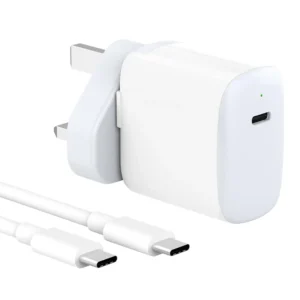
macbook air (m1 charger 30w) for MacBook Air (M2, 2022) MacBook Air (M1, 2020) MacBook Air (Retina, 13-inch, 2020)
 Apple Mackbook Chargers, Computer Accessories, Laptop Chargers
macbook air (m1 charger 30w) for MacBook Air (M2, 2022) MacBook Air (M1, 2020) MacBook Air (Retina, 13-inch, 2020)
-
Input Voltage: 100–240V AC
-
Output Voltage: 14.5V / 2.07A (30W)
-
Power Output: 30W
-
Connector Type: USB-C (reversible)
-
Cable: USB-C to USB-C (included)
-
Safety Features: Over-voltage, over-current, and short-circuit protection
-
Compatibility: MacBook Air (M2, 2022), MacBook Air (M1, 2020), MacBook Air Retina 13-inch (2020)
These specifications ensure safe, fast, and efficient charging, compatible with Apple’s USB-C standards.
SKU: n/a -
-
Apple Mackbook Chargers, Computer Accessories, Laptop Chargers
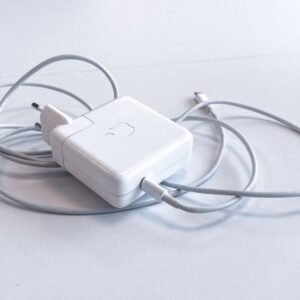
Apple macbook pro 61w usb c power adapter
 Apple Mackbook Chargers, Computer Accessories, Laptop Chargers
Apple macbook pro 61w usb c power adapter
Technical Specifications
-
Input Voltage: 100–240V AC
-
Output Voltage: 20.3V / 3A (USB-C)
-
Power Output: 61W
-
Connector Type: USB-C (reversible)
-
Safety Features: Over-voltage, over-current, and short-circuit protection
-
Compatibility: MacBook Pro 13-inch (2016–2020)
These specifications ensure fast, safe, and efficient charging for your MacBook Pro.
SKU: n/a -
-
Computer Accessories, Power Supplies
Lenovo ThinkStation P340 (30DJ) Power Supply
- Model Compatibility: Lenovo ThinkStation P340 (30DJ)
- Power Output: 260W / 400W / 500W (varies by SKU)
-
Input Voltage: 100-240V AC
-
Connector Types: 24-pin, 8-pin CPU, SATA, PCIe
-
Cooling: Ultra-quiet internal fan
-
Certifications: 80 PLUS Bronze or higher
SKU: n/a












There are no reviews yet.