
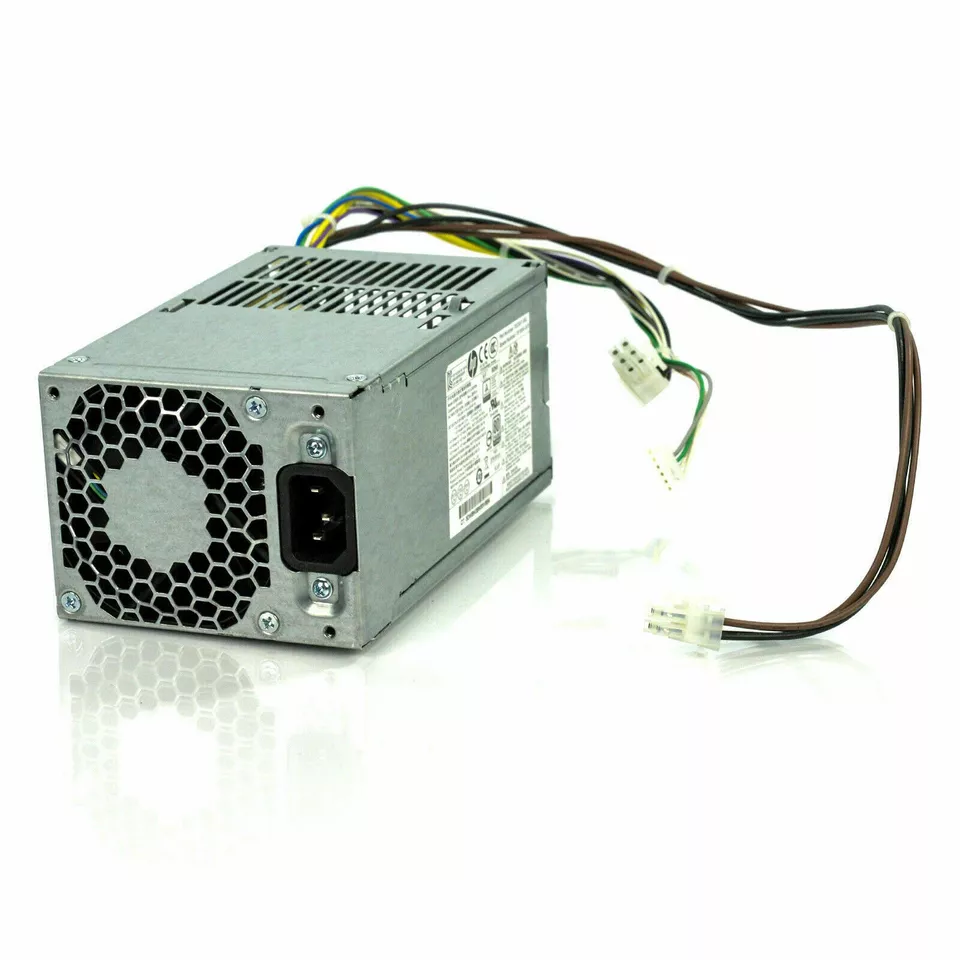
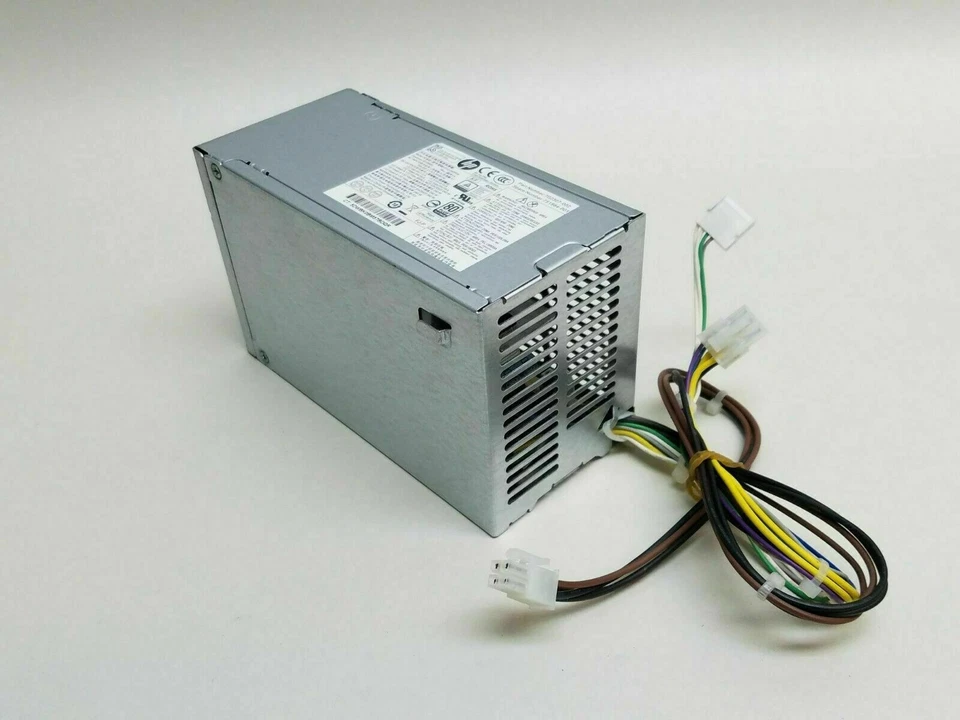
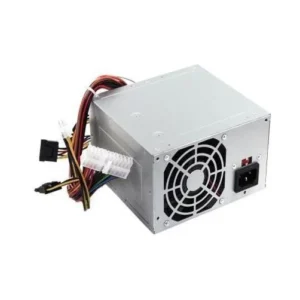
hp z230 SFF power supply Power Supply 240W
-
Wattage: 240W total output
-
Input Voltage: 100–240V (auto-sensing)
-
Form Factor: SFF (Small Form Factor)
-
Connectors: 24-pin motherboard, 4-pin CPU, SATA
-
Cooling: Quiet fan with thermal control
-
Efficiency: 80 PLUS certified for low energy waste
KSh2,500.00
HP Z230 SFF Power Supply 240W
The HP Z230 SFF power supply has a rated output of 240W. HP documentation and an HP support-community specification confirm that the Z230 SFF uses a 240W, 92% efficiency, wide-ranging power supply with active Power Factor Correction (PFC).
This specification is important when replacing the original PSU. The Z230 SFF is not the same as the larger Z230 Tower Workstation, which has different power-supply requirements.
Therefore, when searching for an HP Z230 power supply, make sure the replacement is specifically intended for the SFF model.
HP Z230 Small Form Factor Workstation PSU
The HP Z230 SFF was designed for professional desktop workloads while maintaining a compact chassis. The smaller enclosure makes space-efficient internal components particularly important.
The 240W PSU is designed around that SFF configuration. Consequently, replacing it with a conventional desktop power supply without checking its dimensions and connectors is not recommended.
A suitable replacement should match the original PSU in terms of:
- 240W power rating
- Small Form Factor design
- Physical dimensions
- Mounting arrangement
- Motherboard connectors
- Power connections
- Electrical specifications
240W HP Z230 SFF Power Supply Specifications
The key specification for this replacement is the 240W output rating.
According to HP’s published specifications, the Z230 SFF power supply provides 240W output, 92% efficiency, wide-ranging input capability, and active PFC.
| Specification | Details |
|---|---|
| Product | HP Z230 SFF Power Supply |
| Power Output | 240W |
| Efficiency | 92% |
| Power Factor Correction | Active PFC |
| Input Design | Wide-ranging |
| Form Factor | Small Form Factor |
| Compatible Workstation | HP Z230 SFF |
| Application | Replacement and workstation repair |
The exact connector arrangement and part number should be checked against the PSU currently installed in the workstation before purchasing a replacement.
HP Z230 SFF PSU Compatibility
Compatibility is particularly important when purchasing an HP Z230 SFF 240W PSU.
The Z230 was produced in both Small Form Factor and Tower configurations, and the two versions use different power-supply specifications. HP documentation lists the Z230 SFF at 240W, while the Z230 Tower is listed with a 400W power supply, with a 320W standard-efficiency option available in some markets.
This means that a 240W Z230 SFF PSU should not be confused with a Z230 Tower PSU.
Before ordering, confirm that the computer is the SFF version.
How to Identify an HP Z230 SFF Power Supply
The easiest way to identify the correct replacement is to inspect the original PSU.
Look at the label on the power supply and record the information printed there. Depending on the particular unit, the label may contain the manufacturer, model number, spare number, wattage, and electrical specifications.
We recommend comparing those details with the replacement before purchasing.
The workstation itself should also be checked to ensure that it is an HP Z230 Small Form Factor Workstation rather than the tower model. HP maintains separate support pages for the Z230 SFF and Z230 Tower.
Why Choose an HP Z230 SFF 240W PSU?
A compatible replacement PSU can be a practical way to restore an HP Z230 SFF workstation when the original power supply fails.
There is no need to replace an entire workstation simply because its power supply requires replacement, provided the remaining hardware is still suitable for its intended purpose.
A compatible PSU can help:
- Restore a non-working workstation
- Maintain the original SFF chassis design
- Provide the required 240W power capacity
- Support workstation repair and refurbishment
- Extend the useful life of existing hardware
- Reduce unnecessary replacement of otherwise functional components
HP Z230 SFF Power Supply Replacement
When replacing an HP Z230 SFF power supply, the first step is to verify the original PSU.
Check the wattage and model information on the PSU label. Then compare the physical dimensions and connector arrangement with the replacement.
This is particularly important because the Z230 SFF uses a compact and purpose-designed power supply. Current community reports also emphasize the importance of matching the physical size and motherboard connectors when replacing the original Z230 SFF PSU.
A replacement should therefore be selected based on complete compatibility, rather than wattage alone.
Is the HP Z230 SFF PSU 240W?
Yes. The HP Z230 SFF is specified with a 240W power supply. HP’s published information identifies the Z230 SFF PSU as a 240W, 92%-efficient, wide-ranging unit with active PFC.
This makes HP Z230 SFF 240W power supply an appropriate search term when looking for a replacement for a compatible original unit.
However, customers should still compare the replacement with the existing PSU to confirm the exact part and connector configuration.
HP Z230 SFF PSU vs Z230 Tower PSU
One of the most important compatibility distinctions is between the Z230 SFF and Z230 Tower.
The Z230 SFF uses a 240W PSU, while HP’s specifications list the Z230 Tower with a substantially higher power capacity.
Therefore, customers should not order a Z230 Tower PSU simply because the computer is identified as an HP Z230.
Always confirm the SFF designation.
The compact chassis also means that physical dimensions matter. A power supply designed for the tower configuration may not be suitable for the SFF enclosure.
HP Z230 SFF PSU for Workstation Repair
The HP Z230 SFF remains useful for customers maintaining older professional workstations.
A replacement 240W power supply can be particularly useful for:
- Business workstation maintenance
- Computer repair
- Hardware refurbishment
- Educational computer labs
- Office workstation servicing
- Replacement of failed PSUs
- Maintaining existing HP Z230 systems
Replacing a faulty PSU can allow the workstation’s other functioning components to remain in service.
Common Signs of a Faulty Z230 SFF Power Supply
A defective power supply can cause several symptoms.
These may include:
- The workstation does not turn on.
- The system shuts down unexpectedly.
- The workstation becomes unstable.
- The computer intermittently loses power.
- Internal hardware does not receive power correctly.
These symptoms can also be caused by other components. Therefore, we recommend diagnosing the workstation before purchasing a replacement PSU.
If the power supply is confirmed to be defective, replacing it with a compatible unit can be an effective repair.
What to Check Before Buying an HP Z230 SFF PSU
Before ordering an HP Z230 SFF Power Supply 240W, check these details carefully:
1. Confirm the SFF Model
Make sure the workstation is an HP Z230 Small Form Factor Workstation.
2. Check the Wattage
The Z230 SFF specification is 240W.
3. Check the PSU Label
Record the model, spare number, and other identification information printed on the existing unit.
4. Compare Connectors
Check that the replacement provides the appropriate motherboard and peripheral power connections.
5. Check Physical Dimensions
The PSU must fit correctly inside the Z230 SFF chassis.
6. Consider the Complete System Configuration
If the workstation has been modified or upgraded, verify that the replacement PSU is appropriate for the installed hardware.
Installing an HP Z230 SFF Power Supply
Before replacing an internal PSU, shut down the workstation completely and disconnect it from the electrical supply.
We recommend taking a photograph of the existing PSU connections before removing the unit. This can make it easier to reconnect the replacement correctly.
After installing the new PSU, make sure it is securely mounted and that all required power connections are properly seated.
Do not force connectors into place. If the connector configuration does not match, stop and verify compatibility.
At Compvate, we provide computer hardware and replacement components for customers maintaining and repairing desktop and workstation systems. Visit Compvate to explore available computer hardware.
This internal 240-watt original equipment manufacturer replacement power supply is engineered specifically for the entry-level HP Z230 Small Form Factor (SFF) workstation chassis.
-
- Form Factor: Custom HP Proprietary SFF (Slim / Small Form Factor)
- Max Output Power: 240 Watts Continuous Delivery
- Efficiency Rating: 92% High Efficiency (80 PLUS Platinum Certified performance)
- AC Input Range: 100V–240V AC ~ 4A (Auto-Switching / Active PFC)
- Input Frequency Range: 50Hz–60Hz
- DC Output Ratings:
-
- +12Vmain === 16.0A
- +12Vcpu === 16.0A
- +12Vsb === 1.3A
- -12V === 0.15A
-
- Motherboard Connectors:
-
- 1 x Proprietary HP 6-Pin Main Power Connector
- 1 x 4-Pin ATX +12V CPU Power Connector
-
- Peripheral Connectors:
-
- 2 x Straight SATA Power Connectors
-
- Cooling System: 1 x Integrated Internal Thermally-Controlled Cooling Fan
- Dimensions: 240mm x 94mm x 48mm
- Compatible HP Spare / Part Numbers: 702307-001, 702455-001, 702307-002, 702457-001
- Compatible Manufacturer Model Numbers: D12-240P3A, DPS-240AB-4A, PCE011, PCF011
- System Compatibility: HP Z230 SFF Workstation, HP EliteDesk 800 G1 SFF, HP ProDesk 600 G1 SFF
Based on 0 reviews
Be the first to review “hp z230 SFF power supply Power Supply 240W”
Related products
-
Computer Accessories, Power Supplies
Lenovo ThinkCentre A58E Power Supply Unit 54Y8817
- Compatible Desktop: Lenovo ThinkCentre A58e Desktop Tower Series
- Lenovo FRU Part Number: 54Y8817
- Manufacturer Model Code: PC9011 / PS-5181-02VL (and equivalents)
- Max Output Capacity: 180 Watts
- Form Factor Variant: Standard TFX / Custom Lenovo Tower Layout
- Main Wire Pin Layout: 24-Pin Standard Main Power, 4-Pin 12V CPU Power, SATA Power Lines
- AC Input Voltage: 100V – 240V Auto-Switching Frequency Range
- Cooling System: 1 x 80mm Integrated Smart-Speed Cooling Fan
SKU: n/a -
Apple Mackbook Chargers, Computer Accessories, Laptop Chargers
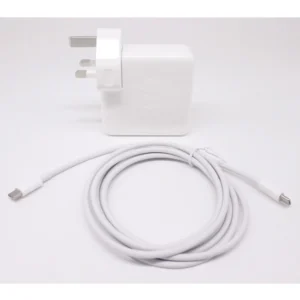
Apple MacBook Air 11″ 13″ A1465 A1436 A1466 A1435 Laptop Power Adapter Charger 45w (2013-2015)
 Apple Mackbook Chargers, Computer Accessories, Laptop Chargers
Apple MacBook Air 11″ 13″ A1465 A1436 A1466 A1435 Laptop Power Adapter Charger 45w (2013-2015)
Technical Specifications
-
Input Voltage: 100–240V AC
-
Output Voltage: 14.85V / 3.05A (MacBook Air 11” & 13”)
-
Power Output: 45W
-
Connector Type: MagSafe or MagSafe 2 (depending on model)
-
LED Status Indicator: Amber = Charging, Green = Fully Charged
-
Cable Length: Standard Apple design (approx. 2 meters)
-
Safety Features: Over-voltage, over-current, short-circuit protection
-
Compatibility: MacBook Air 11” & 13” (2013–2015) – Models A1465, A1436, A1466, A1435
These specifications ensure optimal performance, device safety, and battery longevity.
SKU: n/a -
-
Apple Mackbook Chargers, Computer Accessories, Laptop Chargers
MacBook Pro 2019 96W Charger
-
Product Type: Power Adapter
-
Output Power: 96W
-
Connector Type: USB-C
-
Input Voltage: 100–240V AC
-
Power Delivery: USB-C PD
-
Compatibility: MacBook Pro 15-inch & 16-inch (2019)
-
Condition: Tested and verified
This charger meets Apple’s standards for safe, fast, and reliable charging.
SKU: n/a -
-
Computer Accessories, Power Supplies
Lenovo ThinkCentre M78 M730 M93 M93P SFF Power Supply 240W PS-4241
 Computer Accessories, Power Supplies
Lenovo ThinkCentre M78 M730 M93 M93P SFF Power Supply 240W PS-4241
-
Model: PS-4241-02, PS-4241-01, or equivalent
-
Wattage: 240W output
-
Form Factor: SFF (Small Form Factor)
-
Input Voltage: 100V – 240V AC
-
Connectors: 24-pin main, 4-pin CPU, SATA power
-
Cooling System: Quiet built-in fan
-
Certifications: 80 PLUS Certified
Compatible Lenovo Models
This PSU supports multiple SFF models including:
-
Lenovo ThinkCentre M78 SFF
-
Lenovo ThinkCentre M730 SFF
-
Lenovo ThinkCentre M93 SFF
-
Lenovo ThinkCentre M93P SFF
-
SKU: n/a -












There are no reviews yet.