
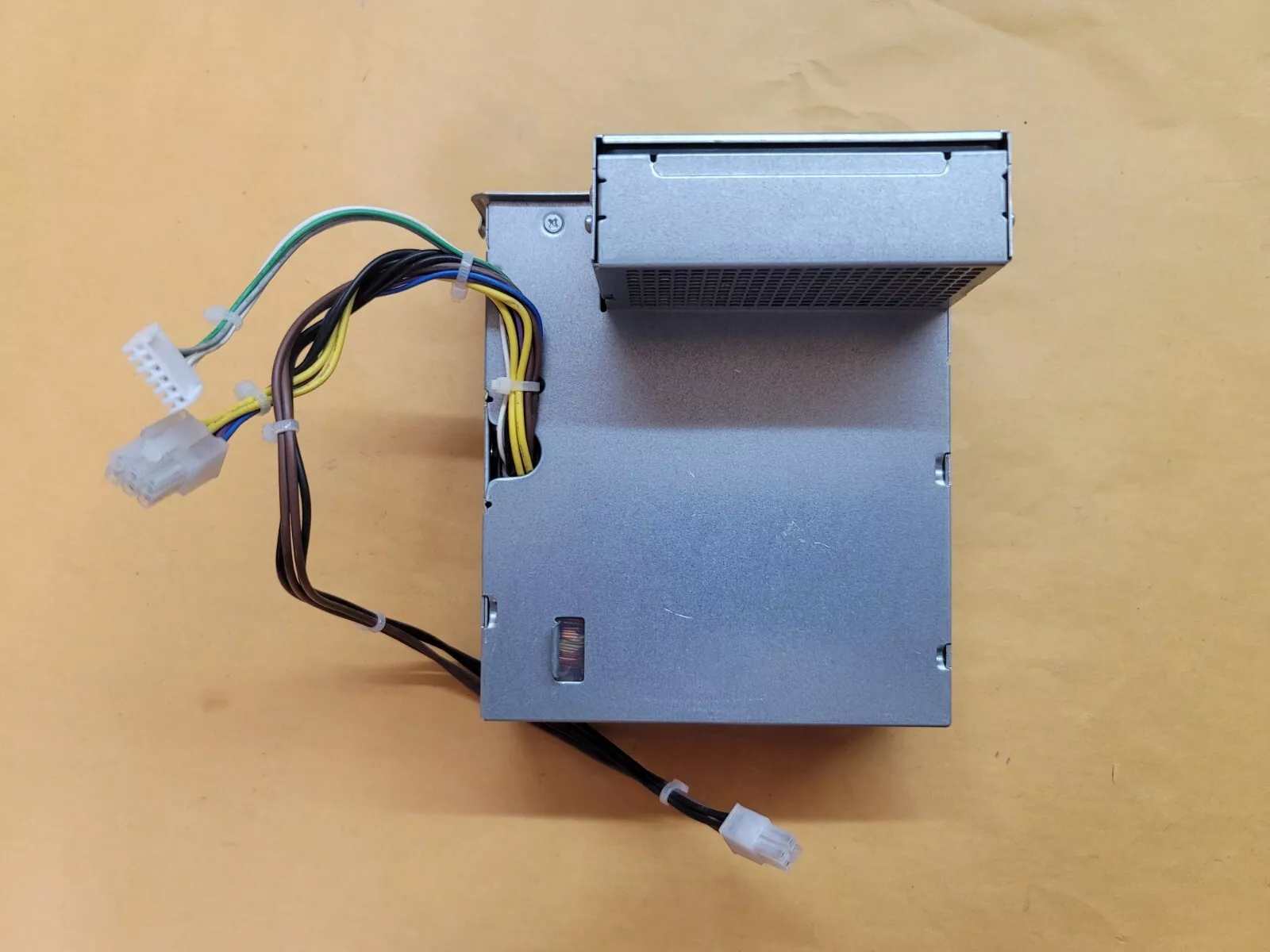
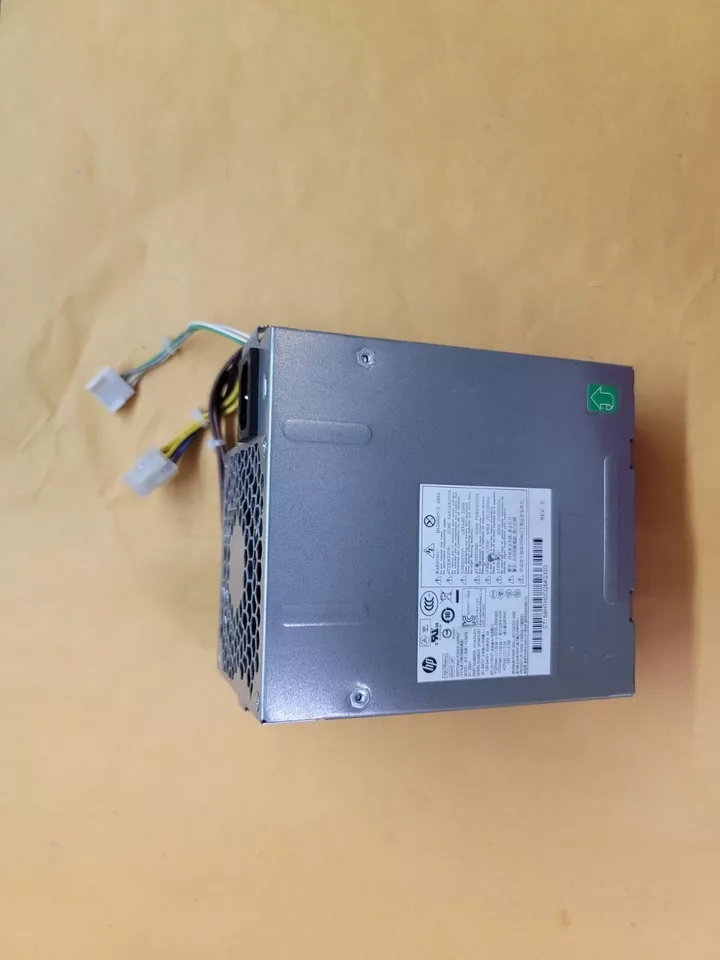
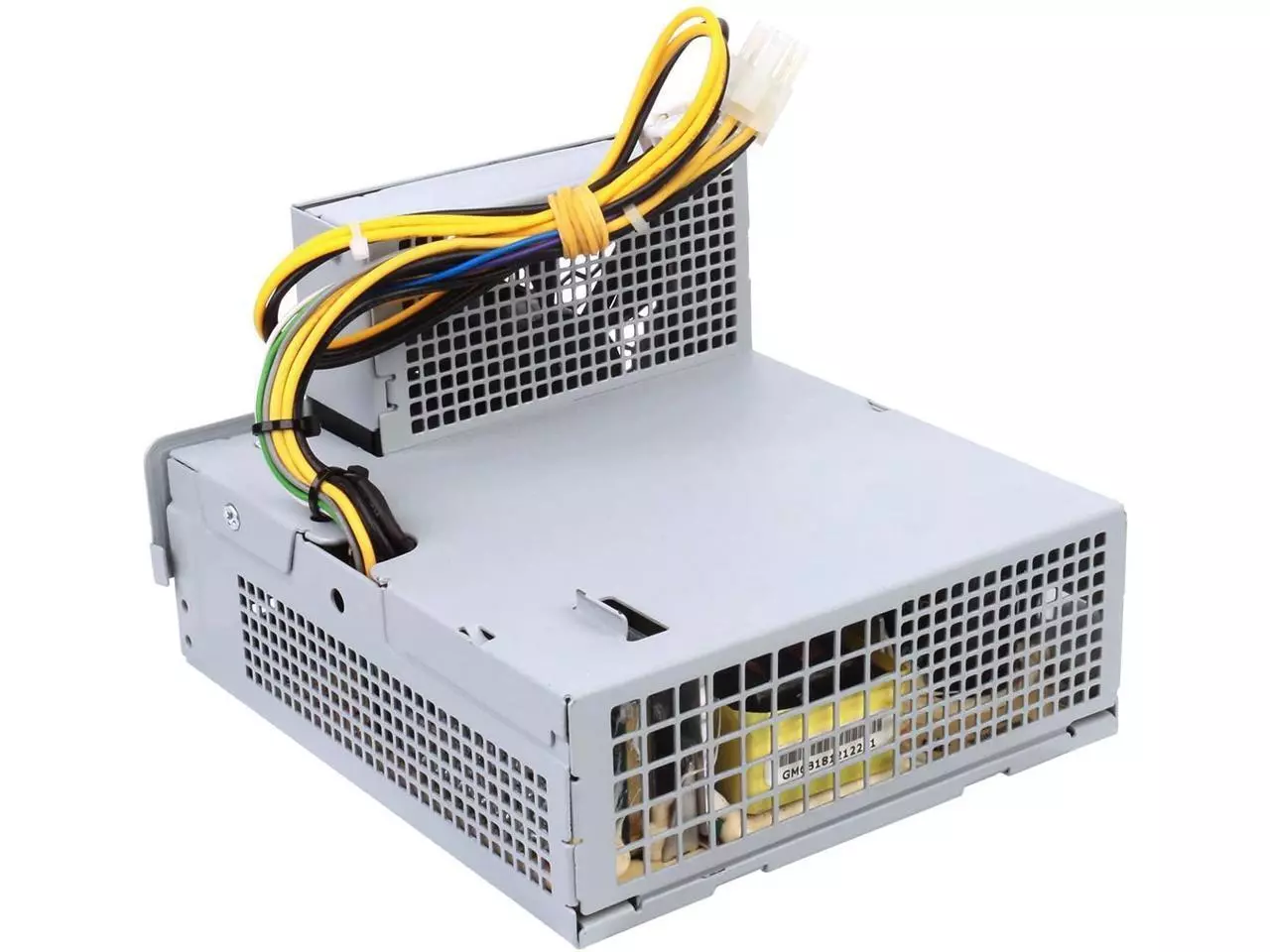
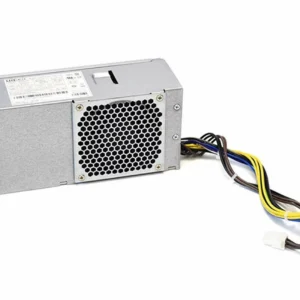
hp z220 SFF power supply Power Supply 240W
- Form Factor: Custom HP Proprietary SFF (Slim / Small Form Factor)
- Max Output Power: 240 Watts Continuous Delivery
- Efficiency Rating: 90% High Efficiency (80 PLUS Gold Certified level performance)
- AC Input Range: 100V–240V AC ~ 4A (Auto-Switching / Active PFC)
- Input Frequency Range: 50Hz–60Hz
- DC Output Ratings:
-
- +12Vmain === 16.0A
- +12Vcpu === 16.0A
- +12Vsb === 1.3A
- -12V === 0.15A
-
- Motherboard Connectors:
-
- 1 x Proprietary HP 6-Pin Main Power Connector
- 1 x 4-Pin ATX +12V CPU Power Connector
- 1 x 6-Pin Auxiliary Inline Connector (6+6 Pin layout variation)
-
- Peripheral Connectors:
-
- 2 x Straight SATA Power Connectors
-
- Cooling System: 1 x Integrated Internal Thermally-Controlled Cooling Fan
- Dimensions: 240mm x 94mm x 48mm
KSh1,800.00
HP Z220 SFF Power Supply – 240W Replacement & Compatibility Guide
Is your HP Z220 SFF workstation failing to power on? The compact 240W power supply inside these reliable workstations can wear out over time. Finding the right replacement isn’t as simple as picking any standard ATX power supply off the shelf — these units feature a proprietary design that requires specific attention. This guide covers everything you need to know about the HP Z220 SFF 240W power supply, including compatibility, specifications, and where to find the right replacement.
What Makes the HP Z220 SFF Power Supply Special?
The HP Z220 SFF (Small Form Factor) workstation uses a 240W power supply designed specifically for its compact chassis. Unlike standard desktop power supplies, this unit is proprietary — it uses a unique form factor and connector layout that makes finding a direct replacement more challenging.
Key Features of the 240W Power Supply
-
90% Efficiency Rating – Delivers excellent energy efficiency while keeping power waste minimal
-
Wide-Ranging Active Power Factor Correction (PFC) – Enhances power quality and efficiency across different voltage conditions
-
Energy Star Qualified – Meets strict energy efficiency guidelines for reduced electricity consumption
-
Surge Tolerant – Withstands power surges up to 2000V to protect your workstation
-
Low Standby Power – Consumes less than 2W in S5 (Power Off) mode, complying with FEMP Standby Power requirements
Technical Specifications
| Specification | Detail |
|---|---|
| Power Output | 240W |
| Efficiency | 90% |
| Input Voltage | 100–240 VAC (wide-ranging) |
| Input Frequency | 50–60 Hz |
| Rated Current | 4.0A @ 100-240VAC |
| Power Factor Correction | Active PFC |
| Form Factor | SFF (Small Form Factor) |
Why Can’t I Use a Standard ATX Power Supply?
The HP Z220 SFF uses a non-standard motherboard power connector. Instead of the typical 24-pin ATX connection found in most desktop computers, the Z220 SFF motherboard uses a 6-pin or 2-port 6-pin proprietary connector.
If you try to connect a standard ATX power supply directly, it will not work — the pin configurations are completely different. Fortunately, there’s a solution.
The Solution: Adapter Cables
Several manufacturers offer 24-pin to 6-pin adapter cables designed specifically for the HP Z220 SFF. These adapters allow you to use a standard ATX power supply with your Z220 SFF motherboard.
Important Compatibility Notes:
-
These adapters are only compatible with HP Z220/Z230 SFF workstations
-
Some adapters include a DC/DC converter to boost standby voltage from 5V to 12V for proper motherboard operation
-
Always double-check pin alignment before connecting — misalignment can damage your motherboard
Important Warning: Some users report that aftermarket adapters may have incorrect pinouts or require modifications to function properly. Always verify the pin configuration matches the official HP specification before powering on your system.
Where to Find a Replacement Power Supply
Option 1: OEM Replacement
Look for genuine HP Z220 SFF 240W power supplies through trusted hardware suppliers or specialized workstation parts retailers. Always confirm listings clearly state compatibility with the Z220 SFF.
Option 2: Standard ATX Power Supply + Adapter
If an OEM replacement isn’t available, you can use:
-
Any standard ATX power supply (choose wattage appropriate for your system, typically 300W–500W is sufficient)
-
A 24-pin to 6-pin adapter cable specifically for HP Z220/Z230 SFF
Option 3: Check Authorized HP Parts Suppliers
Contact HP directly or check authorized parts distributors for verified OEM replacements.
This internal 240-watt original equipment manufacturer replacement power supply is engineered specifically for the entry-level HP Z220 Small Form Factor (SFF) workstation chassis.
- Form Factor: Custom HP Proprietary SFF (Slim / Small Form Factor)
- Max Output Power: 240 Watts Continuous Delivery
- Efficiency Rating: 90% High Efficiency (80 PLUS Gold Certified level performance)
- AC Input Range: 100V–240V AC ~ 4A (Auto-Switching / Active PFC)
- Input Frequency Range: 50Hz–60Hz
- DC Output Ratings:
-
- +12Vmain === 16.0A
- +12Vcpu === 16.0A
- +12Vsb === 1.3A
- -12V === 0.15A
-
- Motherboard Connectors:
-
- 1 x Proprietary HP 6-Pin Main Power Connector
- 1 x 4-Pin ATX +12V CPU Power Connector
- 1 x 6-Pin Auxiliary Inline Connector (6+6 Pin layout variation)
-
- Peripheral Connectors:
-
- 2 x Straight SATA Power Connectors
-
- Cooling System: 1 x Integrated Internal Thermally-Controlled Cooling Fan
- Dimensions: 240mm x 94mm x 48mm
- Compatible HP Spare / Part Numbers: 611481-001, 613762-001, L08261-001, 611479-001, 613663-001, 611480-002, 700506-001, 611482-001, 613763-001
- Compatible Manufacturer Model Numbers: D12-240P2A, PCA019, PC9055, DPS-240TB A
- System Compatibility: HP Z220 SFF Workstation, HP Z210 SFF Workstation, HP Compaq Elite 8000 SFF, HP Compaq Elite 8100 SFF, HP Compaq Elite 8200 SFF, HP Compaq Elite 8300 SFF
Based on 0 reviews
Be the first to review “hp z220 SFF power supply Power Supply 240W”
Related products
-
Computer Accessories, Power Supplies
Lenovo Power Supply FRU-54Y8874 For ThinkCentre M92P 3209 SFF
Product Name: Lenovo Power Supply FRU-54Y8874 for ThinkCentre M92P 3209 SFF
Brand: Lenovo
FRU Number: 54Y8874
Power Rating: 240W
Input Voltage: 100-240V AC
Form Factor: TFX
Product Type: Internal desktop power supply / replacement PSU
Compatible System: Lenovo ThinkCentre M92P SFF, including compatible 3209 configurations
Application: Desktop repair, PSU replacement, system maintenance, and workstation restoration
Efficiency: The FRU 54Y8874 is listed as an 85% single-output PSU; individual replacement units should be checked against their own label/specification.
SKU: n/a -
Apple Mackbook Chargers, Computer Accessories, Laptop Chargers
Apple 45w magsafe 2 power adapter for macbook air
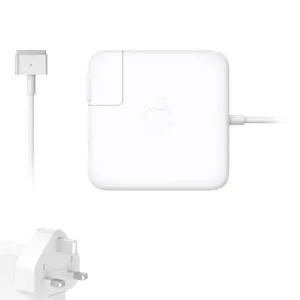 Apple Mackbook Chargers, Computer Accessories, Laptop Chargers
Apple 45w magsafe 2 power adapter for macbook air
Apple 45W MagSafe 2 Power Adapter
-
Product Type: Power Adapter
-
Output Power: 45W
-
Connector Type: MagSafe 2
-
Input Voltage: 100–240V AC
-
Output Voltage: 14.85V
-
LED Indicator: Yes
-
Compatibility: MacBook Air (MagSafe 2 models)
-
Condition: Tested and verified
This adapter meets Apple’s specifications for stable and efficient charging.
SKU: n/a -
-
Apple Mackbook Chargers, Computer Accessories, Laptop Chargers
Macbook air 2022 charger (M2) USB-C 67W
 Apple Mackbook Chargers, Computer Accessories, Laptop Chargers
Macbook air 2022 charger (M2) USB-C 67W
-
Product Type: Power Adapter
-
Output Power: 67W
-
Connector Type: USB-C
-
Input Voltage: 100–240V AC
-
Charging Technology: USB-C Power Delivery (PD)
-
Compatibility: MacBook Air M2 (2022)
-
Condition: Tested and verified
This charger meets Apple’s standards for fast, safe, and efficient charging.
SKU: n/a -
-
Apple Mackbook Chargers, Computer Accessories, Laptop Chargers
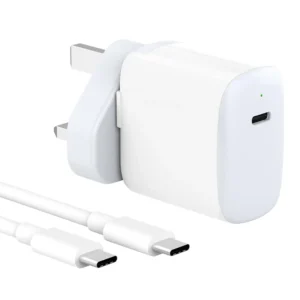
macbook air (m1 charger 30w) for MacBook Air (M2, 2022) MacBook Air (M1, 2020) MacBook Air (Retina, 13-inch, 2020)
 Apple Mackbook Chargers, Computer Accessories, Laptop Chargers
macbook air (m1 charger 30w) for MacBook Air (M2, 2022) MacBook Air (M1, 2020) MacBook Air (Retina, 13-inch, 2020)
-
Input Voltage: 100–240V AC
-
Output Voltage: 14.5V / 2.07A (30W)
-
Power Output: 30W
-
Connector Type: USB-C (reversible)
-
Cable: USB-C to USB-C (included)
-
Safety Features: Over-voltage, over-current, and short-circuit protection
-
Compatibility: MacBook Air (M2, 2022), MacBook Air (M1, 2020), MacBook Air Retina 13-inch (2020)
These specifications ensure safe, fast, and efficient charging, compatible with Apple’s USB-C standards.
SKU: n/a -












There are no reviews yet.