
HP Pavilion G7 Replacement Screen
- Brand: HP PAVILION
- Model: G7-1320DX
- Size: 17.3″
- Resolution: WXGA++
- Pixels: 1600 x 900
- Backlight Type: LED
- Backlight Lamp: DIODE
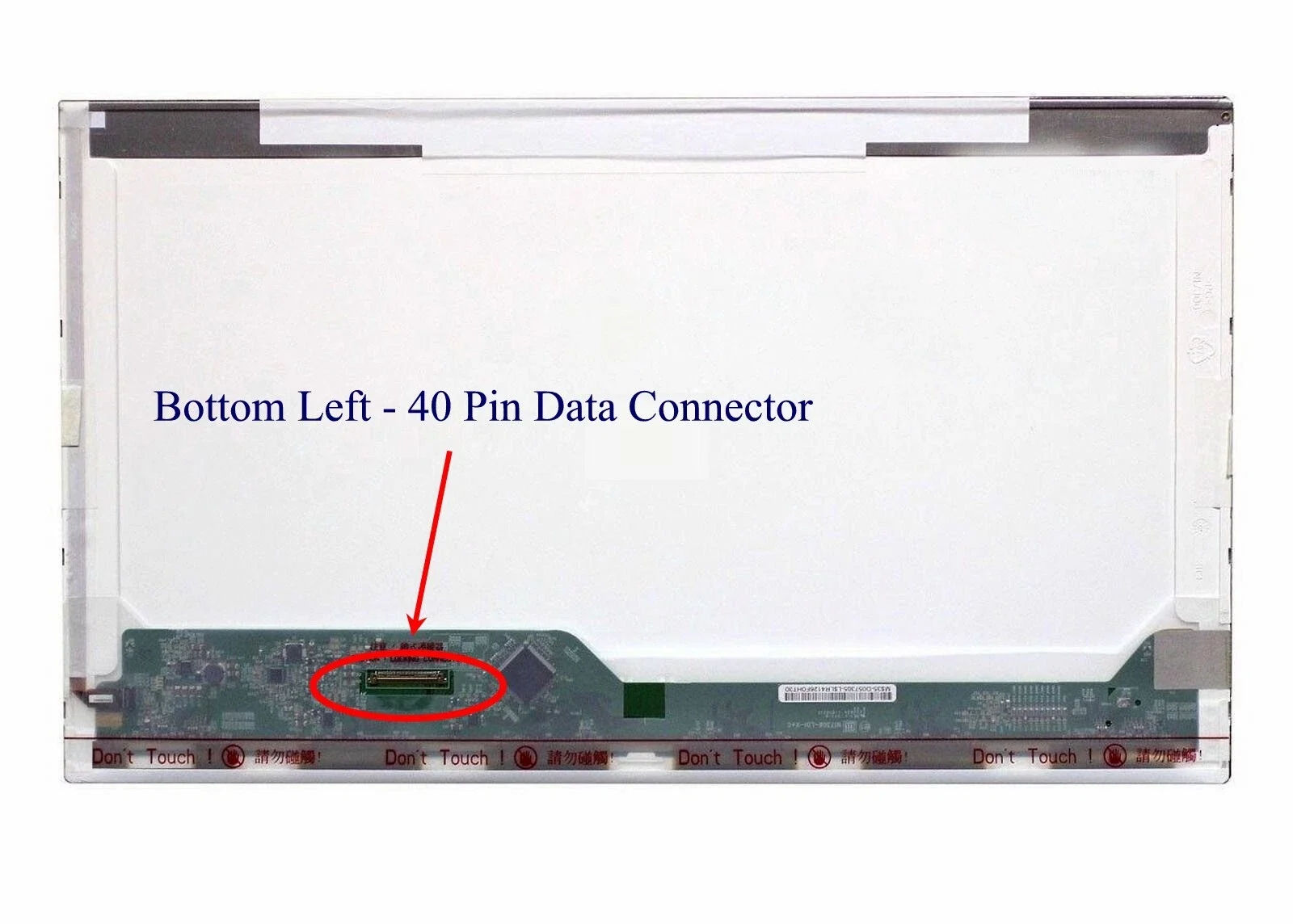
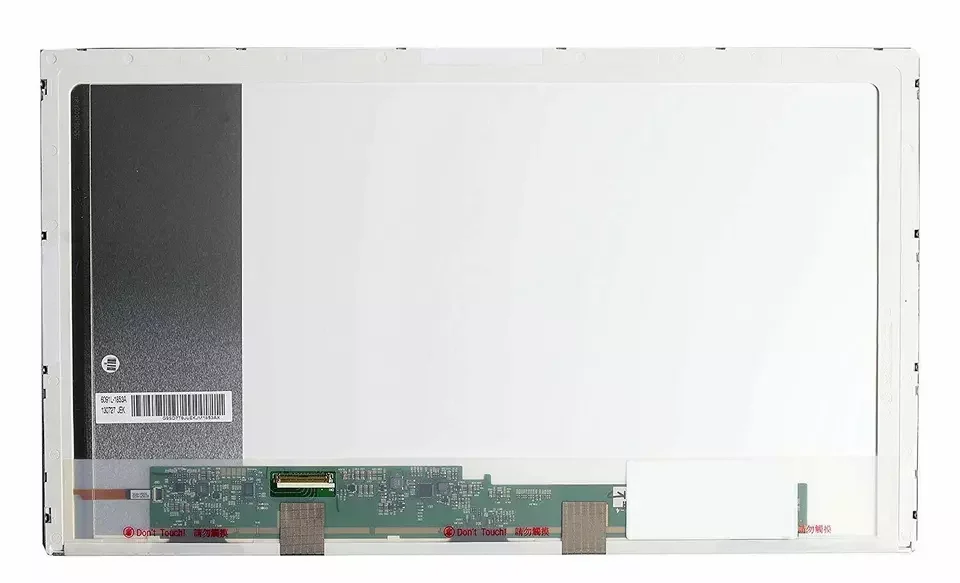
- Pin Connection: 40 Pins
- Side: Bottom Left
- Finish: Matte/Glossy write in checkout note. Avoid RMA Fees.
- Condition: NEW
- Commodity: Non Touch Screen
- Technology: Non Touch
- Dead Pixel Policy: In Accordance with ISO 13406-2 norm.
KSh6,000.00
HP Pavilion G7 Replacement Screen – Restoring Clarity to a Laptop That Still Matters
Because Your HP Pavilion G7 Is More Than Just an Old Laptop
The HP Pavilion G7 has been a reliable companion for years. It has handled work deadlines, school assignments, movies, music, and quiet late-night moments. When its screen cracks, fades, or goes dark, the disappointment cuts deep. It feels unfair—because the laptop still works, still has value, and still deserves to be used. That is exactly why HP Pavilion G7 replacement screen services exist: to give your trusted laptop the clear vision it deserves once again.
A broken screen should never decide the fate of a dependable machine.
Understanding the HP Pavilion G7 Display
The HP Pavilion G7 was designed with comfort and practicality in mind, especially its large screen that makes viewing easy and enjoyable.
Typical HP Pavilion G7 screen specifications include:
-
17.3-inch LED-backlit LCD
-
HD resolution (1600 × 900 or 1366 × 768 depending on model)
-
Non-touch display
-
Glossy or anti-glare finish
-
40-pin connector
-
Slim LED panel design
Using the correct replacement screen is critical. A mismatched panel can cause dim lighting, flickering, or poor image quality. A proper replacement restores balance and comfort.
Signs You Need an HP Pavilion G7 Replacement Screen
Screen damage does not always happen dramatically. Sometimes it slowly steals the joy from using your laptop. Common signs include:
-
Cracked or shattered screen
-
Black display while the laptop powers on
-
Vertical or horizontal lines
-
Flickering or uneven brightness
-
White spots or dark shadows
-
Blurred text and faded colors
Each issue reminds you that something important is not working the way it should.
Why a Quality HP Pavilion G7 Screen Replacement Matters
Replacing the screen is not just about seeing again—it is about feeling confident using your laptop.
Clear Vision, Comfortable Use
A high-quality screen brings back sharp text and stable brightness, making long hours comfortable for your eyes.
Reliability You Can Trust
Quality panels last longer and reduce the risk of repeated failures.
Perfect Compatibility
No flickering, no connector issues, no guesswork—just a screen that fits and works the way it should.
Your HP Pavilion G7 deserves a screen that respects its design.
Our HP Pavilion G7 Screen Replacement Process
We handle every laptop with patience and care.
1. Accurate Diagnosis
We confirm the screen is the problem and identify the exact compatible replacement.
2. Gentle Disassembly
Bezels, hinges, and cables are handled carefully to avoid additional damage.
3. Professional Screen Installation
The new screen is aligned correctly and securely connected.
4. Thorough Testing
Brightness, resolution, color clarity, and stability are tested before final assembly.
5. Final Inspection
Your laptop is reassembled and checked to ensure it feels whole again.
The Difference a New Screen Makes
The moment the new screen lights up, everything changes:
-
Reading becomes easy again
-
Movies feel enjoyable
-
Work feels possible
-
Your laptop feels valuable
-
Frustration fades into relief
It is not just a repair—it is a quiet victory.
HP Pavilion G7 Screen Replacement Cost Considerations
The cost of HP Pavilion G7 replacement screen depends on:
-
Screen resolution
-
Panel quality
-
Availability of compatible screens
Transparent pricing allows you to make a confident decision without pressure.
How to Protect Your New HP Pavilion G7 Screen
Once replaced, small habits go a long way:
-
Use a padded laptop bag
-
Avoid pressure on the screen lid
-
Clean with a microfiber cloth
-
Close the lid gently
-
Keep liquids away from the display
Care preserves clarity and extends screen life.
Why Screen Replacement Is Worth It
Replacing the screen instead of replacing the laptop means:
-
Saving money
-
Reducing electronic waste
-
Keeping a device you trust
-
Restoring full usability
Your HP Pavilion G7 still has purpose.
HP Pavilion G7 Replacement Screen You Can Rely On
We provide HP Pavilion G7 replacement screen solutions focused on quality, compatibility, and care. Every screen is selected to restore clarity, comfort, and confidence—because your laptop still matters.
| Specification | Details |
|---|---|
| Screen Size | 17.3 inches |
| Resolution | HD+ (1600 x 900 pixels) |
| Backlight Type | CCFL (older g7 series) or LED LCD (newer g7 series) |
| Data Connector | 40 pins |
| Connector Position | Bottom Right or Bottom Left (when viewed from the back of the screen; must check original) |
| Screen Finish | Glossy (HP BrightView) is common, matte options may be available |
| Touch Panel | Not included; this model does not support a touch screen assembly |
| Refresh Rate | 60Hz |
Important Replacement Notes
- Verify Backlight Type: This is the most crucial step. Older g7 models use a fluorescent CCFL bulb backlight with an inverter board, while newer g7 models use LED backlighting which has no inverter. The connectors look different.
- Verify Connector Position: The 40-pin connector can be located on the bottom left or bottom right of the screen’s back.
- Non-Touch Only: The HP Pavilion g7 is a non-touch model. Do not attempt to install a touchscreen assembly.
- Professional Installation: Installation requires care and expertise. You must disconnect the power adapter and battery cable before starting the process to prevent electrical damage.
Based on 0 reviews
Be the first to review “HP Pavilion G7 Replacement Screen”
Related products
-
15.6 inch Laptop screen, HP Screens, Laptop screens
Hp 15 1272wm screen replacement
- Brand: Non Touch Screen
- Size: 15.6″
- Resolution: WXGA HD
- Pixels: 1366 x 768
- Backlight Type: LED
- Backlight Lamp: DIODE
- Connector: EDP
- Pin Connection: 30 Pins
- Side: Bottom Right
- Finish: Matte/Glossy . Avoid RMA Fees.
- Condition: NEW
- Commodity: Non Touch Screen
- Technology: Non Touch
- Dead Pixel Policy: In Accordance with ISO 13406-2 norm.
SKU: n/a -
14.0 inch Laptop screen, HP Screens, Laptop screens
hp 14q cs0009tu screen replacement
Compatibility: HP 14Q-CS0009TUPart Type: LCD ScreenSize: 14.0″ WideScreenResolution: HD (1366×768)Surface Type: MatteVideo Connector: 30 pin, Width: 0.75″ (19mm)Mountings: Top and Bottom BracketsCondition: New Grade A+Slim bezel design
SKU: n/a -
14.0 inch Laptop screen, HP Screens, Laptop screens
Hp 240 g6 screen replacement
- Brand: Non Touch Screen
- Size: 14.0″
- Resolution: WXGA HD
- Pixels: 1366 x 768
- Backlight Type: LED
- Backlight Lamp: DIODE
- Connector: EDP
- Pin Connection: 30 Pins
- Side: Bottom Right
- Finish: Matte/Glossy write in checkout note. Avoid RMA Fees.
- Condition: NEW
- Refresh Rate: 60Hz
- Commodity: Non Touch Screen
- Technology: Non Touch
- Dead Pixel Policy: In Accordance with ISO 13406-2 norm.
SKU: n/a -
14.0 inch Laptop screen, HP Screens, Laptop screens
Hp elitebook 840 g6 screen replacement FHD
- Brand: Non Touch Screen
- Size: 14.0″
- Resolution: Full HD
- Pixels: 1920 x 1080
- Backlight Type: LED
- Backlight Lamp: DIODE
- Pin Connection: 30 Pins
- Side: Bottom Right
- Frame: Narrow Frame
- Finish: Matte/Glossy write in checkout note. Avoid RMA Fees.
- Condition: NEW
- Refresh Rate: 60Hz
- Commodity: Non Touch Screen
- Technology: Non Touch
- Dead Pixel Policy: In Accordance with ISO 13406-2 norm.
SKU: n/a












There are no reviews yet.