
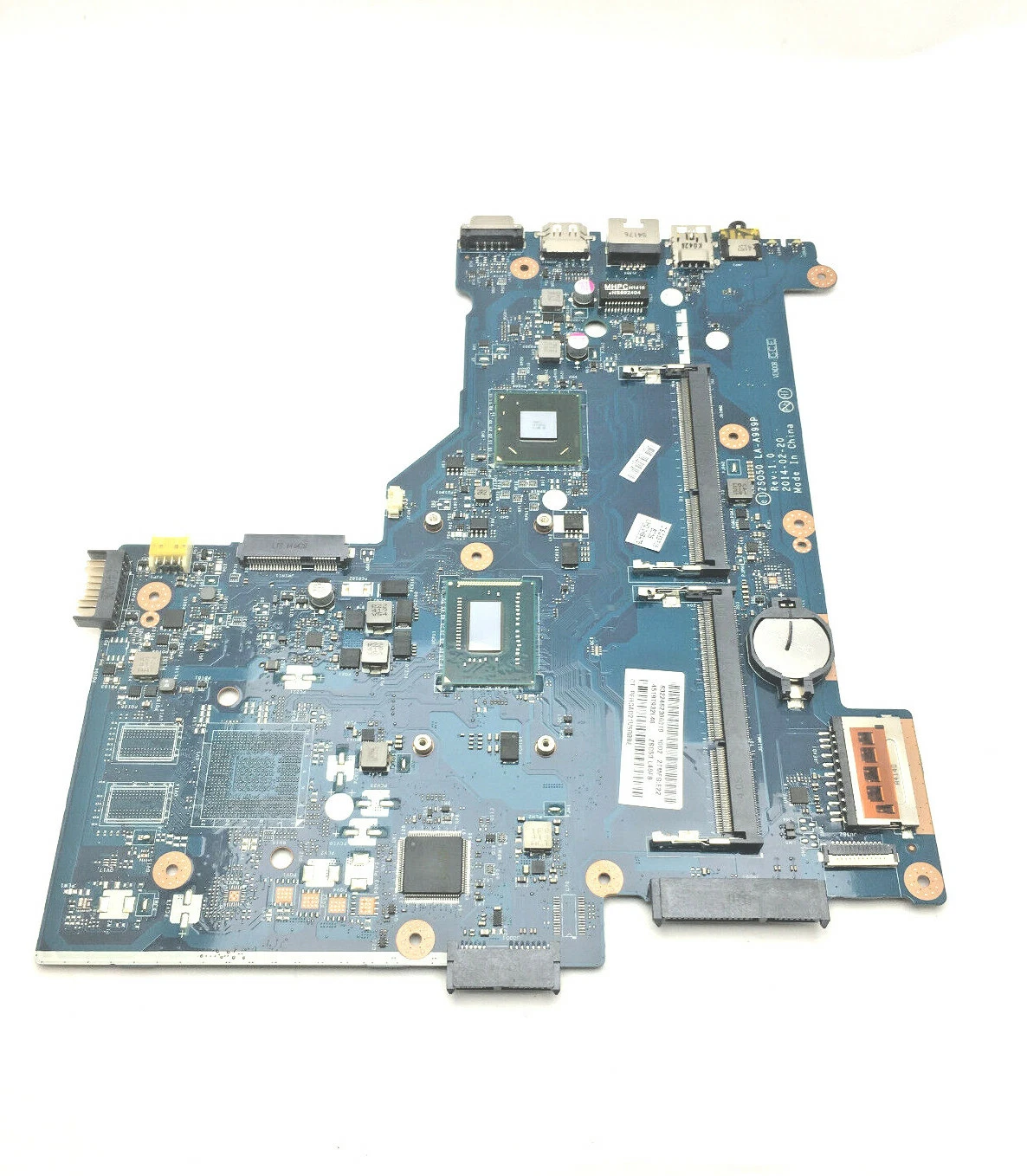
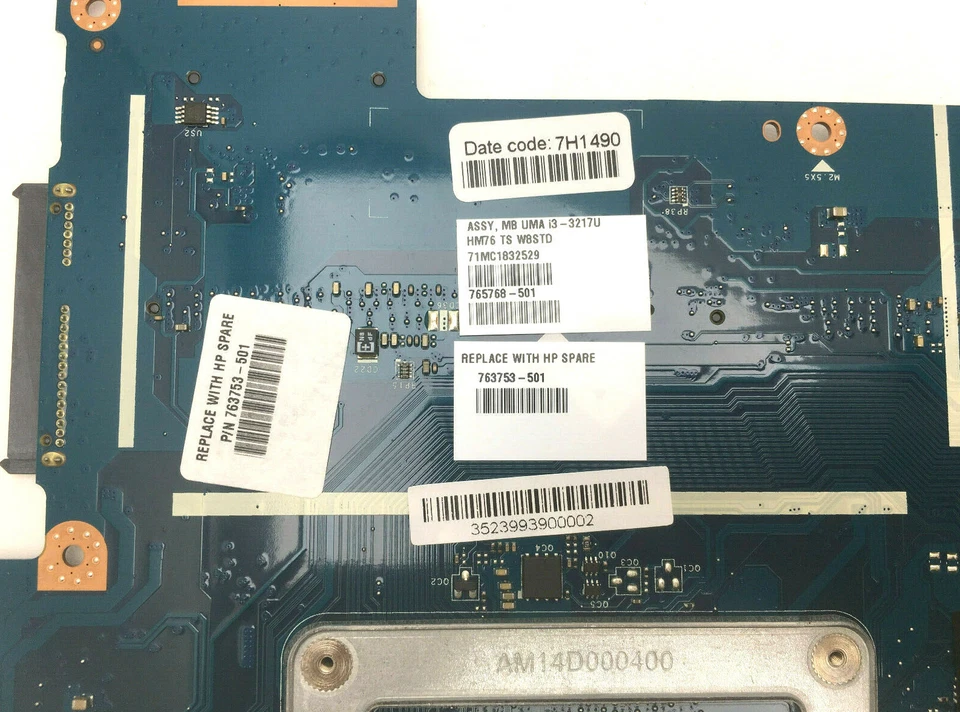
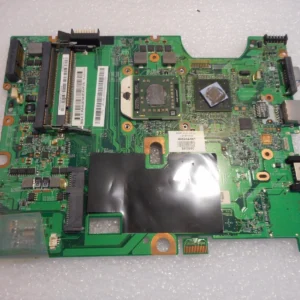
HP 15-R Series Laptop Motherboard Intel i3-3217U
Every HP 15-R Series motherboard compatible with Intel i3-3217U includes:
-
Intel Core i3-3217U CPU support
-
Integrated Intel HD Graphics
-
Dual-channel DDR3 memory interfaces
-
Multiple USB 3.0 and USB 2.0 ports
-
HDMI and VGA video outputs
-
Audio and network connectivity
-
SATA III storage interface
-
Efficient power delivery and management
-
HP BIOS with security and configuration controls
These features deliver stable system performance, efficient everyday computing, and compatibility with original HP peripherals.
KSh5,500.00
HP 15-R Series Laptop Motherboard Intel i3-3217U Replacement – Ultimate Guide
When it comes to HP 15-R Series laptop motherboard Intel i3-3217U replacement, you need accurate, professional, technically detailed, and user-friendly information — especially if you are a technician, student, business user, or laptop owner in Nairobi, Kenya, and beyond. This article delivers a comprehensive, expert-level guide to understanding, diagnosing, and replacing the motherboard for HP 15-R Series laptops powered by the Intel Core i3-3217U CPU.
At Compvate – Nairobi’s premier laptop repair and parts specialists, we provide genuine motherboards, professional installation services, testing, and warranty support. This SEO-optimized article is designed to rank highly on Google for key search terms related to the HP 15-R Series motherboard replacement.
Introduction to HP 15-R Series and the Intel i3-3217U Platform
The HP 15-R Series is a popular lineup of entry-to-mid-range laptops designed for everyday use, home computing, schoolwork, and light business productivity. Many models in this series are equipped with the Intel Core i3-3217U processor — a dual-core CPU known for:
-
Efficient performance for everyday tasks
-
Low power consumption
-
Integrated Intel HD Graphics
-
Reliable system responsiveness
-
Good balance of performance and battery life
The motherboard in these laptops serves as the central nervous system, connecting all essential components — from CPU and memory to storage and I/O ports.
What Is a Motherboard and Why It Matters
A laptop’s motherboard is the main circuit board that:
-
Houses the CPU (Intel i3-3217U)
-
Connects RAM modules
-
Provides storage device interfaces (SATA, PCIe)
-
Controls power delivery
-
Routes video, USB, audio, and network ports
-
Manages BIOS and firmware settings
When a motherboard fails, your system may not function correctly or may refuse to power on at all.
Symptoms of a Failing HP 15-R Series Motherboard
Understanding the early signs of motherboard failure can save you time and unnecessary expense. Common symptoms include:
1. No Power or Zero Display
When you press the power button and the laptop shows no lights, no fans, or no screen output, motherboard failure is a likely cause.
2. Random Shutdowns or Reboots
Unexpected shutdowns, even during light use, often indicate power circuitry faults on the motherboard.
3. Peripheral Hardware Failures
If USB ports, audio jacks, network interfaces, or HDMI outputs stop working without driver/software causes, the motherboard may be compromised.
4. Failure to POST
Failure to complete a Power On Self Test (POST), repeated beeps, or BIOS errors frequently point to motherboard problems.
5. Overheating and Thermal Instability
Excessive heat, even under light loads, suggests problems with the motherboard’s thermal and power regulation circuitry.
Choosing the Right Replacement: Genuine vs. Compatible Motherboards
When replacing a motherboard on the HP 15-R Series, you have two main options:
✔ Genuine HP Motherboards
-
Manufactured or OEM-approved by HP
-
Highest compatibility with original components
-
BIOS/firmware designed for your exact model
-
Recommended for optimal performance and longevity
✔ Tested Compatible or Refurbished Boards
-
Lower cost alternatives
-
Bench-tested for stability and performance
-
Good choice when budget is a concern
-
Must be purchased from trusted suppliers
At Compvate Nairobi, we supply genuine HP 15-R Series motherboards and quality-tested replacements, ensuring each board performs reliably and fits perfectly with your components.
Step-by-Step Overview: Motherboard Replacement Process
Replacing a laptop motherboard is a delicate technical procedure that should be done by experienced technicians. Here’s a breakdown of the process:
1. Power Down & Backup Data
Before servicing, ensure the laptop is completely powered off and, if possible, back up all important data.
2. Disassemble the Laptop
-
Remove the battery and power adapter
-
Unscrew and detach the bottom chassis cover
-
Remove storage drives and optical drive (if present)
-
Detach keyboard and palm rest
-
Unplug all cable connectors (display, power, USB, audio)
3. Remove the Faulty Motherboard
-
Unscrew motherboard mounting screws
-
Disconnect cooling assembly and flex cables
-
Carefully lift the old motherboard from the chassis
4. Install the Replacement Board
-
Position the new motherboard
-
Reconnect all flex cables and power connectors
-
Reattach screws and heatsink assembly
-
Reapply thermal paste if necessary
5. Reassemble and Test
-
Reinstall the battery and bottom cover
-
Power on and access BIOS
-
Test all hardware functions: display, USB ports, audio, network, Wi-Fi
Professional replacement includes BIOS setup calibration, thermal profiling, and stress testing to ensure long-term stability.
Tips & Best Practices: How to Take Care of Your HP 15-R Series Motherboard
Taking proper care of your HP 15-R Series motherboard helps prevent premature failure and extends the life of your system. Here are essential maintenance tips:
✔ Keep the Laptop Cool
-
Clean fans and vents regularly
-
Avoid blocking air intakes
-
Use a cooling pad under heavy workloads
✔ Avoid Liquid Exposure
Spills can damage PCB traces or short components. Always keep liquids away from your laptop.
✔ Protect Against Power Surges
Use a surge protector or UPS when plugging into unstable power sources.
✔ Update BIOS with Caution
BIOS updates may improve stability but always follow official HP instructions — incorrect updates can harm system firmware.
✔ Avoid Excessive Force
When connecting or disconnecting cables, use gentle, steady pressure. Flex connectors and ports are delicate.
These simple habits help maintain a healthy motherboard and protect your investment.
Why Choose Compvate for Your Motherboard Replacement
At Compvate – Nairobi’s expert laptop repair center, we offer:
-
Genuine HP motherboards
-
Quality-tested replacement boards
-
Professional motherboard installation
-
Post-repair diagnostics and testing
-
Warranty and after-sales support
Our technicians are trained in HP hardware systems, ensuring every replacement delivers reliable performance and long-term stability.
Conclusion
Replacing the HP 15-R Series motherboard with an Intel i3-3217U chipset is a critical repair for any laptop showing signs of failure. Choosing a genuine or quality replacement motherboard backed by professional installation ensures your device performs like new.
With the right care and maintenance — including cooling management, liquid avoidance, and careful handling — you can protect your investment and extend your laptop’s lifespan.
| Feature | Specification | |
|---|---|---|
| Processor (Onboard) | Intel® Core™ i3-3217U (1.8 GHz, 3 MB cache, 2 cores) | |
| CPU Socket | BGA (Ball Grid Array), non-upgradable | |
| Chipset | Intel® HM76 Express | |
| Memory Slots | 2 user-accessible SODIMM slots | |
| Memory Type | DDR3L SDRAM (1600 MHz) | |
| Maximum Memory | Up to 16 GB total (using 2x 8GB modules) | |
| Graphics | Integrated Intel® HD Graphics 4000 |
- Storage Interface: The motherboard primarily supports a 2.5-inch SATA hard disk drive or SSD.
- Expansion Slots:
- 1 x multi-format SD media card reader slot
- Mini PCI slot for the wireless network card
- External Ports: The motherboard provides typical connectivity options:
- USB ports (a mix of USB 3.0 and USB 2.0 ports)
- HDMI port
- RJ-45 (Ethernet) jack
- Headphone/microphone combo jack
- VGA port
- Optical Drive: Supports an integrated SuperMulti DVD burner optical drive via a SATA interface.
Based on 0 reviews
Be the first to review “HP 15-R Series Laptop Motherboard Intel i3-3217U”
Related products
-
Laptop Components, Motherboards
Asus x540l motherboard
-
Model Compatibility: Asus X540L
-
Processor Support: Intel Core i3/i5 or Pentium (depending on configuration)
-
CPU Socket: PGA/BGA depending on model
-
Chipset: Intel HM86 / HM87 Express (model dependent)
-
Memory Support: DDR3 RAM, dual-channel, dual-slot
-
Maximum Memory: Up to 8GB–16GB depending on configuration
-
Graphics: Integrated Intel HD Graphics; optional NVIDIA dedicated GPU (model dependent)
-
Storage Interface: SATA 2.5″ HDD/SSD
-
Connectivity: USB 2.0/3.0, HDMI, VGA, LAN, audio ports, Wi-Fi/Bluetooth module interface
-
Power Management: Integrated VRM and battery charging circuits
-
Cooling Support: Fan and heat sink integration with thermal sensors
-
Form Factor: Asus proprietary laptop motherboard
SKU: n/a -
-
Laptop Components, Motherboards
Acer aspire 5733 motherboard
-
Model Compatibility: Acer Aspire 5733
-
Processor Support: Intel mobile processors (Socket G1 / PGA988A, model dependent)
-
Chipset: Intel HM55 Express chipset
-
Memory Support: DDR3 RAM, dual-slot support
-
Graphics: Integrated Intel HD Graphics (processor dependent)
-
Storage Interface: SATA interface for HDD
-
Connectivity: USB 2.0, VGA, HDMI (model dependent), LAN, audio ports
-
Power Management: Integrated voltage regulation and charging circuitry
-
Cooling Support: Fan and heat sink integration with thermal sensors
-
Form Factor: Acer proprietary laptop motherboard
SKU: n/a -
-
Laptop Components, Motherboards
HP compaq cq60 motherboard
-
Model Compatibility: HP Compaq CQ60
-
Processor Support: Intel Celeron, Pentium Dual-Core, Core 2 Duo
-
CPU Socket: Socket P (PGA478)
-
Chipset: Intel GL40 / GM45 Express chipset (variant dependent)
-
Memory Support: DDR2 RAM
-
Maximum Memory: Up to 4GB DDR2
-
Graphics: Integrated Intel GMA Graphics
-
Storage Interface: SATA interface for HDD
-
Display Output: VGA
-
Connectivity: USB 2.0, Ethernet LAN, audio ports
-
Power Management: Integrated voltage regulation and charging circuitry
-
Cooling Support: Fan and heat sink integration with thermal sensors
-
Form Factor: HP proprietary laptop motherboard
SKU: n/a -
-
Laptop Components, Motherboards
Acer e5 576 motherboard
-
Model Compatibility: Acer E5-576
-
Processor Support: Intel Core i3, i5, i7 (6th/7th Gen, depending on configuration)
-
Chipset: Intel HM170/H110 Express chipset
-
Memory Support: DDR4 RAM, dual-channel, expandable
-
Maximum Memory: Up to 16GB (model dependent)
-
Graphics: Integrated Intel HD Graphics; dedicated NVIDIA optional (model dependent)
-
Storage Interface: SATA 3.0 and M.2 NVMe SSD slots
-
Connectivity: USB 3.0, USB 2.0, HDMI, LAN, audio ports, Wi-Fi/Bluetooth module interface
-
Power Management: Integrated VRM and battery charging circuits
-
Cooling Support: Fan and heat pipe integration with thermal sensors
-
Form Factor: Acer proprietary motherboard design for E5 series
SKU: n/a -












There are no reviews yet.