
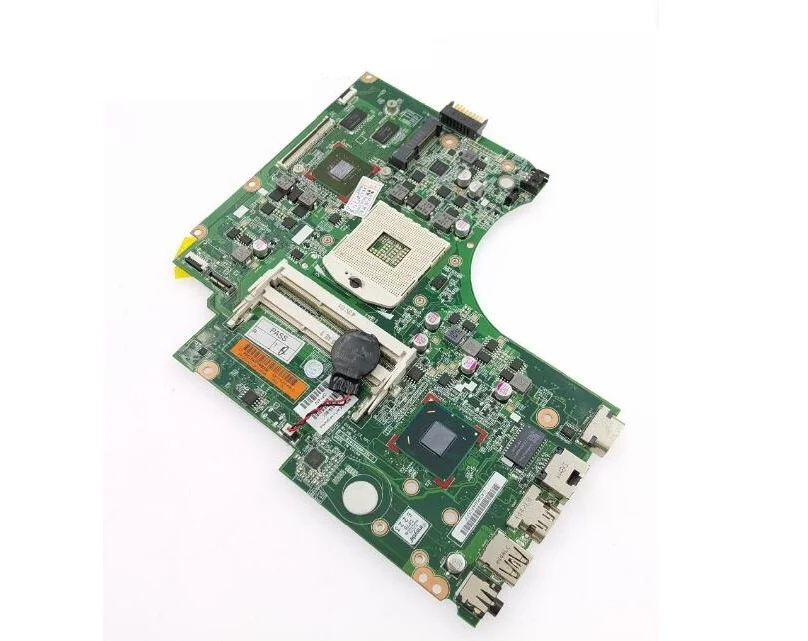
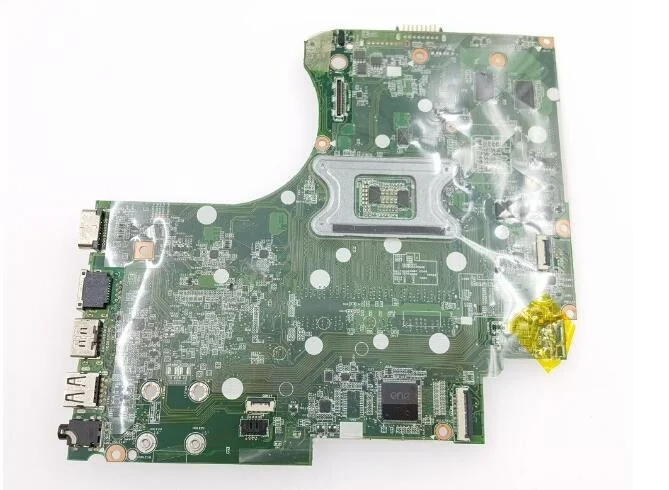
HP 15-D 250 G2 Laptop Motherboard Replacement – Complete Guide
When you are searching for HP 15-D 250 G2 laptop motherboard replacement, it’s essential to understand the technical details, symptoms of board failure, replacement options, and maintenance tips that ensure optimal performance and longevity. Whether you are a technician, reseller, or laptop owner in Kenya, Nairobi, or elsewhere, this in-depth guide provides accurate, SEO-rich content tailored to help you find and install the correct motherboard for your HP 15-D 250 G2.
At Compvate – Nairobi’s trusted laptop parts and repair specialists, we offer genuine HP motherboards, quality-tested replacements, professional installation, and technical support designed to restore your laptop to full functionality.
Understanding the HP 15-D 250 G2 Series
The HP 15-D 250 G2 is part of the HP 15-series mainstream laptops engineered for everyday computing tasks including:
-
Web browsing
-
Office productivity
-
Media playback
-
Light multitasking
These laptops commonly come with Intel Core and Pentium processors and are widely used by students, professionals, and home users due to their affordability and reliability.
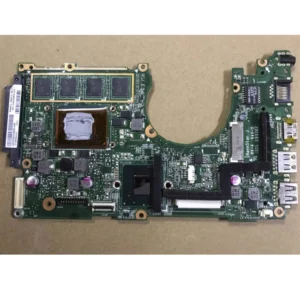
At the heart of this machine is the motherboard, also called the system board — the central platform that connects all key components including the CPU, memory, storage, power subsystem, and peripherals.
What the Motherboard Does
The motherboard is the most important component of any laptop. It:
-
Hosts the CPU socket and communicates with the Intel processor
-
Provides slots for RAM
-
Manages connections for storage drives (HDD/SSD)
-
Routes signals to USB, audio, display, and network ports
-
Controls power distribution
-
Houses the BIOS firmware
If the motherboard fails, critical functions become compromised — and in many cases, replacement is the only long-term solution.
Common Symptoms of a Failing HP 15-D 250 G2 Motherboard
Before investing in a replacement board, be sure your laptop’s issues stem from the motherboard. Common signs of motherboard failure include:
1. No Power On / No Display
When pressing the power button results in no LEDs, no fan activity, and no screen output, motherboard damage is likely.
2. Random Shutdowns or Reboots
Unexpected restarts, freezes, or abrupt shutdowns — especially under light load — often point to power delivery or chipset issues.
3. USB, Audio or Network Failures
Ports that stop functioning without software errors indicate trace or controller failure on the motherboard.
4. POST or BIOS Failure
If your laptop fails the Power-On Self Test (POST), shows repeated beeps, or does not reach the BIOS, the motherboard or BIOS firmware may be at fault.
5. Overheating Despite Normal Use
Persistent heat or fan noise even during light tasks can signal thermal mismanagement linked to motherboard failure.
Types of HP 15-D 250 G2 Motherboards
The HP 15-D 250 G2 motherboard varies based on processor and configuration. Common variants include support for:
-
Intel Core i3 processors
-
Intel Core i5 options
-
Pentium or Celeron processors (depending on original configuration)
When sourcing a replacement, it’s critical to match the exact part number printed on your original board to ensure compatibility with the CPU, RAM type, and port layout.
Genuine HP Motherboards vs Compatible Replacements
✔ Genuine HP Motherboards
-
Manufacturer-original parts
-
Highest compatibility
-
Designed to match HP system design
-
Superior long-term reliability
✔ Tested Compatible / Refurbished Boards
-
Cost-effective alternatives
-
Bench-tested before sale
-
Often backed by limited warranty
At Compvate Nairobi, we stock both genuine HP 15-D 250 G2 motherboards and quality tested alternatives, each verified to work reliably before installation.
Professional Replacement Process
Replacing a laptop motherboard is a delicate and technical procedure requiring trained skills. Below is an outline of what professional replacement typically involves:
1. Power Down and Remove Power Sources
-
Turn off the laptop completely
-
Disconnect the charger and remove the battery (if removable)
2. Open the Laptop Carefully
-
Remove screws from the bottom chassis
-
Detach the bottom cover
-
Disconnect the HDD/SSD, RAM modules, and other removable components
3. Disconnect Cables and Components
-
Disconnect display cable
-
Detach keyboard, touchpad, audio, USB, and power connectors
-
Carefully unplug all ribbon cables
4. Remove the Old Motherboard
-
Unscrew all mounting screws
-
Detach the cooling assembly
-
Gently lift out the faulty motherboard
5. Install the Replacement Board
-
Position the new motherboard
-
Reconnect all cables and connectors
-
Reinstall screws and thermal cooling system
-
Apply fresh thermal paste as needed
6. Reassemble and Test
-
Reinstall bottom chassis and screws
-
Insert battery and power on
-
Enter BIOS to verify system recognition
-
Test USB, display, audio, network, and performance
Professional technicians also ensure BIOS optimization, thermal calibration, and hardware diagnostics post-installation for stability and long-term reliability.
How to Take Care of Your HP 15-D 250 G2 Motherboard
Proper care extends the life of your motherboard and minimizes the risk of premature failures. Here are essential maintenance tips:
✔ Keep It Cool
Maintain proper airflow. Clean dust from vents and fans every few months to prevent overheating.
✔ Avoid Liquid Exposure
Liquids can quickly damage motherboard circuitry, short traces, and corrode connectors.
✔ Protect from Power Surges
Use surge protectors or UPS units to prevent electrical spikes that harm internal components.
✔ Update BIOS with Caution
Only update BIOS when necessary and always follow official HP instructions. Incorrect updates can lead to firmware corruption.
✔ Handle Carefully During Upgrades
When upgrading RAM or storage, handle components gently — avoid bending connectors and always work on non-conductive surfaces.
By adopting these practices, you’ll help your laptop remain stable and extend the usable life of its motherboard.
Why Choose Compvate for Motherboard Replacement in Kenya
At Compvate – Nairobi’s expert laptop repair and parts shop, we offer:
-
Genuine HP 15-D 250 G2 motherboards
-
Quality tested compatible boards
-
Professional motherboard replacement
-
Post-installation diagnostics
-
Thermal and BIOS optimization
-
Warranty coverage and after-sales support
Our technicians are experienced with HP laptops and handle every replacement with precision and care to ensure long-lasting performance.
Conclusion
Replacing the HP 15-D 250 G2 motherboard restores stability and performance when your laptop no longer powers on, suffers hardware failures, or exhibits repeated errors. Choosing the right motherboard and working with expert technicians ensures a reliable repair that extends the life of your device.

There are no reviews yet.