
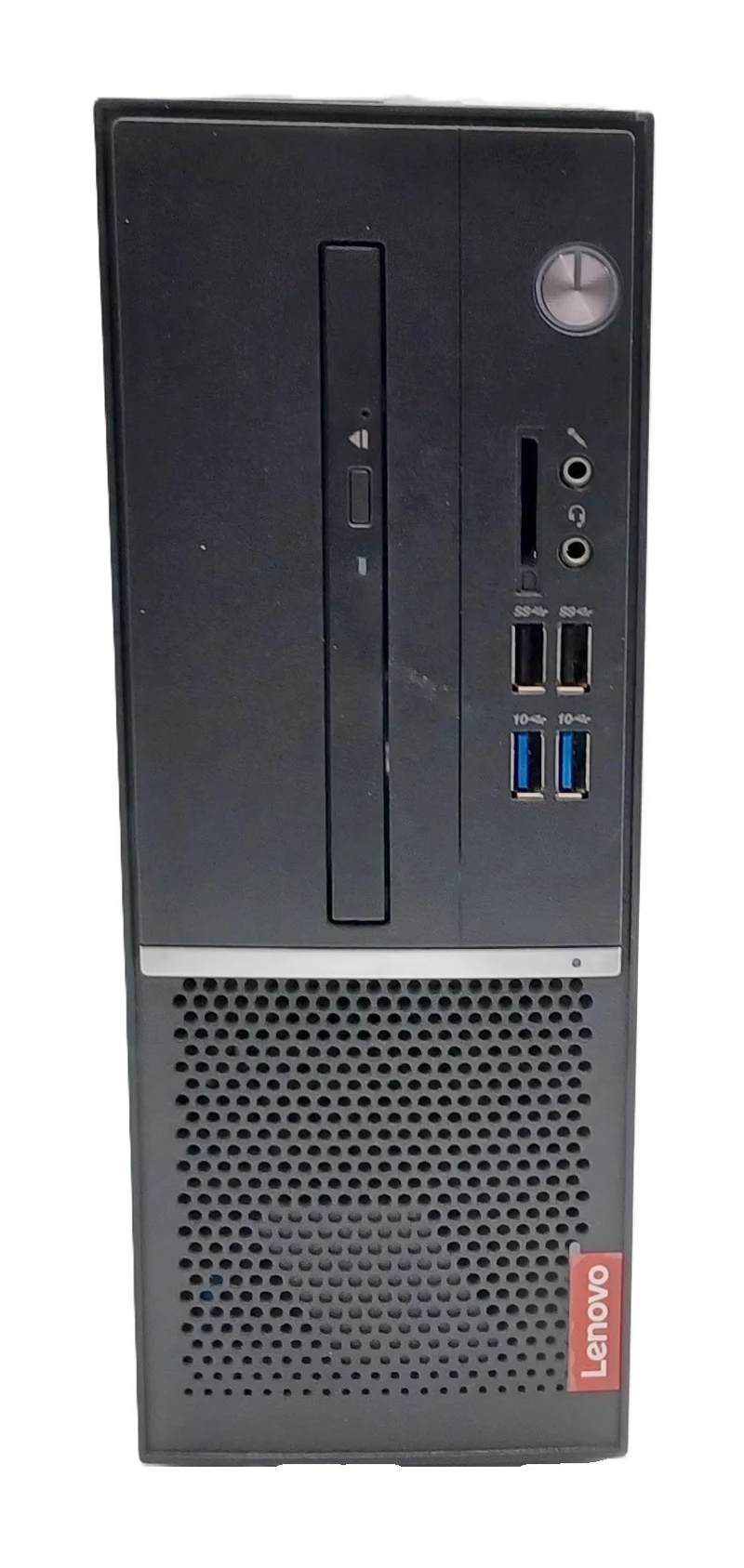
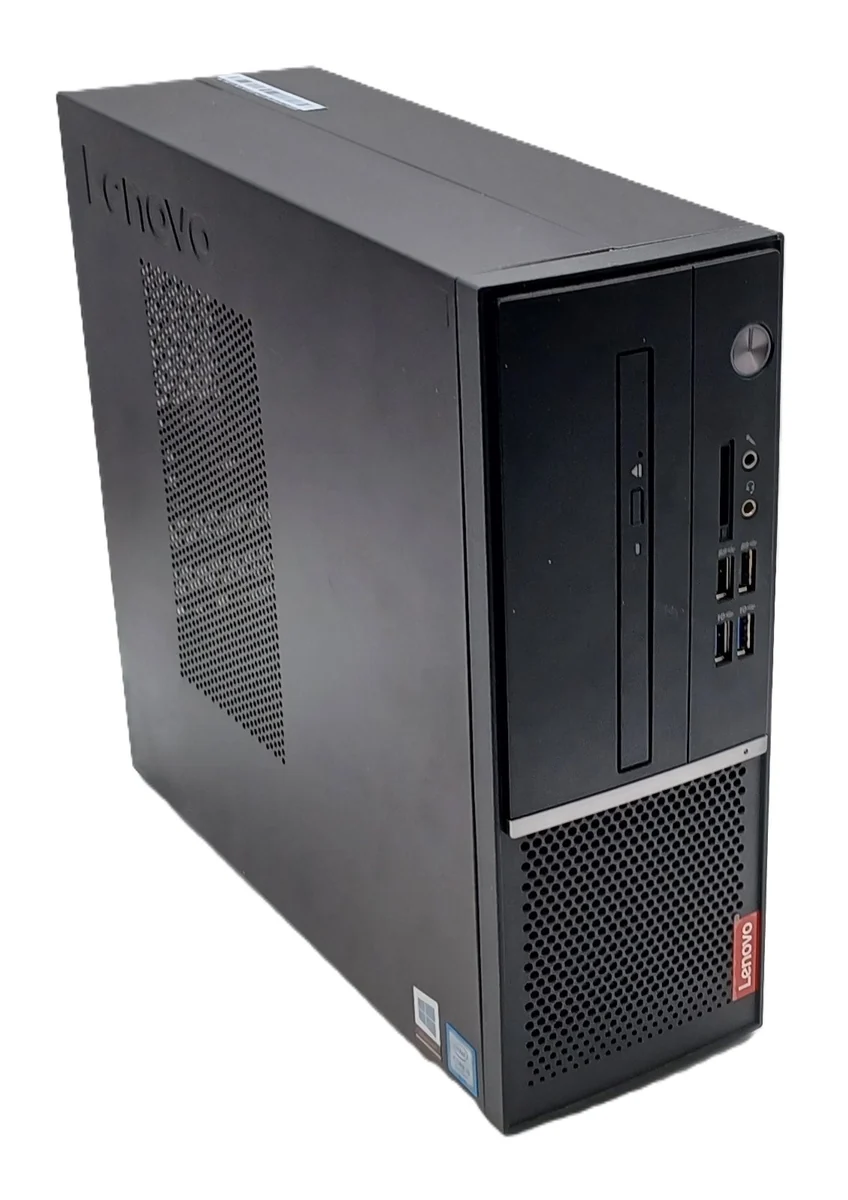
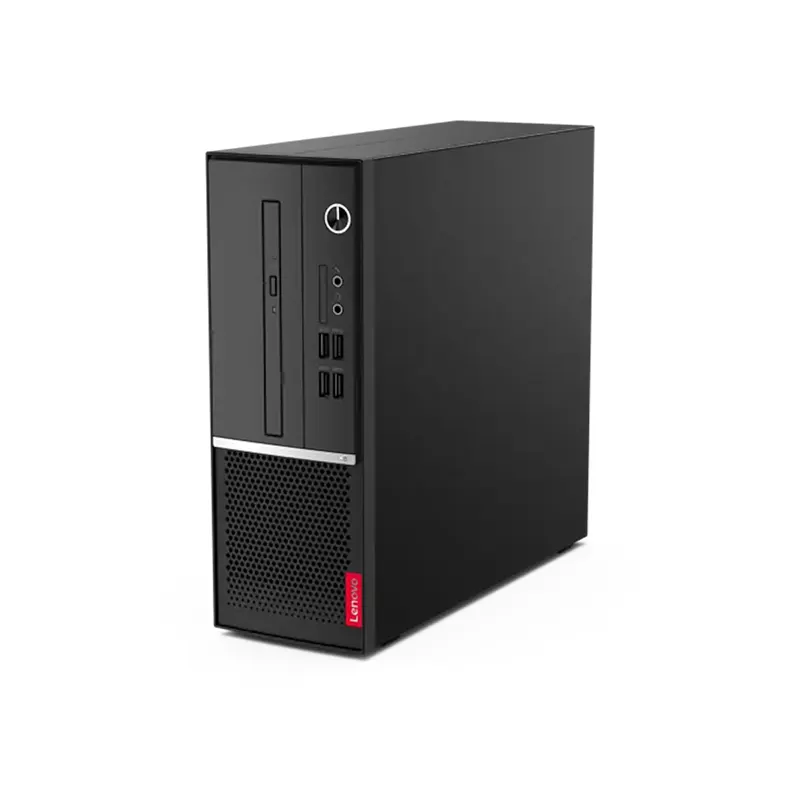
Lenovo ThinkCentre V530S-07ICB SFF i5-8400 8GB RAM 500GB HDD
- Brand: Lenovo
- Model: ThinkCentre V530S-07ICB
- Form factor: Small Form Factor (SFF)
- Processor: Intel Core i5-8400
- Processor generation: 8th Generation Intel Core
- CPU cores: 6
- CPU threads: 6
- Base frequency: 2.8GHz
- Maximum turbo frequency: Up to 4.0GHz
- Memory: 8GB RAM
- Storage: 500GB HDD
- Graphics: Intel UHD Graphics 630 integrated graphics
- Operating system: Windows 11
- Recommended use: Office productivity, business applications, education, and general computing
- Front I/O Ports: 2x USB 3.1 Gen 1, 2x USB 3.1 Gen 2, microphone jack, and headphone combo jack.
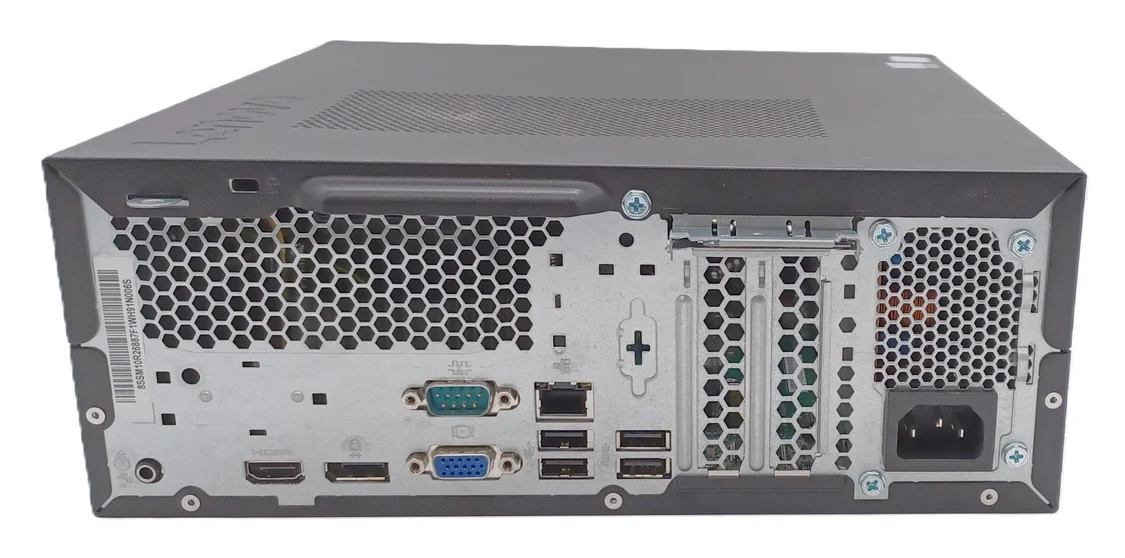
- Rear I/O Ports: 2x USB 3.1 Gen 1, 2x USB 2.0, 1x HDMI 1.4, 1x DisplayPort 1.2, 1x VGA, Gigabit Ethernet (RJ-45), and audio line-out.
- Internal Expansion: 1x PCIe x16 slot, 1x PCIe x1 slot, and 1x M.2 slot for NVMe SSD expansion.
KSh23,000.00
Lenovo ThinkCentre V530S-07ICB SFF Intel Core i5-8400, 8GB RAM, 500GB HDD
Lenovo ThinkCentre V530S-07ICB SFF Desktop Computer
The Lenovo ThinkCentre V530S-07ICB SFF desktop computer is a practical computing solution for businesses, offices, educational institutions, and home users seeking dependable performance for everyday tasks. Powered by an Intel Core i5-8400 processor, equipped with 8GB RAM, and featuring a 500GB hard disk drive (HDD), this desktop provides a foundation for routine office productivity, document management, internet browsing, and compatible business applications.
Designed in a small form factor (SFF), the Lenovo ThinkCentre V530S-07ICB offers a space-conscious alternative to larger desktop tower computers. Its compact design makes it suitable for workstations where desk space is limited, including reception counters, administrative offices, classrooms, and home offices.
The sixth-generation and seventh-generation Intel Core desktop platforms remain common in older office environments, but the ThinkCentre V530S-07ICB uses the newer eighth-generation Intel Core i5-8400 processor. With six processing cores, this CPU offers useful processing capacity for everyday productivity and multitasking.
Whether you need a desktop for administrative work, accounting applications, business correspondence, educational activities, or general computing, the Lenovo ThinkCentre V530S-07ICB SFF with 8GB RAM and 500GB HDD is worth considering. Understanding its specifications, capabilities, and limitations can help you determine whether this configuration meets your requirements.
Intel Core i5-8400 Processor for Everyday Productivity
At the heart of the Lenovo ThinkCentre V530S-07ICB is the Intel Core i5-8400 processor, an eighth-generation desktop CPU based on Intel’s Coffee Lake architecture. It features six cores and six threads, a base frequency of 2.80 GHz, and a maximum turbo frequency of up to 4.00 GHz.
The six-core configuration provides useful processing capacity for common business workloads. Compared with older four-core desktop processors, the i5-8400 can offer greater processing throughput in applications that benefit from additional CPU cores, although actual performance depends on the software and system configuration.
For routine office activities, the processor can support document creation, spreadsheet editing, email management, web browsing, and compatible business software. It can also handle several standard applications running during the same work session, provided that memory and storage demands remain within practical limits.
Benefits of the Intel Core i5-8400
- Six-core processing: Six physical cores provide processing capacity for everyday multitasking and compatible multithreaded applications.
- Turbo Boost technology: The processor can reach speeds of up to 4.00 GHz under suitable power and thermal conditions.
- Integrated graphics: Intel UHD Graphics 630 supports standard display output and everyday visual tasks.
- Business productivity: Suitable for many established office applications and general administrative workloads.
- Practical desktop performance: A useful processor for users who need more than entry-level computing capabilities.
Although the Intel Core i5-8400 remains capable of handling many everyday workloads, it is not a current-generation processor. Users planning to run demanding professional applications should review the software’s recommended requirements before purchasing.
8GB RAM for Everyday Computing
The 8GB RAM configuration provides the system memory required to run the operating system and applications. For basic office tasks, this capacity can be adequate when users work with documents, emails, spreadsheets, and a moderate number of browser tabs.
For small businesses, administrative departments, and home users, 8GB RAM can support routine productivity activities without requiring an immediate memory upgrade. However, the experience depends on the operating system, the number of applications running simultaneously, and the memory requirements of individual programs.
What Can You Do with 8GB RAM?
Office applications: Prepare documents, create spreadsheets, edit presentations, and manage email using compatible software.
Internet browsing: Access websites, cloud-based services, online portals, and web applications, although many demanding browser tabs can increase memory usage.
Business administration: Run compatible invoicing tools, inventory applications, customer databases, and other routine business programs.
Education and research: Complete assignments, conduct online research, prepare presentations, and access digital learning platforms.
Everyday home computing: Manage personal documents, browse the internet, and perform routine desktop tasks.
For users who regularly work with large spreadsheets, numerous browser tabs, virtual machines, or resource-intensive applications, upgrading the memory may improve the overall experience. We recommend verifying the installed memory modules, supported capacity, available slots, and compatibility before purchasing additional RAM.
500GB HDD Storage for Documents and Applications
The Lenovo ThinkCentre V530S-07ICB configuration described here includes a 500GB hard disk drive (HDD). This storage device provides space for documents, spreadsheets, business files, software installations, downloads, and other everyday data.
A 500GB HDD can be suitable for users whose primary requirements involve office documents and routine applications rather than large video libraries or extensive media projects. Actual usable capacity will be lower than the advertised capacity because of formatting and operating system requirements.
Advantages of 500GB HDD Storage
- Useful file storage: Store business documents, presentations, spreadsheets, and personal files.
- Application installation: Provide space for compatible operating systems and commonly used software.
- Centralised desktop storage: Keep everyday working files on a dedicated workstation.
- Potential storage expansion: Additional storage may be possible, subject to the chassis, motherboard, available connections, and supported configurations.
HDD Versus SSD: What Should You Know?
A conventional hard disk drive uses mechanical components to read and write data. A solid-state drive uses flash memory and generally provides much faster storage access.
Consequently, a desktop with a 500GB HDD may take longer to start, load applications, and access files than a comparable system fitted with an SSD. Users who prioritise responsiveness may benefit from replacing the HDD with a compatible SSD or adding one if the system supports the required configuration.
Before upgrading, check the drive interface, physical dimensions, mounting options, and available power and data connections. Preserve important files through a verified backup before replacing or modifying storage hardware.
Small Form Factor Design for Space-Conscious Workstations
The Lenovo ThinkCentre V530S-07ICB SFF desktop is designed around a compact small form factor chassis. This makes it an option for offices and workspaces where a full-sized tower would take up unnecessary room.
A compact desktop can be positioned beside or beneath a desk, subject to adequate ventilation and the manufacturer’s installation recommendations. It can also help organisations arrange multiple workstations in reception areas, training rooms, administrative departments, and shared offices.
Why Choose an SFF Desktop?
Space-efficient installation: The smaller chassis can fit into workspaces with limited room for computer equipment.
Professional workstation setup: A separate desktop computer can be paired with a monitor, keyboard, mouse, and other compatible peripherals.
Suitable for office environments: The compact form factor works well in administrative offices and other fixed desktop installations.
Potential component servicing: Some internal components may be accessible for maintenance or replacement, although the available upgrade options depend on the exact model configuration.
Before installation, ensure that the computer has sufficient airflow and that its dimensions are compatible with your desk, shelf, or workstation enclosure.
Intel UHD Graphics 630 for Everyday Display Tasks
The Intel Core i5-8400 includes Intel UHD Graphics 630, an integrated graphics processor intended for standard desktop display and multimedia workloads.
With compatible display outputs and monitors, the integrated graphics solution can support document editing, internet browsing, presentations, video playback, and everyday visual applications.
It is not designed to replace a powerful dedicated graphics card. Users who require demanding 3D rendering, advanced video editing, specialised computer-aided design, or modern graphics-intensive gaming should consider hardware designed specifically for those workloads.
Display connections can vary by system configuration. Before purchasing, confirm that the desktop has the necessary outputs for your existing monitors and that any required adapters are compatible.
Business Applications for the Lenovo ThinkCentre V530S-07ICB
A reliable desktop computer can support many routine business processes. With its Intel Core i5-8400 processor, 8GB RAM, and 500GB HDD, the Lenovo ThinkCentre V530S-07ICB can be considered for a range of everyday computing environments.
Office Administration
Administrative professionals can use a compatible desktop for document preparation, email communication, scheduling, report writing, data entry, and spreadsheet management.
The six-core processor provides useful computing capacity for standard productivity applications, while the 500GB HDD accommodates many typical office files.
Accounting and Invoicing
Small businesses may use this computer for compatible accounting software, invoice generation, bookkeeping, payroll administration, and spreadsheet-based financial reporting.
Application compatibility should be confirmed before deployment. Businesses should also establish suitable backup procedures, security controls, and access permissions to protect financial records.
Retail and Inventory Management
Retailers and distributors may require desktop workstations for maintaining product records, processing administrative tasks, managing stock information, and accessing browser-based business systems.
The Lenovo ThinkCentre V530S-07ICB may support these activities when the selected software and peripherals are compatible. Verify connections for barcode scanners, receipt printers, payment equipment, and other specialist devices before purchase.
Education and Training
Students and educational institutions may use the computer for research, document editing, presentations, online learning, and compatible educational software.
The system’s suitability depends on the requirements of the relevant applications and whether its operating system receives the necessary security updates.
Home Office and General Computing
For home users, the desktop can support online research, personal administration, email, word processing, spreadsheets, and other common tasks.
Users planning to participate in video meetings should check whether a webcam, microphone, speakers, and other required accessories are included or need to be purchased separately.
Operating System Compatibility and Security Considerations
Operating system support is an important consideration when choosing an older business desktop.
The Intel Core i5-8400 is listed among the supported processors for Windows 11, but processor compatibility alone does not guarantee that every Lenovo ThinkCentre V530S-07ICB configuration qualifies. The system must also meet Microsoft’s other requirements, including applicable firmware, security, memory, storage, and Trusted Platform Module requirements.
Buyers should verify the exact unit against Microsoft’s current Windows 11 system requirements before installation or deployment.
Windows 10 reached the end of standard support on 14 October 2025. Users planning to deploy this desktop should therefore confirm that the installed operating system receives appropriate security updates and that their intended applications remain supported.
For business environments, we recommend checking operating system licensing, endpoint protection, backup arrangements, and software compatibility before putting the computer into service.
Is the Lenovo ThinkCentre V530S-07ICB SFF a Good Choice?
Whether this desktop is the right choice depends on your intended applications, budget, storage requirements, and expectations for performance.
The combination of a six-core Intel Core i5-8400 processor, 8GB RAM, and a 500GB HDD can provide a practical foundation for routine office tasks. Its compact chassis is another consideration for users working with limited desk space.
However, the 8GB memory capacity and mechanical hard drive may limit responsiveness when running many demanding applications simultaneously. Buyers should also consider the system’s age and verify its condition, warranty, and upgrade potential.
Who Should Consider This Desktop?
- Small businesses looking for a workstation for everyday administration.
- Office professionals who use compatible productivity and communication software.
- Students who need a desktop for research, assignments, and online learning.
- Retail and administrative teams using compatible inventory and business management systems.
- Home-office users seeking a compact computer for routine tasks.
- Budget-conscious buyers evaluating established business desktop hardware.
When Should You Consider an Alternative?
A newer or more powerful desktop may be preferable if you need substantial memory capacity, faster SSD storage as standard, demanding graphics performance, intensive professional applications, or a longer expected period of hardware support.
Compare the total cost of ownership, including potential memory and storage upgrades, operating system licensing, warranty coverage, and maintenance.
What to Check Before Buying the Lenovo ThinkCentre V530S-07ICB
Before purchasing, verify the following details to ensure that the computer matches your requirements.
- Processor: Confirm that the unit contains the Intel Core i5-8400.
- Memory: Verify the installed 8GB RAM configuration and available upgrade options.
- Storage: Confirm that the system includes a 500GB HDD and establish its condition.
- Operating system: Check the installed operating system, licence, and security-support status.
- Physical condition: Establish whether the desktop is new, used, or refurbished.
- Connectivity: Confirm the availability of the display outputs, USB ports, Ethernet connection, and audio connections you need.
- Accessories: Check whether the monitor, keyboard, mouse, and power cable are included.
- Warranty: Review the warranty period, return policy, and after-sales support.
- Upgrade potential: Verify compatible memory, SSD options, available drive bays, and expansion limitations.
- Software compatibility: Confirm that the applications and peripherals you plan to use are supported.
These checks help reduce the risk of unexpected compatibility issues and make it easier to evaluate the computer’s overall value.
Frequently Asked Questions
What processor does the Lenovo ThinkCentre V530S-07ICB use?
This configuration features an Intel Core i5-8400 desktop processor with six cores, six threads, a base frequency of 2.80 GHz, and a maximum turbo frequency of up to 4.00 GHz.
Is 8GB RAM enough for office work?
Yes, 8GB RAM can be adequate for basic office work, including document editing, email, browsing, and spreadsheets. Users who run several demanding applications simultaneously may benefit from additional memory.
Does the Lenovo ThinkCentre V530S-07ICB have an SSD?
The configuration described in this listing includes a 500GB HDD, not an SSD. A compatible SSD upgrade may improve boot times, application loading, and overall storage responsiveness.
Can the Lenovo ThinkCentre V530S-07ICB run Windows 11?
The Intel Core i5-8400 is a supported processor for Windows 11. However, the complete computer must meet all applicable Microsoft requirements. Verify the specific unit’s firmware, TPM, and other compatibility details before installation.
Is the Lenovo ThinkCentre V530S-07ICB suitable for gaming?
Its integrated Intel UHD Graphics 630 can handle some basic or older games, depending on their requirements. It is not intended for demanding modern games or graphics-intensive applications.
Can the RAM or storage be upgraded?
Potential upgrades depend on the motherboard, chassis, installed components, and available connections. Check the supported memory capacity and storage configuration for the exact model before purchasing components.
Does the desktop include a monitor and keyboard?
The desktop tower does not automatically include a monitor, keyboard, or mouse. Confirm the package contents in the product listing before ordering.
-
- Six-Core Processing Performance: Driven by an 8th Generation Intel Core i5-8500 or i5-8400 processor, delivering six physical cores to handle multi-threaded calculations, data processing, and business multitasking efficiently.
- Sustained Multitasking Memory: Outfitted with 8GB of high-speed DDR4 memory to run productivity software suites, corporate databases, and standard background processes smoothly.
- High-Capacity Mechanical Storage: Features a 500GB mechanical Hard Disk Drive (HDD), offering a cost-effective, high-capacity repository for local business data, extensive document archives, and software installations.
- Space-Saving Chassis Architecture: The compact 7.4-liter Small Form Factor design reduces structural desk clutter, supports both vertical and horizontal placement orientations, and offers tool-less interior maintenance access.
- Data and Network Security: Equipped with an integrated Firmware Trusted Platform Module (fTPM 2.0) and Smart USB Protection to lock down data entry points and secure corporate network ecosystems from unauthorized tampering.
-
- Processor: Intel Core i5-8400 (8th Generation, 6 Cores, 6 Threads, 2.80 GHz Base Clock, up to 4.00 GHz Intel Turbo Boost, 9MB Intel Smart Cache, 65W TDP)
- System Memory: 8GB DDR4 SDRAM (Configured via modular DIMM slots, expandable up to 32GB maximum across 2 slots)
- Primary Storage: 500GB 3.5-inch SATA III Hard Disk Drive (HDD, 7200 RPM)
- Graphics Hardware: Integrated Intel UHD Graphics 630
- Chassis Architecture: Small Form Factor (SFF, 7.4L Volume)
- Network Controller: Integrated Realtek RTL8111G Gigabit Ethernet LAN (RJ-45)
- Operating System Compatibility: Windows 10 Pro / Windows 11 Pro 64-bit Architecture
- Power Supply Unit: 180W fixed internal power supply with up to 85% efficiency rating
-
- Front Accessible I/O:
-
- 2 x USB 3.1 Gen 1 Ports
- 2 x USB 3.1 Gen 2 Ports
- 1 x 3.5mm Microphone Input
- 1 x 3.5mm Headphone / Microphone Combo Jack
-
- Rear Panel I/O:
-
- 2 x USB 3.1 Gen 1 Ports
- 2 x USB 2.0 Ports
- 1 x HDMI Output
- 1 x DisplayPort Output
- 1 x VGA Output
- 1 x RJ-45 Gigabit Ethernet Port
- 1 x Serial Port (9-pin)
- 1 x 3.5mm Audio Line-Out Port
-
- Front Accessible I/O:
-
- 1 x Lenovo ThinkCentre V530s-07ICB SFF Personal Computer
- 1 x Regional AC Power Cord
Based on 0 reviews
Be the first to review “Lenovo ThinkCentre V530S-07ICB SFF i5-8400 8GB RAM 500GB HDD”
Related products
-
Dell Desktops, Desktops
DELL OPTIPLEX 3060 SSF-Core i5 8th Gen 8GB RAM 500GB HDD
- Processor: Intel Core i5 8th Gen( i5-8500)
- RAM: 8GB DDR4
- Storage: 500GB SATA Hard Drive (HDD)
- Graphics: Integrated Intel UHD Graphics 630
- Form Factor: Small Form Factor (SFF) – compact
- Operating System: Windows 11
- Connectivity: USB ports, DisplayPort, HDMI, Gigabit Ethernet
SKU: n/a -
Desktops, Lenovo Desktops
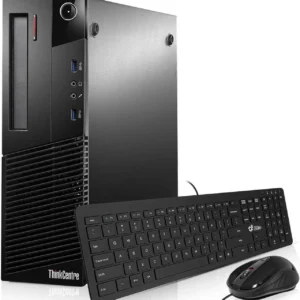
Lenovo ThinkCentre M93 Desktop Core I3 4th gen 3.4ghz, 4 GB RAM, 500gb HDD, Win 11 Pro
 Desktops, Lenovo Desktops
Lenovo ThinkCentre M93 Desktop Core I3 4th gen 3.4ghz, 4 GB RAM, 500gb HDD, Win 11 Pro
Lenovo ThinkCentre M93 Desktop Core I3 4th gen 3.4ghz, 4 GB RAM, 500gb HDD, Win 11 Pro
-
Processor: Intel Core i3 (4th Gen) 3.4GHz
-
Memory: 4GB DDR3 RAM
-
Storage: 500GB HDD
-
Operating System: Windows 11 Pro (Pre-installed)
-
Ports: USB, VGA, DisplayPort, Ethernet, Audio Jacks
-
Form Factor: Tower/Desktop
SKU: n/a -
-
Desktops, HP Desktops
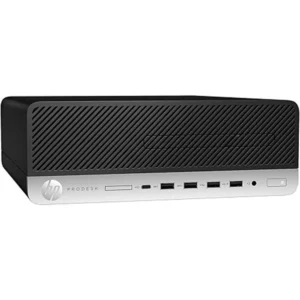
HP ProDesk 600 G6 Small Form Factor (SFF), i5-10500, 16GB RAM, 256GB SSD, Windows 11 Pro
 Desktops, HP Desktops
HP ProDesk 600 G6 Small Form Factor (SFF), i5-10500, 16GB RAM, 256GB SSD, Windows 11 Pro
-
Brand: HP
-
Model: ProDesk 600 G6
-
Form Factor: Small Form Factor (SFF)
-
Processor: Intel Core i5-10500 (10th Generation, 6 Cores, 12 Threads)
-
Base Clock Speed: 3.1GHz (Turbo Boost supported)
-
Memory: 16GB DDR4 RAM
-
Storage: 256GB SSD
-
Graphics: Integrated Intel UHD Graphics
-
Operating System: Windows 11 Pro
-
Networking: Gigabit Ethernet (LAN)
-
Ports: USB ports, DisplayPort, HDMI, audio ports
-
Security: TPM 2.0, BIOS-level security, physical lock support
-
Use Case: Business, office, institutional, and professional environments
SKU: n/a -
-
Dell Desktops, Desktops
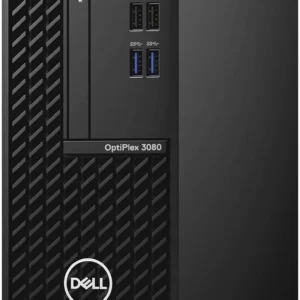
Dell OptiPlex 3080 Desktop, Intel Core i5-10500, 4GB RAM, 1TB HDD
Feature Detail Processor Intel® Core™ i5-10500 (6 Cores, 12M Cache, 3.1 GHz up to 4.5 GHz) Memory (RAM) 4GB DDR4-2666 MHz RAM (expandable up to 64GB) Storage 1TB 7200 RPM SATA Hard Disk Drive (HDD) Graphics Integrated Intel® UHD Graphics 630 Operating System Varies by retailer; often Windows 10 Pro or Ubuntu Linux Form Factor Available in Mini Tower (MT) or Small Form Factor (SFF) options Ports (Front) 2x USB 2.0 Type-A, 2x USB 3.2 Gen 1 Type-A, 1x Universal Audio Jack Ports (Rear) 2x USB 2.0 Type-A, 2x USB 3.2 Gen 1 Type-A, 1x DisplayPort 1.4, 1x HDMI 1.4b, 1x RJ-45 Ethernet port, 1x Line-out audio port Expansion Slots Includes PCIe x16 and PCIe x1 slots, as well as M.2 slots for storage and wireless card SKU: n/a












There are no reviews yet.