
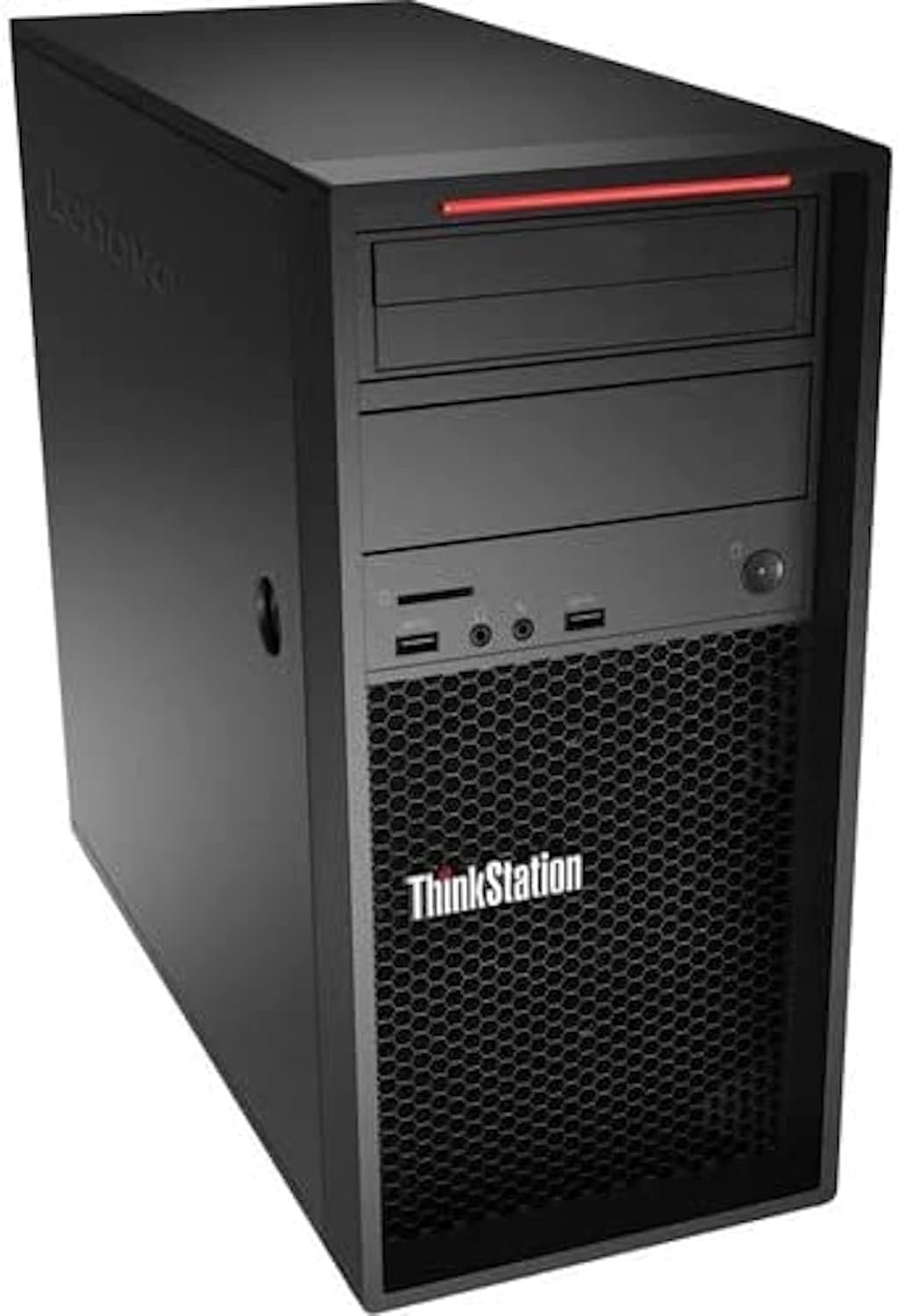
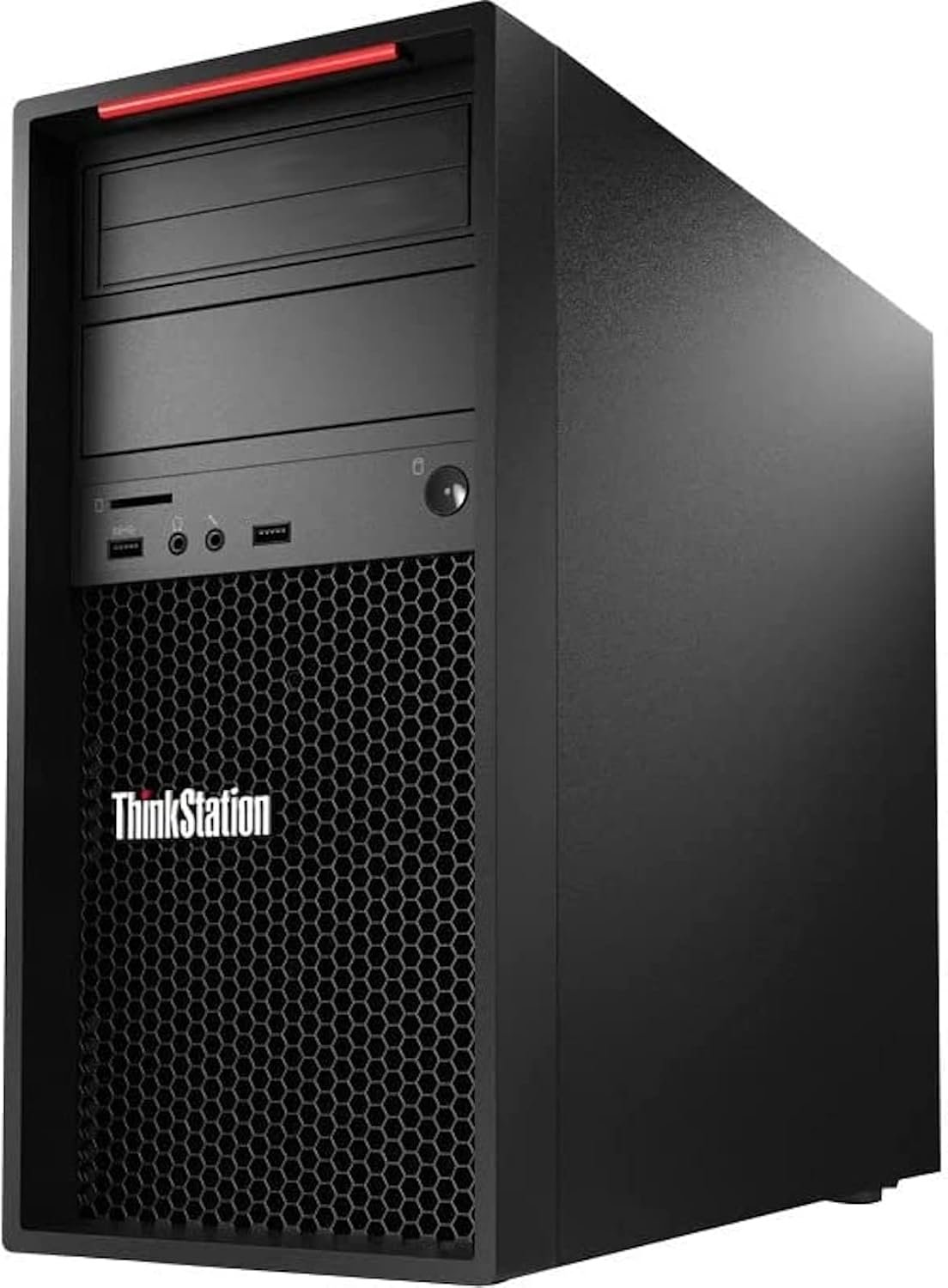
Lenovo ThinkStation P520c TOWER WORKSTATION Xeon W-2125 4.0GHz 32GB RAM, 512GB SSD
- Processor: Intel Xeon W-2125 (4.00 GHz Base, 4.50 GHz Max Turbo, 4 Cores, 8 Threads)
- Memory: 32GB DDR4 ECC Registered RAM (4 DIMM slots total, supports up to 256GB)
- Storage: 512GB PCIe NVMe M.2 Solid State Drive (SSD)
- Expansion Slots: 2 x PCIe 3.0 x16, 1 x PCIe 3.0 x8, 1 x PCIe 3.0 x4
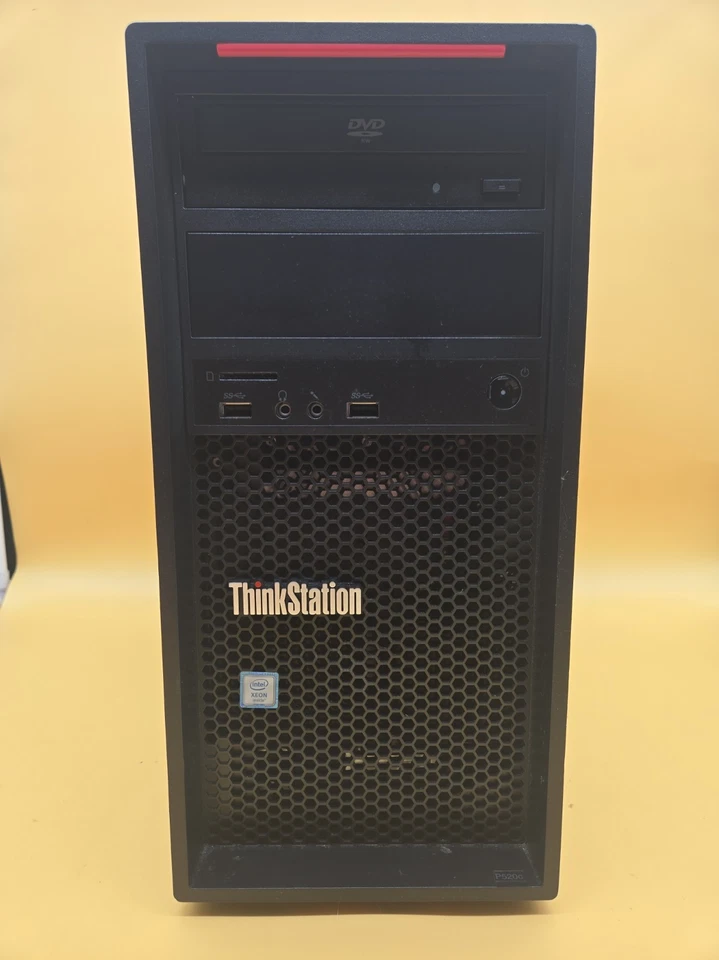
- Front Ports: 2 x USB 3.1 Gen 1 (Type-A), 1 x Microphone jack, 1 x Headphone jack
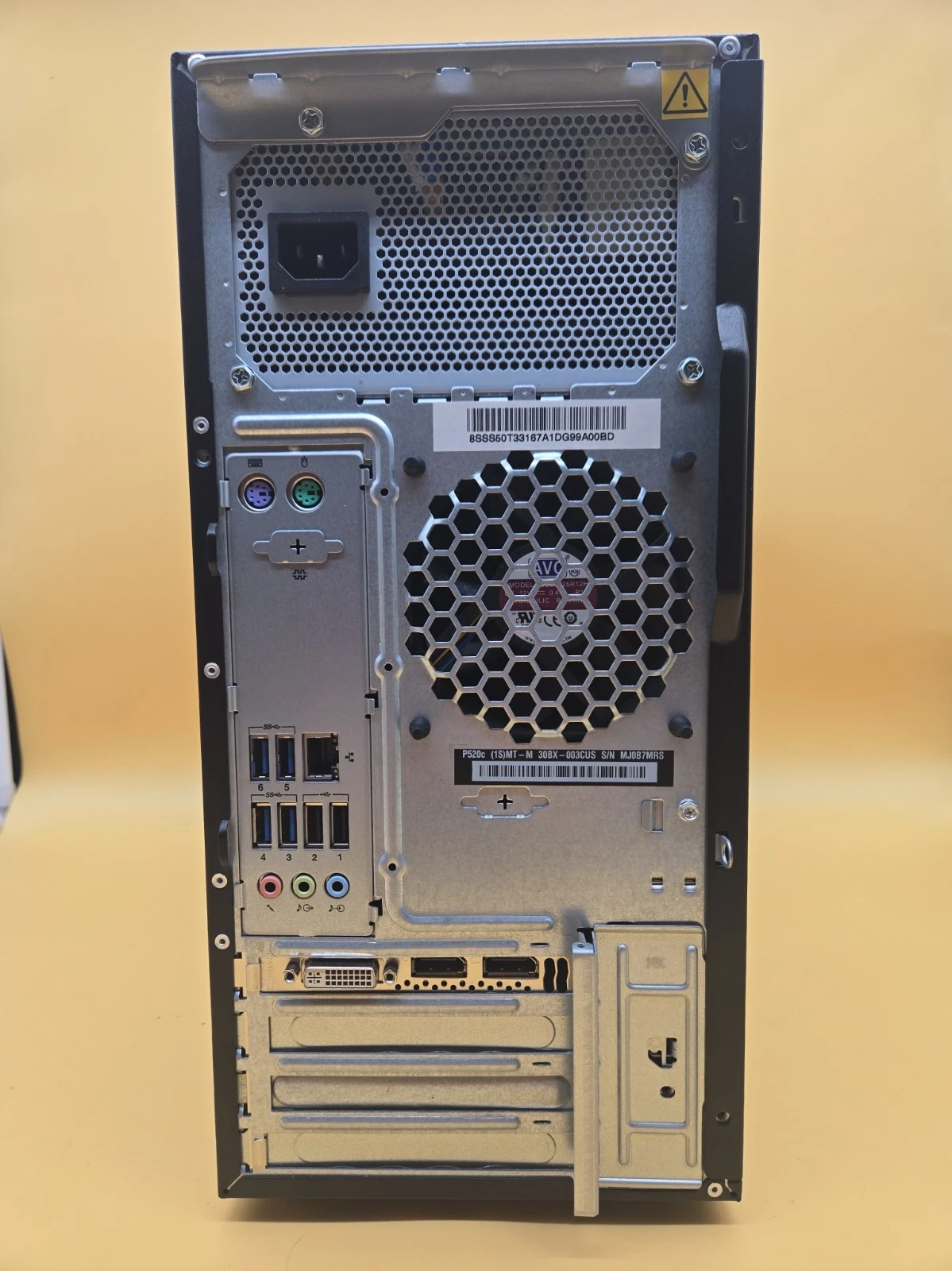
- Rear Ports: 4 x USB 3.1 Gen 1 (Type-A), 2 x USB 2.0, 1 x RJ-45 Gigabit Ethernet, Audio Line-In/Line-Out/Mic-In
- Power Supply: 500W (92% efficient, 80 Plus Platinum Certified)
- Form Factor: Compact Desktop Tower (25 Liters)
- Dimensions: 175 mm x 426 mm x 376 mm (6.9″ x 16.8″ x 14.8″)
KSh75,000.00
Lenovo ThinkStation P520c Tower Workstation with Intel Xeon W-2125, 32GB RAM and 512GB SSD
The Lenovo ThinkStation P520c Tower Workstation is a professional desktop computing solution designed for demanding workloads, technical applications, and business environments that require reliable performance. Powered by the Intel Xeon W-2125 processor running at 4.0GHz, equipped with 32GB RAM, and featuring a 512GB solid-state drive (SSD), this workstation provides a strong foundation for professional productivity, technical computing, and compatible specialist software.
Unlike a standard office desktop, a workstation is designed to support more demanding professional workflows. The Lenovo ThinkStation P520c is suitable for users who need dependable processing power, substantial memory, and responsive storage for applications that go beyond routine document editing and internet browsing.
Whether you work in engineering, architecture, design, technical administration, software development, or business operations, the Lenovo ThinkStation P520c workstation with Xeon W-2125 is worth considering. Its combination of an Intel Xeon processor, 32GB of memory, and SSD storage makes it a practical option for professionals seeking a dedicated workstation for compatible applications.
When selecting a workstation, we recommend considering not only processor speed and memory capacity but also graphics requirements, software compatibility, storage needs, upgrade options, and long-term support.
Intel Xeon W-2125 Processor for Professional Workloads
At the heart of the Lenovo ThinkStation P520c is the Intel Xeon W-2125 processor, a workstation-class CPU designed for professional desktop computing. It features four processing cores, eight threads, a base frequency of 4.0GHz, and a maximum turbo frequency of up to 4.5GHz.
The processor’s high base clock speed makes it suitable for applications that benefit from strong single-thread performance, while its eight threads support workloads that can take advantage of simultaneous multithreading.
For professionals working with technical documents, engineering tools, design software, data processing, and compatible business applications, this processor provides a useful computing foundation. Actual performance depends on the specific application, graphics hardware, memory configuration, and workload.
Key Benefits of the Intel Xeon W-2125
- Workstation-class processing: Designed for professional desktop systems and demanding business applications.
- 4.0GHz base frequency: Supports responsive performance in applications that benefit from high clock speeds.
- Turbo frequency up to 4.5GHz: Allows the processor to increase its operating frequency under suitable power and thermal conditions.
- Eight processing threads: Supports applications that can distribute work across multiple threads.
- Professional computing platform: Suitable for users who need a dedicated workstation for compatible technical and productivity applications.
Although the Xeon W-2125 offers strong clock speeds, its four-core design may be less suitable for heavily parallel workloads than newer processors with more cores. We recommend checking the CPU requirements of your intended software before making a purchasing decision.
32GB RAM for Advanced Multitasking
The 32GB RAM configuration is one of the key advantages of this Lenovo ThinkStation P520c workstation. Professional applications can require more memory than standard office software, particularly when users work with large files, multiple projects, complex documents, or several applications simultaneously.
With 32GB RAM, the workstation provides useful capacity for demanding multitasking and compatible professional workloads. Users can work across design tools, spreadsheets, technical documents, browsers, and other applications without relying as heavily on storage as they might with a lower-memory configuration.
Why 32GB RAM Matters
Professional multitasking: Run several compatible applications during the same work session with greater memory capacity available to them.
Technical workflows: Support applications that process larger datasets, complex documents, or moderately demanding project files.
Design and content production: Provide memory capacity for compatible image-editing tools, design applications, and certain media workflows.
Business productivity: Handle large spreadsheets, extensive documentation, and multiple business applications.
Room for demanding projects: Offer a useful starting point for professionals whose workloads exceed the needs of basic office computing.
Memory requirements vary significantly between applications. Users working with complex 3D scenes, large-scale simulations, high-resolution video projects, or virtual machines may need additional RAM, depending on the software and project size.
Before upgrading, confirm the workstation’s supported memory configuration and the memory requirements of your applications.
512GB SSD for Fast Storage and Responsive Performance
The 512GB SSD provides storage for the operating system, professional applications, working files, documents, and project data. Solid-state storage generally offers faster data access than a traditional mechanical hard drive, helping improve everyday system responsiveness.
For workstation users, storage performance can influence application startup, file loading, project access, and the overall experience of working with digital files.
Advantages of a 512GB SSD
- Faster system startup: Helps the computer load its operating system more quickly than many traditional HDD-based configurations.
- Responsive application loading: Reduces storage-related delays when opening compatible software.
- Efficient file access: Supports quicker access to working documents and project files.
- Practical application storage: Provides space for commonly used professional applications and everyday data.
- A responsive workstation experience: Helps reduce waiting time during routine storage-dependent activities.
A 512GB SSD can be sufficient for applications and active projects of moderate size, but professionals working with large design libraries, extensive video footage, engineering datasets, or virtual machines may require additional storage.
We recommend keeping a separate backup of important project files. Depending on your workflow, a secondary internal drive, external storage device, or secure cloud backup solution can help protect business-critical information.
Lenovo ThinkStation P520c for Engineering and Technical Applications
The Lenovo ThinkStation P520c is designed for professional workstation use, making it worth evaluating for engineering, technical design, and other specialised computing environments.
Applications in these fields can place significant demands on the processor, memory, graphics hardware, and storage. The suitability of this workstation therefore depends on the complete configuration, including the installed graphics card and the software being used.
Computer-Aided Design (CAD)
CAD professionals use specialised software to create, modify, and review technical drawings and digital models. The Xeon W-2125 processor and 32GB RAM provide a useful foundation for compatible CAD workloads, particularly when the software benefits from strong CPU clock speeds and adequate memory.
However, complex assemblies and advanced visualisation tasks can depend heavily on the graphics card. Before purchasing, confirm that the installed graphics hardware meets the requirements of your CAD software.
Architecture and Design
Architects and design professionals may use workstation computers for technical drawings, design documentation, modelling, and project coordination.
The Lenovo ThinkStation P520c can be considered for compatible design applications, although demanding 3D rendering and visualisation workflows may require a more powerful graphics processor or a newer workstation platform.
Engineering and Simulation
Engineering software can involve calculations, modelling, technical analysis, and simulation. The workstation’s suitability depends on whether the application primarily uses CPU clock speed, multiple processing cores, memory capacity, or GPU acceleration.
For heavily parallel simulations, a newer processor with more cores may provide better performance. We recommend evaluating the actual requirements of the engineering tools you intend to run.
Software Development
Developers may use this workstation for programming, compiling compatible projects, testing applications, and running development environments.
The 32GB RAM configuration can be useful for projects that involve multiple development tools, databases, and local services. Users running several virtual machines or resource-intensive development environments should assess their memory and processor requirements carefully.
Professional Design and Content Creation
The Lenovo ThinkStation P520c may also be suitable for certain creative and content-production workflows, depending on the installed graphics hardware and application requirements.
Image Editing and Graphic Design
Graphic designers and image-editing professionals can benefit from adequate memory and SSD storage when working with layered documents, large images, and multiple applications.
The 32GB RAM configuration provides useful capacity for compatible creative software. Display quality, colour accuracy, graphics hardware, and storage capacity remain important factors when choosing a workstation for professional design.
Video Editing
Video-editing workloads vary considerably depending on resolution, codec, effects, and project complexity. The Xeon W-2125 can handle compatible editing tasks, but demanding high-resolution projects may benefit from a newer processor, more cores, additional memory, and a suitable graphics card.
The 512GB SSD may also be limiting for large media projects, so additional storage may be necessary.
3D Modelling and Rendering
Three-dimensional modelling and rendering applications can place substantial demands on both the CPU and GPU. The ThinkStation P520c should be evaluated according to the exact software, project size, and installed graphics card.
For GPU-accelerated rendering, a compatible dedicated graphics card is particularly important. Buyers should verify the graphics configuration rather than assume that every P520c workstation includes the same GPU.
Tower Design and Workstation Expandability
The Lenovo ThinkStation P520c uses a tower workstation design intended for professional desktop environments. A tower chassis can offer practical advantages for installation, servicing, and selected component upgrades.
Depending on the exact configuration, users may be able to expand memory, add storage, or install compatible expansion cards. These possibilities depend on the motherboard, power supply, chassis layout, installed components, and available connections.
Benefits of a Tower Workstation
Dedicated professional workspace: Provides a traditional desktop setup for technical and business applications.
Potential upgrade flexibility: May accommodate compatible additional storage, memory, or expansion components.
Serviceability: Desktop workstation components can offer practical access for maintenance, subject to the system design.
Multiple peripheral options: Can be connected to compatible monitors, input devices, external storage, and other workstation accessories.
Before upgrading, verify component compatibility, available physical space, power requirements, and the workstation’s supported configurations. This is particularly important when installing a dedicated graphics card or adding multiple storage drives.
Graphics Hardware and Display Compatibility
The graphics configuration is an important consideration when purchasing a workstation. The Intel Xeon W-2125 does not include integrated graphics, so the system requires a compatible discrete graphics solution for display output.
This means that the installed graphics card is particularly important when evaluating a Lenovo ThinkStation P520c. Different configurations may include different graphics hardware, and capabilities can vary significantly between cards.
For routine professional applications, a suitable entry-level workstation GPU may be sufficient. More demanding CAD, 3D visualisation, rendering, and GPU-accelerated applications may require a more powerful graphics card.
Before purchasing, confirm:
- The exact graphics card installed in the workstation.
- Compatibility with your professional software.
- Available display outputs and monitor support.
- Graphics card power requirements and physical compatibility.
- Whether the card supports the features required by your intended workflow.
Checking these details helps ensure that the workstation meets your actual graphics and display requirements.
Is the Lenovo ThinkStation P520c with Xeon W-2125 Worth Buying?
The value of this workstation depends on its price, physical condition, graphics configuration, warranty, and intended workload.
Its Intel Xeon W-2125 processor offers a high base clock speed, while 32GB RAM and a 512GB SSD provide a useful foundation for professional applications and multitasking.
However, the processor has four cores, and overall performance will depend on the specific software and graphics hardware. Professionals running heavily multithreaded simulations, demanding rendering projects, or newer GPU-intensive applications should compare the workstation with more recent alternatives.
Who Should Consider This Workstation?
- Engineering professionals running compatible technical applications.
- CAD users whose software requirements match the processor, memory, and graphics configuration.
- Software developers working with compatible development tools and projects.
- Business professionals who need a workstation for demanding productivity tasks.
- Design professionals running compatible image-editing and design software.
- Technical departments evaluating workstation hardware for established workflows.
Who May Need a More Powerful Workstation?
A newer workstation may be a better option for users who need high core counts, advanced GPU acceleration, larger memory capacities, or stronger performance in demanding 3D rendering and simulation workloads.
Buyers should also consider operating system compatibility, security support, component availability, power consumption, and the cost of any required upgrades.
What to Check Before Buying a Lenovo ThinkStation P520c
Before purchasing the Lenovo ThinkStation P520c Tower Workstation, we recommend verifying the following details.
- Processor: Confirm that the workstation contains the Intel Xeon W-2125 processor.
- Memory: Verify the installed 32GB RAM configuration and available expansion options.
- Storage: Confirm the 512GB SSD capacity and the condition of the drive.
- Graphics card: Identify the exact installed GPU and confirm that it meets your software requirements.
- Operating system: Check the supplied operating system, licence, and current security-support status.
- Physical condition: Establish whether the workstation is new, used, or refurbished.
- Connectivity: Confirm the available USB, display, networking, and audio connections.
- Accessories: Check whether monitors, keyboards, mice, and power cables are included.
- Warranty: Review the warranty period, return policy, and after-sales support.
- Upgrade compatibility: Verify memory capacity, storage interfaces, graphics card support, and power requirements.
- Software requirements: Compare the workstation’s complete configuration with the recommended specifications of your professional applications.
These checks help you determine whether the workstation can support your intended workload without unexpected compatibility or upgrade costs.
Frequently Asked Questions About the Lenovo ThinkStation P520c
What processor does the Lenovo ThinkStation P520c use?
This configuration features the Intel Xeon W-2125, a workstation-class processor with four cores, eight threads, a 4.0GHz base frequency, and a maximum turbo frequency of up to 4.5GHz.
Is 32GB RAM enough for a workstation?
Thirty-two gigabytes of RAM can be sufficient for many professional productivity, design, development, and moderate technical workloads. Large simulations, complex 3D projects, and demanding virtualisation tasks may require more memory.
Does the Lenovo ThinkStation P520c have an SSD?
The configuration described here includes a 512GB SSD. This provides solid-state storage for the operating system, applications, and working files.
Does the Xeon W-2125 have integrated graphics?
No. The Intel Xeon W-2125 does not include an integrated GPU. The workstation requires a compatible discrete graphics card for display output, so buyers should confirm which graphics card is installed.
Is the Lenovo ThinkStation P520c suitable for CAD?
It may be suitable for compatible CAD applications, depending on the complexity of the projects and the installed graphics card. Check the software’s processor and GPU requirements before purchasing.
Can the Lenovo ThinkStation P520c be upgraded?
Potential upgrades depend on the exact system configuration. Memory, storage, and graphics components may be upgradeable, but buyers should verify compatibility, available space, and power requirements first.
Is the Lenovo ThinkStation P520c suitable for video editing?
It can support compatible editing workflows, but performance depends on the graphics card, project complexity, codecs, and software requirements. High-resolution editing may require more storage and a newer or more powerful workstation.
Does the workstation include a monitor?
A tower workstation does not necessarily include a monitor, keyboard, mouse, or other accessories. Confirm the package contents before ordering.
-
- Enterprise Intel Xeon Processing: Driven by an Intel Xeon W-2125 workstation processor operating at a high 4.0GHz base frequency, providing optimal single-threaded speed and structural processing power for complex calculations, rendering, and simulation.
- Massive Workstation Memory Capacity: Outfitted with 32GB of high-density DDR4 memory to ensure uncompromised performance stability while executing memory-intensive virtualization layers, professional modeling software, or deep data pipelines.
- Professional NVMe Speed: Features a 512GB PCIe NVMe Solid State Drive (SSD), accelerating boot-up metrics, eliminating system caching lag, and accelerating large design database or file rendering operations.
- Workstation-Class Reliability (ISV Certified): Engineered to pass extensive Independent Software Vendor (ISV) certifications, ensuring seamless operations, hardware stability, and driver optimizations for elite professional applications like Autodesk, Adobe, and SOLIDWORKS.
- Highly Serviceable Compact Tower: The layout utilizes a 25-liter mid-tower chassis featuring ergonomic front handles, clean internal airflow pathways, and a modular interior designed for quick deployment upgrades and custom component scaling.
-
- Processor: Intel Xeon W-2125 (Workstation Class, Quad-Core, 8 Threads, 4.00 GHz Base Clock, up to 4.50 GHz Intel Turbo Boost, 8.25MB Intel Smart Cache, 120W TDP)
- System Memory: 32GB DDR4 RDIMM/UDIMM (Configured across multi-channel slots, supporting ECC error-correcting memory configurations, expandable up to 128GB or 256GB depending on motherboard revision across 4 slots)
- Primary Storage: 512GB M.2 PCIe NVMe Solid State Drive (SSD)
- Graphics Infrastructure: Dedicated PCIe graphics configuration required (Note: Intel Xeon processors do not feature integrated graphics; final output relies on your choice of added low-profile or full-height professional GPUs like NVIDIA Quadro/RTX)
- Chassis Architecture: Mainstream Compact Workstation Tower (25L)
- Network Controller: Integrated Intel I219-LM Gigabit Ethernet LAN (RJ-45, supports advanced network management)
- Operating System Compatibility: Windows 10 Pro for Workstations / Windows 11 Pro / Linux Enterprise 64-bit Architecture
- Power Supply Unit: High-efficiency internal workstation power supply unit (typically 500W configuration dependent, Bronze/Platinum rated)
-
- Front Accessible I/O:
-
- 2 x USB 3.1 Gen 1 Type-A Ports
- 1 x 3.5mm Headphone / Microphone Combo Jack
- 1 x Optional Media Card Reader (Configuration dependent)
-
- Rear Panel I/O:
-
- 4 x USB 3.1 Gen 1 Type-A Ports
- 2 x USB 2.0 Type-A Ports
- 1 x RJ-45 Gigabit Ethernet Port
- 1 x 3.5mm Audio Line-In Port
- 1 x 3.5mm Audio Line-Out Port
- 1 x 3.5mm Microphone Input Port
- 2 x PS/2 Legacy Ports (Keyboard and Mouse)
- Video Outputs vary based on installed dedicated graphics card options.
-
- Front Accessible I/O:
-
- 1 x Lenovo ThinkStation P520c Workstation Tower
- 1 x Regional AC Power Cord
Based on 0 reviews
Be the first to review “Lenovo ThinkStation P520c TOWER WORKSTATION Xeon W-2125 4.0GHz 32GB RAM, 512GB SSD”
Related products
-
Dell Desktops, Desktops
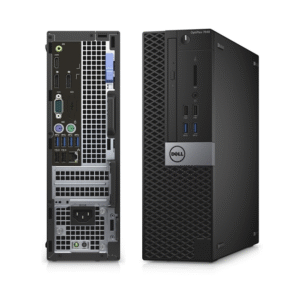
DELL Optiplex 7040 SSF Intel Core I5-6th Gen 8GB RAM 500GB HDD
- Processor: Intel Core i5-6th Gen ( i5-6500, 3.2GHz Quad-Core).
- RAM: 8GB DDR4 (2133 MHz).
- Storage: 500GB Hard Disk Drive (HDD).
- Graphics: Integrated Intel HD Graphics 530.
- Form Factor: Small Form Factor (SFF).
- Ports: USB 3.0, USB 2.0, DisplayPort, Ethernet, Audio.
- Operating System: Windows 11 .
SKU: n/a -
Dell Desktops, Desktops
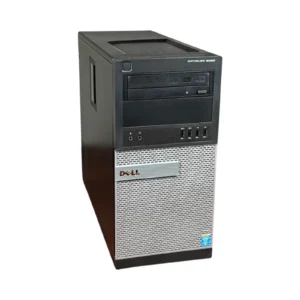
Dell Optiplex 9020 Mini-Tower Desktop, i5 3.4Ghz, 8GB DDR3 RAM, 500GB HDD
-
Model: Dell OptiPlex 9020 Mini-Tower
-
Processor: Intel Core i5, 3.4GHz Quad-Core
-
Memory: 8GB DDR3 RAM (Upgradeable)
-
Storage: 500GB Hard Disk Drive
-
Graphics: Intel Integrated Graphics
-
Networking: Gigabit Ethernet
-
Ports: USB 3.0, DisplayPort, VGA, Ethernet, Audio In/Out
-
Form Factor: Mini-Tower
-
Operating System: Windows-ready
SKU: n/a -
-
Dell Desktops, Desktops
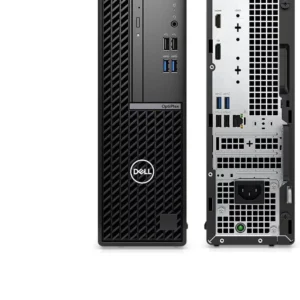
Dell 7010 Plus Optiplex SFF Desktop Computer- Intel i7-13700, 16GB RAM, 512GB NVMe SSD
 Dell Desktops, Desktops
Dell 7010 Plus Optiplex SFF Desktop Computer- Intel i7-13700, 16GB RAM, 512GB NVMe SSD
-
Model: Genuine Dell OptiPlex 7010 Plus Small Form Factor
-
Processor: Intel Core i7-13700, 16 Cores / 24 Threads, up to 5.2GHz Turbo
-
Memory: 16GB DDR4 RAM (Upgradeable)
-
Storage: 512GB NVMe Solid State Drive
-
Graphics: Intel UHD Graphics
-
Networking: Gigabit Ethernet
-
Ports: USB 3.2, USB-C, HDMI, DisplayPort, Audio I/O
-
Security: TPM 2.0, Secure Boot, BIOS Protection
-
Form Factor: Small Form Factor (SFF)
-
Operating System: Windows-ready
SKU: n/a -
-
Desktops, HP Desktops
HP Elite Mini 600 G9 Intel Core i5 12th Gen i5-12500T Hexa-core (6 Core) 2 GHz 16 GB RAM DDR4 SDRAM – 256 GB NVMe SSD
 Desktops, HP Desktops
HP Elite Mini 600 G9 Intel Core i5 12th Gen i5-12500T Hexa-core (6 Core) 2 GHz 16 GB RAM DDR4 SDRAM – 256 GB NVMe SSD
- Processor: Intel Core i5-12500T (12th Gen, 6-Core, 2.0 GHz) for efficient multitasking and strong performance.
- Memory (RAM): 16GB DDR4.
- Storage: 256GB NVMe SSD for rapid boot times and fast file access.
- Graphics: Integrated Intel UHD Graphics 770 .
- Operating System: Windows 11 Pro.
- Design: Ultra-compact mini PC, easily mountable behind monitors.
- Connectivity: Full I/O with USB-C, USB-A, DisplayPort, HDMI, Ethernet, and audio jacks.
SKU: n/a












There are no reviews yet.